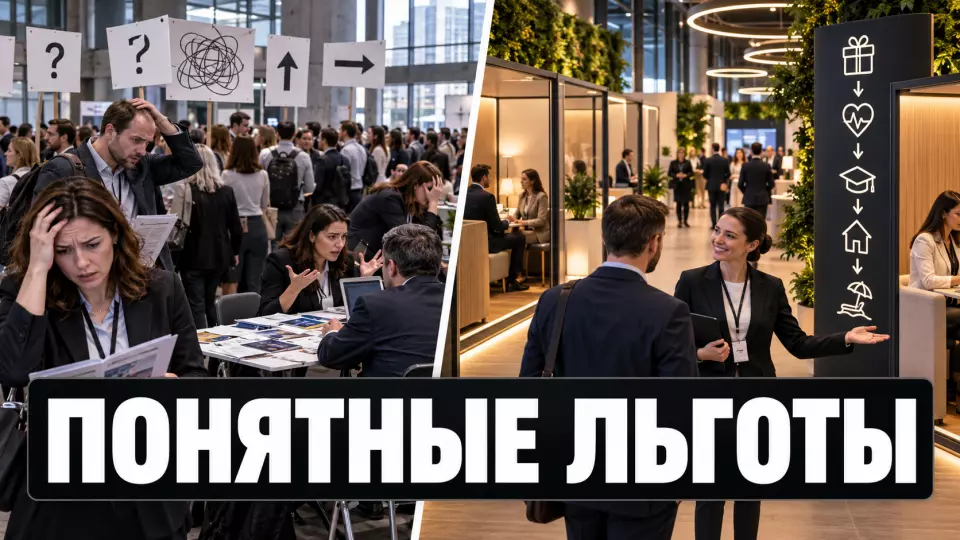
A practical plan for a corporate benefits fair: stations, routes, private consultations, registration, metrics, budget and preparation.
A corporate benefits fair helps employees see the entire benefits package in one place, compare terms and understand the next step. To achieve this, it is not enough to set up a row of tables with provider logos in the hall. You need a choice map, open stations, separate consultations, registration for limited slots and rules for handling personal data.
If you are planning such a fair, request a preliminary scheme and budget. For the first conversation, it is enough to know the number of employees, the city, the benefits package and the intended format of consultations.
What problem does a benefits fair solve?
A corporate benefits fair turns a long list of programs into a clear path of choices. Employees learn who is eligible for a benefit, what it covers, where the limitations are, and who to contact next. The HR team gets a single space to explain the benefits package. Personal medical, family or financial details are not collected at an open stand.
Different channels solve different problems. A corporate benefits fair connects them and gives employees the opportunity to clarify a general question right away or move to a private format.
The table brings together the key points of the section: Format, What it solves, Limitation. Use it as a quick guide when preparing the event.
| Format | What it solves | Limitation |
|---|---|---|
| Newsletter | quickly communicates changes | does not answer individual questions |
| Catalogue | keeps the terms for future reference | similar programs are hard to compare |
| Webinar | shows the big picture | a personal question is awkward to discuss publicly |
| Fair | combines explanation, comparison and the next step | requires routes, registration and private zones |
At Aventura, we start with one question: what should an employee do after the fair? For example:
- choose a suitable voluntary health insurance option;
- find out how to sign up for a sports program;
- compare support for parents;
- understand the rules for education reimbursement;
- book a consultation on financial wellbeing;
- find a channel for psychological or legal support;
- clarify how to get a discount or a corporate service.
It is better to formulate the goal as a completed step. "Raise awareness" sounds broad and is hard to measure. "The employee found the benefit they needed and received clear instructions" already sets the program, materials and metrics.
We link such a fair to the overall organisation of a corporate event for employees: the scenario, registration, design, equipment, navigation and the work of coordinators.
Boundaries of the Format: Voluntariness and Privacy
General information can be provided in an open area, while a personal question should be moved to a separate channel. Event registration should not turn into a questionnaire about health, marital status or financial situation. The more sensitive the topic, the more important it is to separate the roles of the employer, the medical organisation, the insurance company and other providers.
Federal Law No. 152-FZ establishes the principle of data matching the stated purpose and prohibits excessive collection. Entry to a fair usually does not require a diagnosis, date of birth, family composition or income information. If a form field does not change access, the route or the assigned action, we recommend removing it.
Health information belongs to special categories of personal data. The result of an examination, the fact of visiting a doctor or the content of a medical consultation must not end up in the organiser's general list. The medical partner passes the result to the employee themselves and processes health information only if there is an applicable legal basis, within its own secure system. The scope of reporting for the employer is checked in advance by the personal data operator and the client's lawyer. The organisational report keeps only aggregated indicators that do not allow a specific person to be identified directly or indirectly.
Important: data processing rules, consent texts and reporting boundaries are approved by the personal data operator and the client's lawyer. We help embed these rules into registration, layout and team operations, but we do not replace legal review.
For each station we fill in a short data map:
The table summarises the key points of this section: Question, What we fix before launch. Use it as a quick reference when preparing your event.
| Question | What we fix before launch |
|---|---|
| What data is needed | only the fields without which a specific action cannot be performed |
| Who receives it | HR, the provider, the medical organisation or the technical operator |
| Why they receive it | registration, confirmation of entitlement, reminder, consultation |
| Where it is stored | the client's system or a separate provider system |
| When it is deleted | a specific deadline or the event that completes the purpose |
| What the organiser sees | the minimum needed for routing and queue management |
Voluntariness is not demonstrated by a single phrase in the invitation. A manager does not need a list of employees who declined medical screening or psychological consultation. There should be no mandatory check mark at the entrance for completing all zones. A person can skip any activity without explanations or awkward questions.
Privacy also depends on the space: the queue should not be able to hear a conversation with a consultant. Names and results must not be displayed on a shared screen, and the photographer is told in advance which zones are no-photo. For medical, psychological and financial matters, it is better to use a private office or an acoustically insulated meeting room.
Stations of a corporate benefits fair
A good station answers one employee question and ends with a clear outcome. It has a name, an audience, access conditions, an expert, a duration, a conversation format and a next step. If one stand tries to explain five different programmes, the queue grows and the employee leaves without a decision.
The composition of the fair depends on the company's benefits package, so you should not add a topic just to fill the room. A working map can be put together like this:
The table brings together the key points of the section: Zone, What the person does, Format. Use it as a quick guide when preparing the event.
| Zone | What the person does | Format | Outcome |
|---|---|---|---|
| Benefits map | quickly sees all areas and access conditions | navigation stand and digital catalogue | chooses a route |
| Health | learns the general terms of the programme | open presentation without personal data | understands the options and limitations |
| Medical consultation | asks a specialist a personal question | private zone by appointment slots | receives a recommendation or the procedure for further contact |
| Sport and activity | compares available clubs and formats | demonstration, mini-test of the service, consultation | chooses an option to sign up for |
| Family support | clarifies programmes for parents and children | open stand plus private question | receives a list of documents and contacts |
| Learning | learns the reimbursement rules and available programmes | consultation and a short demonstration | understands the application procedure |
| Financial wellbeing | studies general tools and asks a personal question separately | open material plus private consultation | receives a safe channel for follow-up |
| Psychological support | learns the format of the service and the confidentiality rules | calm zone without a public survey | understands how to get in touch after the event |
| Corporate discounts | activates a straightforward service without a long conversation | open station | receives instructions or access |
Open stations operate without registration if their capacity allows. Consultations with limited time are best issued by appointment slots. This reduces the number of long queues and helps the consultant prepare materials. At the same time, the topic of a personal question should not be displayed on the badge or in the general schedule.
For interactive zones, you can use the mechanics of short master classes: show one action, let the person try it and finish the station with a concrete outcome. In our experience, long presentations at every stand are tiring and create unnecessary noise.
If a provider wants to collect contacts for follow-up offers, this collection must be separated from participation in the fair. The employee must understand to whom and why they are handing over their data. Consent to advertising messages is best arranged separately from participation and access to general information about an existing benefit.
If the list of providers has already been put together, we can turn it into a zone map, a schedule, registration and an employee route. Request a programme draft, and we will calculate the number of stations, rooms and coordinators.
Employee journey and schedule
At the entrance, a person first chooses a task. The corporate benefits fair shows open stations and booked slots on a single map. After a consultation, the employee saves the link, the list of documents, the contact or the date of the next appointment. This way we reduce unnecessary back-and-forth and the load on popular experts.
We usually divide the visit into four modes:
- Open browsing. The employee walks through the general areas without an appointment and chooses topics.
- Ready-made route. HR offers curated selections in advance: "health", "family", "learning", "new employee", "manager".
- Booked slot. A one-on-one conversation takes place at a specific time in a separate room.
- Waiting list. If a slot is taken, the person chooses another time or a remote consultation after the fair.
At the entrance, three statuses are enough: registered for the event, slot confirmed, coordinator assistance needed. The more internal markers a guest sees, the higher the risk of error. Detailed service statuses stay in the team's internal system.
We build the schedule based on the consultants' actual capacity. If a specialist holds four relaxed conversations per hour, we don't put ten slots in that time. For popular topics, we provide a second specialist, an additional window after the event, or advance collection of general questions without personal details.
Streams from different shifts can be staggered. For branch offices, a short broadcast of the general part and remote consultations are added. A hybrid format makes sense if it provides equal access rather than turning remote employees into spectators. For this kind of task, we use our experience with hybrid events and separately check the sound, the booking interface and the availability of materials.
A practical employee journey:
- Get a map and see which stations are open right now.
- Choose one or two tasks instead of trying to get through everything.
- Visit the open areas and pick up the general instructions.
- Come to the one-on-one consultation at the booked slot.
- Get a secure link or contact to follow up.
- Rate how clear the process was without disclosing the content of the conversation.
We publish more practical breakdowns of corporate formats in the AVENTURA EVENTS Telegram channel. The specific terms of benefits are always determined by the employer and the relevant provider.
How to plan space and accessibility?
The layout should support choice, privacy and safe movement. On the plan, we mark in advance the entrance, registration, benefits map, open stations, consultation rooms, waiting areas, catering, quiet zone and exit. Popular points should not be placed in a narrow passage, near stairs or opposite an emergency exit door.
The UK Health and Safety Executive (HSE) suggests considering people's movement in three phases: arrival and entry, movement within the venue, then exit and dispersal. For a benefits fair, this is supplemented by the transition between open information and private consultation. We check where a queue might double, where it will go and whether it will block the neighbouring area.
The venue influences the format more than decor. When choosing a space, you need:
- a free accessible route from the entrance to key areas;
- separate meeting rooms or acoustic booths;
- space for a queue without blocking the passage;
- chairs for people who find it difficult to stand for long periods;
- counters of different heights or the option to consult while seated;
- clear signage without small text;
- calm lighting without harsh glare;
- good audibility and use of a microphone in the common area;
- an accessible registration form and materials that can be obtained in advance;
- a backup area for relocating a popular consultation.
The World Wide Web Consortium (W3C) advises providing accessible materials in advance, voicing important information on slides and using a microphone. We supplement this with simple documents, sufficient contrast, text alternatives for images and a registration form that can be completed using a keyboard. We make the field about necessary participation conditions optional and ask about required adjustments, not about a diagnosis.
If you need to find a venue for stations and private consultations, use our venue catalogue. We will check the specific layout after the brief and a technical inspection.
Escape routes and exits must remain clear. Temporary stands, boxes, cables and queues must not reduce the required width of passages or obstruct the exit. The venue's responsible person confirms the permitted capacity and layout requirements.
If the fair includes a coffee break or tasting, request the composition of dishes and allergen information from the caterer in advance and make it available to guests. Do not promise the absence of a specific allergen without written confirmation from the caterer. For certain items, provide separate equipment if the kitchen process supports this.
Before opening, we run a walkthrough: an employee enters, finds the map, registers, goes to a station, waits, receives material and exits. Such a walkthrough often reveals conflicts in navigation and queues before guests do. The detailed procedure can be checked against the article on event participant registration.
Roles of the client, providers, and organizer
Before registration opens, we assign responsibilities. HR defines the set of benefits and access rules, the provider is responsible for terms and specialists, and the venue confirms safety and room conditions. At Aventura, we turn these constraints into a scenario, layout, schedule, and on-site team tasks.
The table summarizes the key points of the section: Role, Before the event, During the fair. Use it as a quick reference when preparing the event.
| Role | Before the event | During the fair | After |
|---|---|---|---|
| HR client | approves goals, audience, set of benefits, and access rules | answers general company questions | updates the catalog and internal instructions |
| Lawyer and data owner | checks processing grounds, form texts, and contracts | handles disputed data requests | monitors retention periods and deletion |
| Medical partner | confirms specialist status and result issuance procedure | conducts consultations within their own scope | continues working directly with the employee |
| Other benefit provider | prepares exact terms, materials, and specialists | explains the program and arranges the agreed next step | delivers the promised follow-up |
| Venue | agrees on the plan, capacity, and safety requirements | monitors engineering and fire safety conditions | accepts dismantling |
| We at Aventura | put together the concept, zone map, timing, registration, contractors, and command center documents | coordinate flows, equipment, navigation, and changes | hand over the organization report and agreed materials |
At the briefing, we ask the provider to name the lead expert and a backup for each station. The coordinator does not answer substantive questions about the benefit on behalf of the provider. Their task is to help with the route, queue, accessibility, and technical issues.
We recommend holding a general briefing for all participants. There we verify benefit names, promises, filming prohibitions, contact collection rules, station stop procedures, and the communication channel with the command center. An employee should not receive different answers from HR and the provider.
How do you measure the value of a benefits fair?
Attendance shows reach, but it does not prove that an employee understood a benefit or was able to use it. For a corporate benefits fair, we look at four things: how employees moved through the route, whether they understood the terms, whether they got a clear next step, and whether the promised follow-up actually happened. The content of a medical, psychological or financial consultation is not part of the organiser's report.
A working table might look like this:
The table brings together the key points of the section: Level, Metric, Source. Use it as a quick reference when preparing your event.
| Level | Metric | Source | Which decision it supports |
|---|---|---|---|
| Reach | share of attendees out of invitees | registration and entry counter | whether a different schedule or a branch format is needed |
| Route | visits to zones without long queues | anonymised counter and observation | how to change the layout and schedule |
| Clarity | share of answers "I understand the next step" | a short anonymous survey | which materials to rewrite |
| Consultation | share of slots used | schedule without the content of the conversation | how many specialists to invite |
| Follow-up | share of instructions issued or confirmed bookings | agreed provider status | where the handover after the fair breaks down |
| Accessibility | number of requests for assistance and unresolved barriers | coordinators' log | what to change at the venue and in the materials |
| Reliability | delays, station cancellations, technical incidents | command centre log | what reserve is needed next time |
You should not build a ranking of departments by their use of medical or psychological programmes. Such a table can destroy trust and create a risk of identifying individuals. For small groups, aggregation also requires caution: even without a surname, it is sometimes easy to tell who is being referred to.
It is better to keep the survey short:
- Did you find the topic you needed?
- Are the terms and limitations clear?
- Do you know the next step?
- Was it convenient to move through the route?
- What remained unclear?
If a company wants to assess the impact of its benefits package on retention or wellbeing, a separate study is needed with pre-selected indicators and an observation period. A one-day fair does not prove such causality. In our article on key performance indicators for a corporate event, we look in more detail at how a metric connects to a decision.
Budget and preparation timeline
The cost of a corporate benefits fair depends on the number of providers, parallel consultations, the city, the venue, technical equipment and privacy requirements. First, we budget for what the format cannot work without: meeting rooms, registration, navigation, equipment and coordinators. We add decoration and additional activities after that.
The main budget blocks:
The table summarises the key points of this section: Block, What it includes, Main cost driver. Use it as a quick reference when preparing your event.
| Block | What it includes | Main cost driver |
|---|---|---|
| Concept and management | brief, benefits map, scenario, timing, command centre | number of approving parties |
| Venue | hall, meeting rooms, furniture, accessibility | number of zones and meeting rooms |
| Registration | form, slots, reminders, help desk | number of participants and integrations |
| Build-out and navigation | stands, signage, map, branding | volume of custom production |
| Equipment | sound, screens, communications, internet, backup | number of rooms and hybrid setup |
| Staff | coordinators, registration, technical team | parallel streams and duration |
| Materials | benefits cards, digital catalogue, accessible versions | number of programmes and languages |
| Catering | water, coffee break, ingredient labelling | number of people and restrictions |
| Photo and video | filming in permitted zones, reporting material | privacy regime and number of venues |
| Contingency | agreed reserve for changes | uncertainty and project complexity |
In our working scheme, the preparation timeline looks like this:
- 8-10 weeks out: goal, audience, project owner, set of benefits, preliminary budget.
- 6-8 weeks out: providers, station map, data requirements, venue and flow plan.
- 4-6 weeks out: registration, slots, card copy, navigation design, technical brief.
- 2-4 weeks out: final specialists, accessible materials, filming plan, catering, command centre documents.
- 7-10 days out: end-to-end run-through of the form, route, queues and consultations.
- The day before: installation, technical check, flow marking, team briefing.
- After the event: dismantling, report, closing forms, confirming continuation and data deletion deadlines.
If the timeline is shorter, we reduce complexity. It is better to run six clear stations with working slots than to open twelve zones without approved materials and owners. It is useful to compare contractor proposals against the same brief; this is covered in the article on the corporate event budget.
What should remain after the event?
After a corporate benefits fair, employees need clear access to information. Gather in one place an up-to-date catalogue, provider contacts, booking rules, a list of documents, answers to common questions and the deadlines for the next step. Personal results of medical, psychological and financial consultations remain with the relevant specialist.
We suggest closing the project in three steps:
- Send a single email or page with an overview map and verified links.
- Confirm all promised consultations, bookings and callbacks.
- Delete temporary lists and exports according to the approved deadlines.
HR receives an organisational report: attendance, station load, queues, failures, accessibility requests and topics that need better explanation. The report contains no diagnoses, no content of personal conversations and no employee ratings.
Frequently asked questions
A corporate benefits fair turns a long list of programmes into a clear route for making choices. Employees learn who is eligible for a benefit, what it covers, where the limitations are and who to contact next. The HR team gains a single space for explaining the benefits package. Personal medical, family or financial details are not collected at an open stand.
General information can be provided in an open area, while a personal question needs to be moved to a separate channel. Event registration should not turn into a questionnaire about health, marital status or financial situation. The more sensitive the topic, the more important it is to separate the roles of the employer, the medical organisation, the insurance company and other providers.
A good station answers one employee question and ends with a clear outcome. It has a name, an audience, access conditions, an expert, a duration, a format for the conversation and a next step. If a single stand tries to explain five different programmes, the queue grows and the employee leaves without a decision.
At the entrance, a person first chooses a task. The corporate benefits fair shows open stations and booked slots on a single map. After a consultation, the employee saves the link, the list of documents, the contact or the date of the next appointment. This way we reduce unnecessary walking and the load on popular experts.
The layout should support choice, privacy and safe movement. On the plan we mark in advance the entrance, registration, the benefits map, open stations, consultation rooms, waiting areas, catering, a quiet zone and the exit. Popular points must not be placed in a narrow passage, by a staircase or opposite an emergency exit door.
Before registration opens, we allocate responsibility. HR determines the set of benefits and the access rules, the provider is responsible for the conditions and the specialists, and the venue confirms safety and room schedules. At Aventura, we turn these constraints into a scenario, a layout, a schedule and tasks for the team on site.
At Aventura, we can put together a corporate benefits fair, from the station map to the team working on site. Request a plan and estimate and specify the number of employees, city, set of benefits and preferred date.
Sources
- Federal Law No. 152-FZ, Article 5: principles of personal data processing
- Federal Law No. 152-FZ, Article 10: special categories of personal data
- Federal Law No. 323-FZ, Article 13: medical confidentiality
- W3C WAI: accessible presentations and materials
- HSE: managing crowd flows at events
- EMERCOM of Russia: changes to fire safety regulations
- TR CU 022/2011: labelling of food products and ingredients that can cause allergic reactions
- NIST Privacy Framework: managing privacy risks
Contents
Was this article helpful?