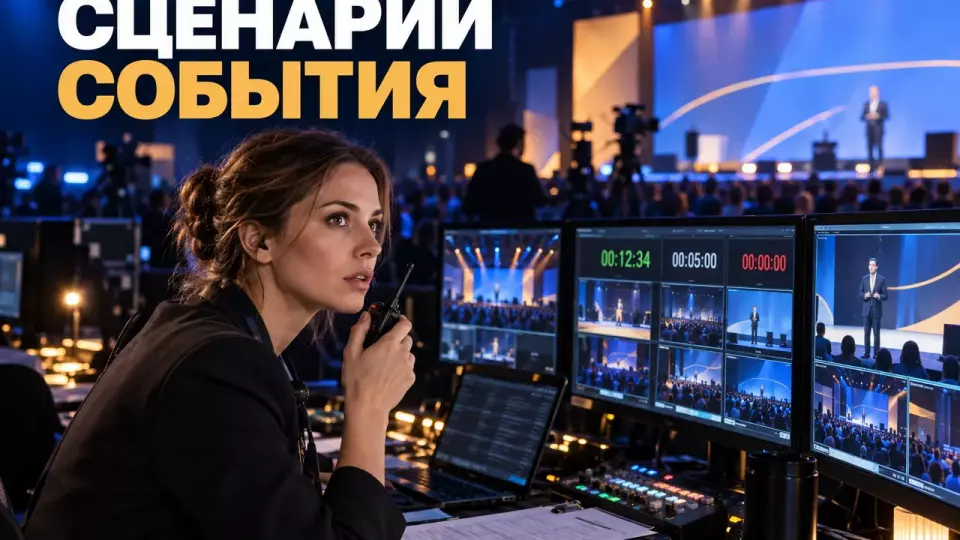
A practical guide to the director's script: required fields, roles, service team commands, rehearsal, versions, and backup solutions.
The event's director's script turns the program into a sequence of executable actions. It shows what happens on stage, which file is launched, where the lighting changes, who hands over the microphone, and who confirms readiness. The team uses it to run the event and make coordinated decisions when deviations occur.
We at Aventura compile this document after the goals, format, and main blocks are approved. First, we connect the content to guest actions. Then we add transitions, service team commands, responsible persons, material versions, and backup. A beautiful text without this working part remains just text, not a venue tool.
Leave a request – let's discuss the task
We will clarify the event format and suggest the next step.
How does the director’s script differ from the program?
In short: the program tells the participant what will happen and when. The literary script contains dialogue and meaningful transitions. The director’s script connects stage action with the commands of people and technical services. These documents may rely on the same structure, but they do not replace each other.
The program is convenient for the guest. It is enough to have the name of the block, time, hall, and speaker. For managing the venue, this data is not enough. The technical team needs to know what signal triggers the video, which microphone is turned on, when the lights come on, and what follows the final frame.
The host’s text also does not solve this task. The phrase “and now the director will come on stage” does not tell the coordinator whether the speaker is ready. It does not give the video engineer the name of the intro and does not set for the sound operator the moment to open the microphone. Therefore, we do not try to pack the entire project into a single literary file.
The table summarizes the key points of the section: Document, Main Question, Primary User. Use it as a quick reference when preparing your event.
| Document | Main Question | Primary User |
|---|---|---|
| program | what the participant will see | guest, client, speaker |
| host's text | what will be said | host, editor, client |
| director's script | who acts and on what command | director, coordinators, technical services |
| technical list | what settings and resources are needed | separate technical service |
For a forum or conference, the director’s script becomes part of the overall framework of business event management. It connects the program, venue, stage, registration, and participant actions.
Master Line Composition
In short: each line of the master script describes one controllable point. It contains an identifier, planned time, action on stage, commands for sound, screen, and lighting, responsible person, readiness criterion, and backup. Fields can be adapted, but the team should maintain a common understanding of the line.
We use the concept of a cue: it is a point at which a specific action is triggered. The Russian equivalent in working conversation is a command or signal. In QLab documentation, a cue list serves as a sequence of commands for sound, video, lighting, and other actions. A specific program is not required. A table also works if the number and meaning of each command are unambiguous.
A minimal master line includes:
- Cue number. A stable identifier that does not change when the time shifts.
- Planned time and duration. They help to see if we are ahead or behind schedule.
- Stage action. Who enters, speaks, presents, shows, or leaves.
- A line or meaningful signal. A trigger point for the next action is enough.
- Sound. Microphone, track, volume, opening and closing of the channel.
- Screen. File name, version, source, and what happens after the display.
- Light. State, accent, dimming, or transition.
- Command and recipient. Who gives the signal and which service confirms it.
- Readiness status. Whether the file, speaker, prop, and backup are checked.
- Plan B. What the team does if the condition is not met.
We do not combine sound, lighting, and video into a single "technical" column. One shared cell speeds up writing, but complicates work on site. Services need to quickly see their own action and its connection to neighboring commands.
Who manages the document on site?
In short: the master version should have a single owner. Usually the director or a designated show caller gives commands according to the approved script. The producer manages the project's resources and decisions, coordinators prepare people and props, and technical directors are responsible for execution in their areas.
Job titles vary from project to project. The right to make decisions becomes the defining factor. Before the build, the team records who can change the sequence, who approves cutting a block, and who is authorized to stop the stage action. If the authority is distributed among several people without priority, the control room receives contradictory signals.
The table summarizes the key points of the section: Role, Before the event, During the program. Use it as a quick reference when preparing the event.
| Role | Before the event | During the program |
|---|---|---|
| Client of the program | approves content and decision boundaries | accepts content changes through the established channel |
| Producer | assembles resources, timelines and contractors | removes organizational blockers |
| Director | translates the program into stage action | runs the master script and commands |
| Stage coordinator | prepares people, props and cues | confirms readiness to the director |
| Technical director | checks the layout and assignments of departments | coordinates the execution of sound, light and video |
| Host | prepares text and transitions | delivers approved lines and maintains communication with the director |
At large conferences, this set expands. Hall directors, speaker coordinators, presentation editors and a separate broadcast team appear. For such projects, we use the conference organization framework, where the overall program and each hall are linked by a single version registry.
Leave a request - let's discuss the task
We will clarify the event format and suggest the next step.
Versions, Files, and Latest Revisions
In short: the master script is stored in one place and has a visible version. Each media asset receives a stable name and a review status. After freezing the working version, urgent revisions are handled by a single owner, who marks the affected cues and obtains confirmations from all departments.
The main problem in the final hours is often related to the revision workflow. The client changes a last name in the presentation, the host corrects a line in a messenger, and the video engineer receives a new file through a third person. As a result, everyone is working correctly with their own copy, but the versions don't match.
We set a simple rule: a note about a revision does not count as an implemented revision. The change must be incorporated into the master version, receive a timestamp, and reach the specific performers. The recipient responds that they have seen the new version and understand the action.
For files, a unified naming scheme is useful: block, cue number, meaning, version. The word final doesn't help if final2 and final_new are right next to it. The exact scheme depends on the company, but the date, version number, and owner should be readable without opening the file.
After the program starts, we restrict free editing. An urgent revision goes through a short cycle:
- The content owner formulates the change.
- The director assesses the affected actions and risks.
- The master version is updated in one place.
- Departments receive the new version number and their specific changes.
- Each department confirms readiness.
- The director specifies the moment from which the version takes effect.
How to assemble a scenario step by step?
In short: work begins with the event's result, not with the lines. Then the team breaks the participant journey into episodes, assigns owners, adds stage and technical actions, checks the transitions, and only after that completes the host's script. This order prevents elegant wording from hiding production gaps.
First, we ask the client to complete the sentence: 'After this block, the participant should...'. The answer should describe an observable action. The participant understood the rule, asked a question, chose a route, saw the product, signed a document, or moved to the next zone. The wording 'was inspired' can remain in the concept, but you cannot build a team from it.
The process then looks like this:
- Define the goal and boundaries. What the event should change and what is not part of its outcome.
- Map the participant journey. Entrance, waiting, key blocks, transitions, finale, and exit.
- Divide the journey into episodes. Each episode has a clear entry and exit.
- Assign an owner for each result. They confirm the content and readiness.
- Add stage actions. Entrances, props, set changes, and the host's work.
- Add technical cues. Sound, video, lighting, streaming, and communication.
- Integrate accessibility and safety. These requirements affect the timing and sequence of actions.
- Prepare backup plans. Replacement of a file, microphone, speaker, or transition.
- Check transitions at rehearsal. Correct the scenario based on the actual run-through.
Not all lines require the same level of detail. Welcome coffee can be described as a large block. Stage opening, award presentation, remote speaker connection, and video playback require separate cues. The level of detail increases where responsibility, technology, or risk changes.
Transitions, Cues, and Service Commands
In short: a command must be short, targeted, and verifiable. First the service confirms readiness, then the director gives the signal for action, and after execution receives a clear status. Relative phrases like 'after that' are replaced with the cue number, an anchor line, or a visible event.
The working sequence consists of preparation, warning, and launch. For example: the coordinator confirms that the speaker is at the entrance; video reports the intro is ready; sound confirms the microphone; the director warns the services about the next cue; and on the final line launches the entrance and the screen.
Commands don't have to sound theatrical. They need to be unambiguous. 'Video 32, stand by' gives the number and the service. 'Video 32, go' gives the action. 'Everything is ready, we're starting' doesn't show who exactly should do what.
For a complex scene, a cancellation criterion is useful. If the speaker is not yet at the entrance, the director holds the transition and the host uses an agreed-upon segue. If the file has not been checked, video launches a backup intro. If the connection with a remote participant is lost, the moderator moves to the next question or block.
Sound requires special attention. Shure recommends conducting a sound check and agreeing in advance with a specialist on the type and position of the microphone. In the script we note the specific channel, transmission method, and responsible coordinator. For a complete scheme, a separate service of technical support and sound may be needed.
Useful working phrases:
- 'Stage confirms: speaker is at the entrance, microphone is secured';
- 'Video 18 is ready, first frame is on preview';
- 'Light 12, stand by for general state';
- 'On the host's word "starting": video 18 and light 12, go';
- 'We hold cue 21, the host takes a backup question'.
We also publish collections of production observations and event examples in the Aventura Telegram channel.
What to check at the director's rehearsal?
Short: the rehearsal checks critical scenes and the points of contact between people, content, and technology. The team runs through the opening, complex entrances, media materials, awards, switch-ons, the finale, and backup. After each episode, the decision, owner, and new version are recorded in the master script.
Reading the host's script at the table is useful for the editor, but it does not replace work on site. The director must see the actual distances, visibility, speed of stage changes, and audibility of communication. The speaker must try the entrance, microphone, and stopping point. Technical services must execute commands in real order.
We start with a short briefing. All participants know the script version, the communication channel, and the right to stop the run-through. Then we check scenes where an error is noticeable to the audience or affects safety. A full run-through in real time is not always necessary. Sometimes it is more useful to repeat a complex transition twice than to formally go through the entire program.
Rehearsal checklist:
- Opening: first cue, music, lights, screen, and host's entrance.
- Speakers: route, microphone, slides, timer, and exit from the stage.
- Media materials: file name, first and last frame, sound, and next cue.
- Stage changes: who brings in and removes furniture or props.
- Interactivity: instructions for participants, device test, and action in case of low response.
- Awards: order of people, items, photos, and return from the stage.
- Hybrid: connection, delay, backup channel, and moderator's role.
- Finale: general stage, thanks, music, screen, and exit route.
- Backup: skip an episode, replace file, microphone, and speaker.
- Stop: who makes the decision and who speaks to the audience.
After the run-through, changes are made to the script. Photos of handwritten notes in the common chat do not replace a new master version. The order of the joint run-through is discussed in more detail in the article about the technical rehearsal of the event.
Backup Plan and Show Stop
In short: a routine glitch, a directorial pause, and a safety show-stop require different solutions. For likely deviations, backup actions and neutral messages are prepared. The right to stop the program, the notification procedure, and the handover of control to relevant services are defined by the safety plan before the event.
For a late speaker, a moderator's question can be prepared. For a corrupted presentation, a backup PDF. For a headset failure, a handheld microphone. For an unavailable video, a static slide and a brief transition by the host. Such backup does not promise seamlessness, but it reduces resolution time.
HSE recommends agreeing on the show-stop in advance: identify key people, communication channels, contact with participants, and announcement wording. Communication systems should be tested before the event. These rules relate to safety and should not be lost in creative improvisation.
In the master script, we refer to a separate procedure rather than rewriting the entire emergency plan. A line can have fields for 'stop condition', 'who confirms', 'audience message', and 'handover point'. Specific thresholds and roles are set by the venue, client, and relevant specialists.
How to Consider Hybrid and Accessibility?
In short: hybrid and accessibility change the very flow of the program. The script should give a remote participant an action, provide subtitles or interpretation if needed, allocate time for microphone handover, and describe an accessible route to the stage. A general note 'consider accessibility' is not enough.
W3C recommends asking about special requirements in advance, checking accessibility of the entrance, venue, stage, and restrooms, providing microphones and speaker visibility. Materials should be shared with participants, interpreters, and subtitle specialists in advance.
In the script, these requirements become specific lines. The coordinator checks the clear route. The host repeats the question before answering. The video engineer receives the subtitle file. The camera maintains visibility of the speaker's or interpreter's face. The moderator gives the remote participant a clear way to join and confirms that the audience can hear them.
For a hybrid block, we separately describe:
- Connection channel and backup.
- Communication check before going live.
- Readiness signal from the remote participant.
- View for the room and view for the broadcast.
- Question handover between the room and online.
- Action in case of delay or connection loss.
- Access to materials after the block.
Filming should also be reflected in the script. Article 152.1 of the Civil Code regulates the publication and further use of a citizen's image. The norm has exceptions, but they cannot be automatically considered grounds for any corporate publication. The rules and forms are checked by the client's lawyer, and the production team follows the approved procedure.
Minimum package to start
In short: for the first estimate you need the event goal, audience, format, venue or requirements for it, a draft program, speakers, media materials, technical outline, approval rules and restrictions. If some data is still missing, it is important to assign an owner and a decision date, not to hide the gap.
At the first briefing, we ask questions that affect the script and budget:
- What participant action is considered the result of each key block?
- Who approves the content, staging solution, and technical diagram?
- Which speakers, artists, and remote participants have already been confirmed?
- Which presentations, videos, music, and graphics should be produced?
- Do you need broadcasting, recording, subtitles, or translation?
- Are there any award ceremonies, signings, demonstrations, props, or rearrangements?
- What venue and safety requirements are already known?
- How do participants communicate accessibility requirements?
- Who accepts the final edits and when is the working version frozen?
- What backup solutions are mandatory for critical episodes?
The composition of the team and documentation depends on the scale. A small internal evening can be managed with a compact table. A multi-hall forum, opening ceremony, or broadcast will require child sheets for services and separate directors for each circuit. In all cases, the master version should maintain a single numbering and owner.
A separate director is needed when the program includes multiple services, precise cues, media content, stage rearrangements, live broadcast, or a high reputational risk of error. If the event consists of a single meeting without staged transitions, some functions can be taken over by a producer or coordinator. The decision is made based on complexity, not the number of guests.
Frequently Asked Questions
Briefly: the program explains to the participant what and when will happen. The literary script contains lines and semantic transitions. The director's script links stage action with the commands of people and technical services. These documents can rely on the same structure, but do not replace each other.
Briefly: each line of the master script describes one controlled point. It contains an identifier, scheduled time, on-stage action, sound, screen and light commands, a responsible person, a readiness criterion and a backup. The fields can be adapted, but the team must maintain a unified understanding of the line.
Briefly: the master version must have one owner. Usually the director or an appointed show caller issues commands according to the approved script. The producer manages resources and project decisions, coordinators prepare people and props, and technical managers are responsible for execution within their areas.
Briefly: the master script is stored in one place and has a visible version. Each media asset receives a stable name and a verification status. After the working version is frozen, urgent edits are accepted by one owner, who marks the affected cues and receives confirmation back from all departments.
Briefly: the work starts with the event outcome, not with the lines. Then the team breaks down the participant journey into episodes, assigns owners, adds stage and technical actions, checks transitions, and only then writes the host's script. This order prevents beautiful wording from hiding production gaps.
Briefly: the command must be short, targeted and verifiable. First the department confirms readiness, then the director gives the signal for action, and after execution receives a clear status. Relative phrases like 'after this' are replaced with a cue number, an anchor line, or a visible event.
Sources
- HSE: Getting started with event safety
- HSE: Planning for incidents and emergencies
- W3C WAI: Making Events Accessible
- QLab 5 Documentation: The Workspace
- Shure: A Basic Guide to Presentation Microphones
- Civil Code of the Russian Federation, Article 152.1: Protection of a Citizen's Image
Contents
Was this article helpful?