
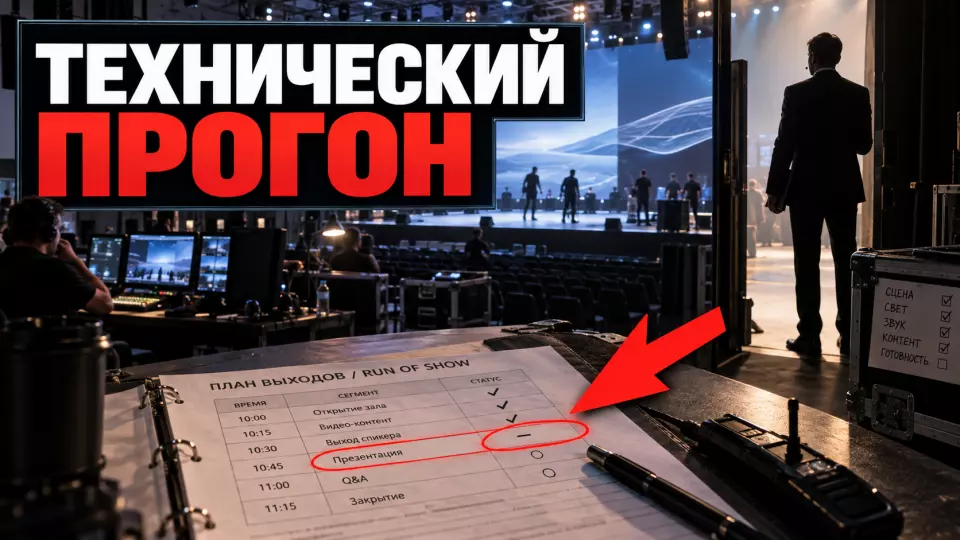
Техническая репетиция связывает людей, контент и оборудование в один прогон. Показываем порядок проверки, журнал замечаний и критерий открытия дверей.
Микрофон может работать, ролик открываться, а световая сцена выглядеть правильно. Сбой часто возникает в момент, когда эти элементы должны сработать вместе. Техническая репетиция мероприятия проверяет всю цепочку: команду, контент, оборудование, сценические выходы и решения при отклонении от плана. Мы в «Авентуре» используем прогон как финальную проверку: после него понятно, можно ли открывать двери.
Практические разборы подготовки событий выходят в Aventura's Telegram channelPractical breakdowns of event preparation are published in
Что должна доказать техническая репетиция?
In brief: Репетиция должна показать, что сложные эпизоды выполняются в нужном порядке, а team понимает свои действия при нормальном ходе и при сбое. Мы проверяем переходы между блоками, запуск материалов, слышимость, видимость, маршруты людей, связь и резервные решения. The outcome is a readiness decision or a short list of mandatory retests.
It is easy to turn a run-through into a long walkthrough of the program. Then participants get tired, and the equipment runs without transitions between systems. A useful rehearsal is structured differently. The team selects the action handoff points in advance: speaker entrance, light change, microphone unmuting, presentation start, and cueing the broadcast.
The table summarizes the key points of the section: Format, When it is useful, What can be skipped. Use it as a quick reference when preparing the event.
| Format | Table. What should a technical rehearsal prove? | When it is useful |
|---|---|---|
| What can be skipped | full run-through of the program | short event or first joint rehearsal |
| individual repeats of already approved scenes | cue-to-cue run-through | long program with many transitions |
full scripts of performances between the opening and finale We start with the current version of the program. If the scenario is still changing, we first lock down the key decisions through. Otherwise, the rehearsal team will check a version that will no longer be used.
Before going on site, we define readiness criteria. The wording “everything works” is too vague. A clear criterion sounds like this: the video starts on cue; the voice is audible at the control points in the hall; the presentation opens from the backup drive; the speaker knows the route; the production team sees confirmation of every start command, or cue.
Dance groups прогона и право остановки
A run-through should have one leader who announces the episode, gives cues, and decides whether to repeat the check. The other participants are responsible for their systems and briefly confirm the result. Any person in charge can stop the episode if continuing would hide a defect, create a risk to people, or damage the equipment.
The minimum crew depends on the program, but the roles recur:
- . Otherwise, the rehearsal team will check a version that will no longer be used.
- director or run-through lead;
- Sound engineer;
- technical director;
- lighting specialist;
- video and presentation operator;
- stage coordinator;
- host and speakers of complex episodes;
- специалист трансляции или перевода, если эти системы используются;
- broadcast or translation specialist, if these systems are used;
One person can combine several roles. Responsibility is still recorded separately. The team must know the video and signal operator, the file replacement procedure, and the person who approves the backup option.
Канал связи проверяют до начала. Для режиссерской группы это может быть интерком или отдельная гарнитура. В небольшом зале подходит заранее согласованный голосовой порядок. Общий чат полезен для файлов и фиксации решений, но он не заменяет оперативные команды во время эпизода.
Как собрать прогон по командам - cue-to-cue?
Cue-to-cue, или прогон по командам, проходит от одной сложной точки к следующей без полного воспроизведения всех выступлений. В маршрут включают начало события, выходы людей, запуск роликов и презентаций, смены света, вопросы из зала, переходы между сценами, финал и резервные сценарии. Для каждой команды известны инициатор, Action и признак успешного выполнения.
Сначала разбиваем программу на эпизоды. Затем отмечаем переходы, в которых меняются люди, контент, сигнал или конфигурация сцены. Длинную речь спикера можно сократить до первых и последних фраз. Важнее увидеть вход, положение у микрофона, первый слайд, сигнал об окончании и передачу сцены следующему участнику.
В таблице собраны ключевые пункты раздела: Cue field, What to write, What the team checks. The table summarizes the key points of the section: Point, What the candidate gets, What the team records
| Cue field | What to write | What the team checks |
|---|---|---|
| Trigger | phrase, timecode, or action | the team understands the start moment |
| team | short wording on the communication channel | no two interpretations |
| Action | lighting, sound, video, person's entrance | the system performs the required step |
| Confirmation | by voice or via intercom | the manager knows the status |
| Backup | file, microphone, route, or pause | a failure does not leave the stage without a solution |
Мы обычно начинаем с самого сложного блока, пока team свежая и есть время на исправления. Потом проходим начало, переходы и финал. Если площадка доступна ненадолго, приоритет получают сцены, которые нельзя полноценно проверить в офисе: подвесы, большие экраны, радиочастоты, сценические маршруты и связь между помещениями.
If you need a single production plan with a script, equipment, and responsible persons, Simply specify the city, number of participants, desired area of support, and a possible partner.. In the request, specify the format, city, date, number of guests, and current stage of preparation.
Контент, экраны и версии файлов
На репетиции мы запускаем материалы тем же способом, который будет работать во время события. Final files are stored in one folder with clear names and version numbers. The operator has local copies, and videos and presentations for complex segments are duplicated on a separate drive. Cloud links remain a transfer method, but not the only source at the venue.
Before launch, the team checks:
- aspect ratio and resolution of materials;
- readability of text from the far points of the hall;
- embedded fonts and video;
- audio level in videos;
- correct first and last frame;
- order of presentations in the playlist;
- absence of service comments and extra windows;
- operation of the clicker, timer and speaker monitor.
We separately review the content on the venue screen. Color, contrast, and small text may look fine on a laptop and get lost on an LED panel. W3C recommends making text and graphics readable, using sufficient contrast, and explaining meaningful visual elements in words. It is useful to check these requirements together with the speaker, not after the first comment from the audience.
The project manager records the exact name, size, and modification time of the final file. After the check, new material does not go into the playlist without a repeat run. This is how the team protects itself from a presentation with the same name and different content.
Как проверить звук и сценические выходы?
Sound is checked on the microphones selected for the event and at control points in the hall, while outputs are tested along actual routes. The host speaks working phrases, the speaker takes their place, lighting and video receive the cue, and then the team listens to the start, transition, and end of the segment. Noise, feedback, and dead zones are recorded in the issue log.
A standard 'one, two' check shows that there is a signal. It says little about voice timbre, speech volume, distance to the microphone, and how a person behaves while moving. We ask the host and speakers of complex segments to say a few phrases from the program. The sound engineer tunes the system to their voices and notes the microphone handling rules.
The stage coordinator walks the route from the waiting area to the performance point and back. There should be no cables, packaging, sharp corners, or oncoming traffic along the route. Doors, steps, and lighting changes are checked under the lighting that will be used during the segment. If a person exits a dark corridor, the team gives them a clear reference point.
The equipment layout is chosen before the rehearsal. Introductory material on types and tasks is in the article about sound equipment for the event. On site, the specific configuration, radio frequencies and backup are already checked.
The backup microphone must be switched on, labeled, and accessible to the coordinator. The mere presence of a spare device solves nothing if the team does not know who hands it over and on whose command the channel is switched.
Доступность и безопасность до открытия дверей
The technical run-through includes the guest route, emergency exits, service passages, subtitles, translation, and accessible materials. The team checks that equipment and cables do not block pathways, announcements are audible, text on screens is readable, and assistive devices receive the required signal. Safety issues prevent the doors from being opened until they are resolved.
HSE advises defining responsibilities in advance, coordinating work with the venue and contractors, monitoring control measures, and reviewing them when changes occur. Russian law requires that evacuation routes and exits ensure the safe evacuation of people. Exact decisions are made by the venue and relevant specialists, taking the facility into account.
W3C recommends learning participants' needs before the event and checking microphones, subtitles, accessibility of materials, and routes. During the run-through, we check whether speech is fed into the subtitle system. The coordinator takes a step-free route, the host verbally describes meaningful visuals, and questions from the audience are repeated into the microphone.
Safety is broader than fire exits. Temporary obstacles must be removed, and fastenings, cable ramps, stage edges, and work lighting must be checked. If the program includes special effects, moving structures, or a dense flow of people, they are checked separately according to the requirements of the venue and performers.
Basic principles are also gathered in our article about safety at a corporate event. A technical rehearsal translates these principles into an actual check of the selected venue.
Что делать со спикерами и ведущим?
Speakers in complex segments and the host must at least run through their entrance, position on stage, microphone, first and last slide, time signal, and exit. We show the speaker the monitor, clicker, timer, waiting route, and coordinator's contact. If a person cannot participate, the coordinator runs the segment in their place and conducts a short individual check before the performance.
The speaker doesn't need all the technical terminology. They need simple guidelines: where to wait, after which phrase to go out, where to look, how to hold the microphone, and what to do if the presentation stops. The instruction fits into a short memo and is repeated at the venue.
The host takes a more active part in transitions. They fill the pause if the video hasn't started, bring attention back after a technical stop, and pass only agreed information to the guests. These backup phrases are prepared in advance. Improvisation must not add promises or reasons that the team hasn't verified yet.
In a panel discussion, the seating, number of microphones, order of questions, and screen view are tested. The awards rehearsal covers names, order of appearance, handing over the item, photography, and clearing the stage. In a hybrid segment, the speaker must see remote participants, and the operator must understand which signal goes to the hall and to the broadcast.
If a speaker brings a new file on the day of the event, the material goes to a separate check zone. It is not placed directly into the working playlist. The operator opens the file, checks fonts, video, sound, and the first launch, then updates the version in the log.
Журнал замечаний и повторная проверка
We record every issue so that it can be rechecked: where it arose, how it is reproduced, who fixes it, and by what time. The wording 'fix the sound' doesn't help. The note 'noise appears on the host's lavalier microphone at the left edge of the stage' sets the place and condition for a repeat test.
It’s convenient to divide issues into three levels:
The table summarizes the key points of the section: Level, Example, Solution. Use it as a quick reference when preparing the event.
| Level | Example | Solution |
|---|---|---|
| prevents opening the doors | no safe passage, primary and backup signal do not work | fix and re-check before guests |
| affects the program | wrong video, unstable microphone, speaker cannot see the timer | assign an owner and repeat the episode |
| improvement | brightness, animation speed, stand position | fix if time is available, without hiding priorities |
After a fix, an issue is not closed with a “done” message. The person responsible repeats the same test under the same conditions. The result is confirmed by the person responsible for verification. If a full test is impossible, the team chooses a fallback and records the limitation in the final memo.
The log ends with a list of open items. Each has a decision: close it, replace the system with a backup, remove the dependent element from the program, or postpone the opening. There is no silent “it should work” status in the final list.
Когда репетиция считается пройденной?
In short: the rehearsal is complete when there are no issues that prevent opening the doors, launch cues can be reproduced, backup solutions are available, and roles are confirmed. The remaining items must not affect the safety and quality of the event. The decision is made by the manager together with those responsible for sound, light, safety, and the venue.
The decision whether to open the doors cannot be based on a general impression. Before opening, the team answers specific questions:
- Is there an up-to-date program and a single playlist?
- Have the opening, complex transitions and finale been run through?
- Are the host, speakers, videos and announcements audible?
- Are the screens and service monitors visible?
- Are guest, service and evacuation routes clear?
- Are communications, subtitles, translation, and broadcast working if they are specified?
- Are backup microphones, files, and channels available?
- Have blocking issues been closed by a retest?
- Do those responsible know where to be and whom to report to?
If the answer is negative, the team does not argue with the list. It assesses the time and chooses a safe option. The video can be replaced with a static slide, and a complex entrance can be removed from the program. In case of a serious defect, the doors remain closed until a repeat check.
Backup actions and the communication channel should be linked to the event's crisis management plan. The run-through shows which scenarios are needed for this particular project.
План технического прогона по шагам
A useful run-through goes from data preparation to checking complex transitions and re-testing. The order can be shortened for a small format, but it retains the responsible persons, the cue-to-cue route, the notes log, and the final decision. At Aventura, we include the rehearsal in the production schedule in advance so the team has time for corrections.
- Lock in the current program, playlist, and layout.
- Appoint a run-through lead and system owners.
- Check the communication channel and the format for short confirmations.
- Build cue-to-cue for complex transitions.
- Load the final files and backups.
- Run through the opening, entrances, videos, presentations, and finale.
- Check the sound in the hall, stage routes, and service areas.
- Check accessibility, announcements, and declared services.
- Log defects with owners and deadlines.
- Repeat the test for blocking and program issues.
- Make a readiness decision and issue a memo to the team.
A technical rehearsal saves not minutes of the program, but the team's attention on the day of the event. People greet guests and manage the stage instead of searching for the wrong file or a spare cable. For the client, the outcome of the run-through is simple: a clear readiness status, a list of closed risks, and owners for the remaining actions.
Frequently asked questions
It is easy to turn a run-through into a long walkthrough of the program. Then participants get tired, and the equipment runs without transitions between systems. A useful rehearsal is structured differently. The team selects the action handoff points in advance: speaker entrance, light change, microphone unmuting, presentation start, and cueing the broadcast.
A run-through should have one leader who announces the episode, gives cues, and decides whether to repeat the check. The other participants are responsible for their systems and briefly confirm the result. Any person in charge can stop the episode if continuing would hide a defect, create a risk to people, or damage the equipment.
Cue-to-cue, или прогон по командам, проходит от одной сложной точки к следующей без полного воспроизведения всех выступлений. В маршрут включают начало события, выходы людей, запуск роликов и презентаций, смены света, вопросы из зала, переходы между сценами, финал и резервные сценарии. Для каждой команды известны инициатор, Action и признак успешного выполнения.
На репетиции мы запускаем материалы тем же способом, который будет работать во время события. Final files are stored in one folder with clear names and version numbers. The operator has local copies, and videos and presentations for complex segments are duplicated on a separate drive. Cloud links remain a transfer method, but not the only source at the venue.
Sound is checked on the microphones selected for the event and at control points in the hall, while outputs are tested along actual routes. The host speaks working phrases, the speaker takes their place, lighting and video receive the cue, and then the team listens to the start, transition, and end of the segment. Noise, feedback, and dead zones are recorded in the issue log.
The technical run-through includes the guest route, emergency exits, service passages, subtitles, translation, and accessible materials. The team checks that equipment and cables do not block pathways, announcements are audible, text on screens is readable, and assistive devices receive the required signal. Safety issues prevent the doors from being opened until they are resolved.
To plan the technical rehearsal together with the script, venue, and production, Simply specify the city, number of participants, desired area of support, and a possible partner.. We will clarify the event format, system composition, and complex episodes.
Sources
- HSE: event management and work coordination.
- HSE: starting preparation for a safe event.
- W3C WAI: accessible presentations and events.
- Federal Law No. 123-FZ, Article 89 on evacuation routes and exits.
- Crocus Expo: key requirements for holding events in 2026.
Contents
Was this article helpful?

Looking for an idea or someone to bring your vision to life? Event Agency Aventura has been organizing events in Moscow and across Russia for 16 years. Leave your number and our manager will call you back.
