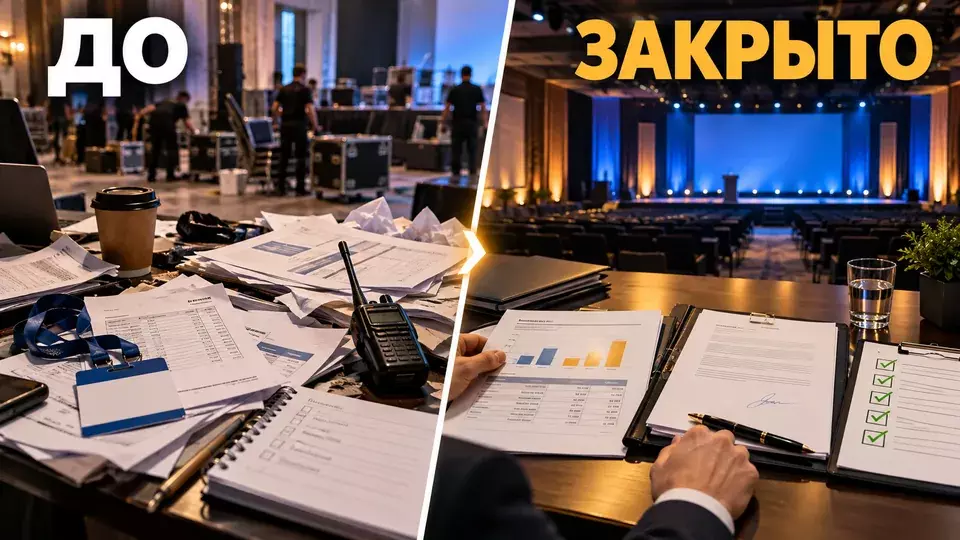
A practical procedure for closing an event: dismantling, plan vs. actual, additional costs, acceptance certificates, universal transfer documents, return of property, final report and retrospective.
The last guest has left, the lights in the hall have been turned on, and the team has started dismantling. The client sees a completed event. The project team moves on to a separate stage: it needs to confirm the actual scope of work, collect documents, return property and explain the final amount.
If closing is postponed, the facts quickly scatter across chats. Acceptance certificates, additional work and equipment returns are discussed in different threads, so the overall picture has to be reconstructed manually. The finance department sees individual invoices but not the big picture.
At Aventura, we start closing the project while still on site. This makes it easier to separate fact from recollection and assemble one clear package for the client.
This material does not replace consultation with an accountant or lawyer. The form of primary documents, acceptance terms and tax implications are determined by contracts, accounting policies and the requirements of the specific organisation.
Leave a request - let's discuss your task
We'll clarify the event format and suggest the next step.
When does event closeout begin?
Closeout does not begin after the last acceptance certificate is received. It begins before the doors open: the contract, budget and production plan must already make clear the result, the acceptance method, the responsible parties and the deadlines for handing over documents. In our turnkey corporate event service, we build this stage into the overall production workflow.
On site, the team records the actual times, the equipment list, any programme changes and any comments. After the finale, these records become the basis for the plan-vs-actual analysis. Without them, the discussion turns into an argument about who remembers what.
Immediately after the programme, we run a short review:
- Record completed and incomplete work.
- Log any deviations from the approved brief.
- Photograph the condition of areas, equipment and property before dismantling.
- Assign a member of staff responsible for each comment.
- Confirm who receives the documents and when.
If the project is complex, this review is included in the event planning schedule in advance. That way, closeout does not depend on one manager's memory.
Four workstreams after the finale
After the event, four workstreams run in parallel: production, finance, documentation and management. It is best to track them in a single spreadsheet, but not to mix them up.
The table summarises the key points of this section: Workstream, What we close out, Result. Use it as a quick reference when preparing your event.
| Workstream | What we close out | Result |
|---|---|---|
| Production | dismantling, equipment return, venue condition, comments | confirmed scope and list of open items |
| Finance | approved budget, actual costs, additional work, refunds | final plan-vs-actual |
| Documents | acceptance certificates, universal transfer documents, invoices, registers | package for accounting and archiving |
| Management | result, metrics, decisions, lessons learned | final report and retrospective |
The workstreams are connected but require separate confirmations. For example, a signed acceptance certificate on its own does not confirm that equipment was returned, explain budget discrepancies or show that venue comments were resolved.
In short: every line of the final budget must have a basis, a responsible person and confirmation of the result.
How do you put together a final budget without disputes?
It is convenient to build the final budget using the same structure that was agreed before the project. Do not create a new list of expenses with different names. Otherwise the client will have to match the lines manually.
For each line item, show five fields:
The table summarises the key points of this section: Item, Plan, Actual. Use it as a quick reference when preparing an event.
| Item | Plan | Actual | Why it changed | Confirmation |
|---|---|---|---|---|
| Venue | per contract | per acceptance report | an extra hour or a partial refund of the rental | letter, supplementary agreement, acceptance report |
| Technical support | per specification | per actual kit | a replacement or an additional unit | equipment list, approval, photo |
| Staff | per shifts | per timesheet | extended setup or a shortened shift | timesheet, coordinator's report |
| Transport | per routes | per trips | waiting time, an additional address | trip log, request |
| Catering | per guaranteed number | per final number | a change in the number of guests | agreed guarantee, acceptance report |
- The planned amount.
- The actual amount.
- The variance.
- The reason for the variance.
- A reference to the approval or the supporting document.
The variance itself is not a mistake. A problem arises when an expense cannot be linked to a decision. Additional work is confirmed before it is carried out. The procedure for approving additional work and the confirmation channel are set out in the contract in advance. Emergency changes are recorded as soon as possible after the project stabilises, in the manner provided for by the contract.
Do not hide savings. If the contract provides for settlement based on actuals and the exclusion of any unused reserve, reflect the reduction in the total amount. The final budget shows overspend and savings on the terms of the contract.
To prepare the initial structure, the material how to draw up an event budget will be useful. In the new version of the table, keep the original plan so that the history of decisions does not disappear.
Leave a request and we'll discuss your task
We'll clarify the format of the event and suggest the next step.
Acceptance of Work and Recording of Issues
Acceptance answers a simple question: has the agreed result been delivered. The stage is accepted based on the equipment set and operating hours. Décor is checked against appearance, dimensions and condition. Registration is assessed by the performance of the desk, the data and the materials issued.
Before signing documents, collect all issues in a single register. Specify the item, the substance, the evidence, the responsible employee and the deadline. The wording "there were problems with the sound" is too general. A useful entry contains the zone, time, manifestation, impact on the programme and the decision taken. If the venue was found through our venue catalogue, keep a link to its card in the report along with the actual restrictions.
If a defect was fixed on site, it should still be left in the report. This is not an attempt to find someone to blame. Such an entry helps to understand what control to add in the next project.
For technical work, use the results of the technical acceptance of the venue. They link the design scheme, the installation and the actual condition before the start of the programme.
Important: do not sign a document automatically just because the event took place. First compare the result with the contract, the technical specification and the recorded deviations.
Closing Documents: What to Pass to Accounting
Accounting needs an agreed set rather than a stream of separate files. Its composition depends on the contracts and the type of transaction. Usually the register includes the contract with appendices, the invoice and the act or the universal transfer document (UTD). A VAT invoice is added separately where necessary, an agent's report in the agency model, and confirmations of agreed additional expenses.
Federal Law No. 402-FZ "On Accounting" requires every fact of economic life to be documented with a primary accounting document. The form and mandatory details are determined taking into account the law, the contract and the organisation's accounting policy; verification is usually carried out by the accounting department. An electronic document is signed with an electronic signature in the prescribed manner.
A practical register can be built as follows:
The table summarises the key points of the section: Document, Counterparty, For what result. Use it as a quick reference when preparing an event.
| Document | Counterparty | For what result | Number and date | Status | Who checks |
|---|---|---|---|---|---|
| Act or UTD | venue | rental and services of the venue | per document | received / being corrected / signed | manager and accounting |
| Act or UTD | technical contractor | equipment set and works | per document | status | technical producer |
| Register of additional works | relevant contractor | confirmed changes | reference to approval | status | project manager |
| Agent's report and appendices, if provided for by the agency contract | agent | services under the contract | per contract | status | client |
Check not only that the file exists. The names of the parties, the content of the transaction, the period, the amount and the details must correspond to the contract and the facts. A discrepancy is best returned for correction before uploading to the archive.
Electronic document flow can speed up the transfer, but it does not correct the content. The universal transfer document also needs to be checked against the contract and the actual result. The current format and application rules are confirmed by the accounting department.
Returning equipment and closing access
After an event, badges, radios, keys, passes, branded materials, data media and rented equipment remain. Their return is tracked on a separate list. For each item, record the quantity, condition, recipient and handover time.
Access needs particular attention. Temporary accounts, guest networks, cloud folder links and passes should not stay active indefinitely. The system owner confirms that access is disabled or permissions are changed once the necessary files have been handed over.
Photos and videos also need a route. Determine who receives the source files, who selects the material, where the final version is stored and when temporary copies are deleted. If the event is closed to external publication, access rules are agreed before filming.
For projects involving personal data, check the process against the guest registration rules. Closing access is part of the same framework, not a separate technical detail.
Final report for the client
The final report should help with decision-making. A photo slideshow does not achieve this. When preparing business events, at Aventura we build the report around objectives, actual results and conclusions.
Working structure:
- Executive summary: what was held, for whom and with what objective.
- Actual programme and attendance figures, without unverified estimates.
- Work completed and results accepted.
- Budget plan vs. actuals, with an explanation of variances.
- Comments, incidents and how they were resolved.
- Materials: photos, videos, presentations, registers.
- Conclusions and recommendations for the next event.
Do not present the team's impression as a measured result. If a survey was conducted, state the sample and the collection method. If there is no data, state honestly that the metric was not measured.
It is useful to link the report to the event performance indicators chosen in advance. The final conversation then covers not only costs but also whether the objective was achieved.
Leave a request and we'll discuss your brief
We'll clarify the event format and suggest the next step.
Timelines and decision owners
A single deadline to "close the project" is not much help. Break it down into milestones. On-site issues are logged at the venue. The plan-versus-actual comparison is compiled after data is received from contractors. Documents are handed over according to an agreed schedule. The final report is issued after the facts have been verified.
The table summarises the key points of this section: Milestone, Owner, Readiness condition. Use it as a quick reference when preparing an event.
| Milestone | Owner | Readiness condition |
|---|---|---|
| Venue handed over | venue manager and project manager | venue condition confirmed, owners assigned for open issues |
| Actual volumes collected | stream producers | statements, timesheets and change confirmations are available |
| Final budget approved | project manager and client | every deviation is explained |
| Document package accepted | accounting and the contract administrator | register completed, errors returned or corrected |
| Report approved | client representative | facts and conclusions confirmed |
Each milestone has a single owner. There may be many participants, but one person updates the status and monitors the deadline.
What should you cover in a retrospective?
Hold the retrospective after the facts have been gathered, while decisions are still fresh in people's minds. Its goal is to change the next project. So every conclusion should turn into an action with an owner and a deadline.
Work through four questions:
- What worked and should become the standard?
- Where did the team lose time or money?
- Which risk was spotted too late?
- What should change in the brief, contract, budget or production plan?
Avoid phrases like "communicate better" and "tighten control". Write down a specific change: add a deadline for guest confirmation, fix a channel for approving additional work, include photo documentation in the coordinator's task, check the full document set before the final payment.
Common project closure mistakes
The first mistake is tallying the results from incoming invoices alone. An invoice shows a payment request, but it does not replace confirmation of scope and the client's sign-off.
The second is changing the budget structure after the event. New names obscure the link to the approved plan.
The third is signing documents before comments are closed, or at least without a separate register with owners and deadlines.
The fourth is treating a photo archive as a report. The client needs conclusions, decisions and a clear status of the goals.
The fifth is forgetting about equipment and access. A lost radio or an active link to a closed folder can surface after the contract has formally ended.
The sixth is not holding a retrospective. Valuable experience then stays with individuals and does not change the process.
Final checklist
Before moving the project to “closed” status, check the following:
- The venue has been accepted after dismantling, and any issues have been recorded.
- Equipment, keys, passes, badges and materials have been returned against the register.
- Actual volumes have been confirmed by the relevant area owners.
- The final budget follows the structure of the approved plan.
- Every deviation has a reason and an approval.
- Acceptance certificates, universal transfer documents (UPD) and other documents have been reconciled with the contract and the actuals.
- Accounting has received a single register rather than a set of messages.
- Access rights and temporary accounts have been closed.
- Photos, videos and data have been handed over via the agreed route.
- The final report contains objectives, actuals, plan vs. actual and conclusions.
- The retrospective ended with concrete process changes.
Frequently asked questions
Close-out does not begin after the last certificate is received. It begins before the doors open: the contract, budget and production plan must already make clear the result, the acceptance method, the responsible people and the deadlines for handing over documents. In our “Turnkey corporate event” service, we include this stage in the overall production route.
After the event, four workstreams run simultaneously: production, finance, documentation and management. It is best to track them in one table, but not to mix them together.
The final budget is best built using the same structure that was approved before the project. Do not create a new list of expenses with different names. Otherwise the client will have to match the lines manually.
Acceptance answers a simple question: has the agreed result been delivered? The stage is accepted based on the equipment set and operating time. Decor is checked for appearance, dimensions and condition. Registration is assessed by how the desk operated, the data and the materials issued.
Accounting needs an agreed package rather than a stream of separate files. Its composition depends on the contracts and the type of transaction. Usually the register includes the contract with appendices, the invoice and the acceptance certificate or universal transfer document (UPD). A VAT invoice is added separately where required, along with an agent report in an agency model and confirmations of agreed additional expenses.
After the event, badges, radios, keys, passes, branded materials, data media and rented equipment remain. Their return is tracked in a separate list. For each item, the quantity, condition, recipient and handover time are recorded.
Leave a request - let's discuss your task
We'll clarify the event format and suggest the next step.
Sources
- Federal Tax Service of Russia: Federal Law No. 402-FZ "On Accounting"
- ConsultantPlus: mandatory details of a primary accounting document
- Federal Tax Service of Russia: transition to the universal transfer document
- Federal Tax Service of Russia: electronic document flow between business entities
- Federal Tax Service of Russia: use of electronic signatures
Contents
Was this article helpful?