
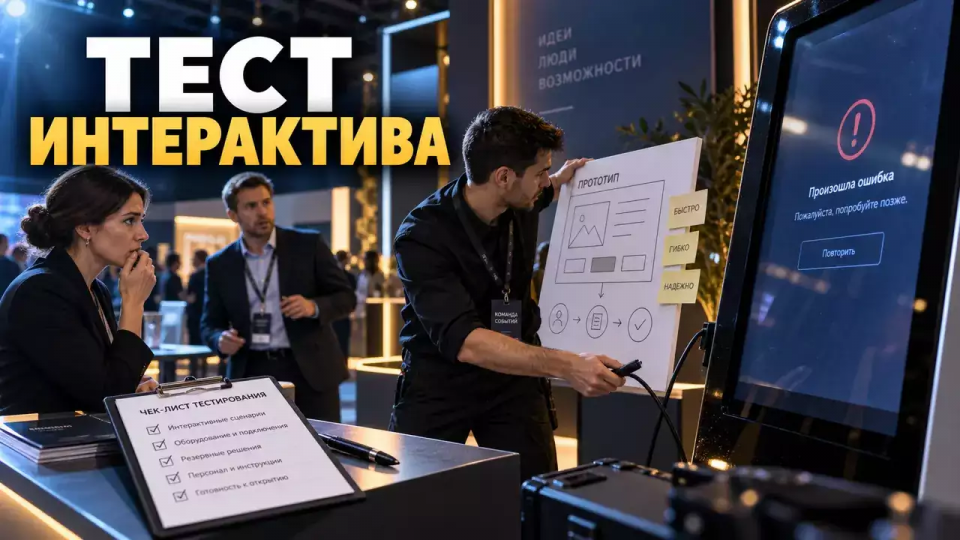
Interactivity at an exhibition stand should be tested before production. We provide a working path from hypothesis and prototype to flow testing, rehearsal, and the launch decision.
An interactive at an exhibition stand is often discussed starting with a list of equipment: a screen, a motion sensor, virtual reality, or an image generator. At Aventura, we start with a different question: what visitor action needs to be tested before production. This way, the idea goes through a low-cost prototype, user testing, and rehearsal before the team ties it to equipment and installation.
Практические разборы событий и выставочных проектов выходят в Aventura's Telegram channel. There we analyze programs, participation mechanics, and the team's work on site.
Why does an interactive mechanic need a separate technical brief?
In short: A separate technical brief connects the interactive to the product goal and an observable visitor action. In it, we define the audience and the promise. Then we describe a short scenario and the next business step. Venue constraints and stopping conditions round out the document that all project participants use to test one hypothesis.
The overall stand design is responsible for space, flow, and negotiations. Подробный разбор этой системы есть в статье «Выставочный стенд как воронка». Here we take a narrower layer: how to come up with the mechanics, test it without a finished build, and decide whether it is worth putting into production.
Hypothesis before choosing technology
A good hypothesis describes a specific visitor, their job to be done, and the change after a short interaction. It does not start with the name of a device. First, we decide what a person should understand, compare, try, or discuss. Then we choose a medium that makes this action clear and feasible in an exhibition environment.
Fill in five lines:
- кто подходит к механике и с какой задачей;
- что человек замечает, проходя мимо;
- какое действие выполняет сам;
- какой результат получает сразу;
- какой деловой шаг команда предлагает после результата.
For example, a manufacturer of complex equipment can let a visitor choose operating conditions on a simple model. The system shows a suitable configuration, and an expert discusses the limitations. The testable hypothesis here sounds like this: choosing conditions helps move faster from general interest to a substantive conversation. The statement does not promise a sale or replace future analytics.
A weak formulation sounds like 'put a bright screen for engagement.' It does not explain who needs the screen and what counts as a useful action. A strong formulation allows you to do the first test on paper.
How to assemble a scenario on one page?
In short: A one-page scenario shows the path from the first signal to the continuation of a conversation. For each step, specify the visitor's action, the interface's response, the employee's line, the expected time, and the fallback in case of failure. If the team cannot go through this path without additional explanations, programming will only cement the ambiguity and make rework more expensive.
Put the scenario into a table. One row per step is enough.
The table contains the key points of the section: Step, Visitor, Mechanics. Use it as a quick reference when preparing an event.
| Шаг | Посетитель | Mechanics | Employee | Check |
|---|---|---|---|---|
| Signal | spots the promise | shows one clear starting point | does not block the view | the meaning is clear without explanation |
| Start | chooses a task | takes action | helps only on request | the start takes few actions |
| Experience | tries or compares | gives a visible response | links the response to the product | no dead end and no unnecessary waiting |
| Debrief | asks a question | saves the result if needed | clarifies the context | the conversation changes depending on the guest's role |
| Continuation | chooses the next step | shows a clear form | records the agreement | there is an owner and a deadline |
The scenario has two options. The first is for a visitor who does not want to provide their data: they still receive an honest, complete experience. The second is needed if the network, screen, or sensor fails. The backup may be simpler, but it must preserve the meaning of the product.
If you need to link the mechanics with the stand route and sales goals, Simply specify the city, number of participants, desired area of support, and a possible partner.. In your request, specify the exhibition, product, audience, and the action you want to test.
Prototype before programming and production
The first prototype should test the meaning and sequence, not the quality of the graphics. Use paper cards or clickable screens without complex logic. A physical mockup or a staff member can temporarily replace automation. The visitor follows the scenario, while the team observes the choice and the transition to conversation.
Choose the simplest medium that allows the key action to be performed. The touch interface can be replaced by printed screens: the tester touches an option, and the moderator manually shows the next card. In the simulator, the initial conditions and the result are played out on a table. On the first test, a staff member conducts the personal route, temporarily acting as the recommendation system.
On the first run, do not explain the logic to the participant in advance. Show the same signal that a guest will see in the general flow. Observe where the person looks, what they try to tap, and at what point they ask a question. After they finish, ask what they understood about the product and what next step they expected.
A prototype does not have to impress. Its job is to quickly disprove a weak assumption. If the meaning holds up only through a long explanation from the author, the mechanic needs to be simplified before production.
How to test a mechanic with people?
In short: user testing is conducted with people who resemble future visitors in role and level of knowledge. Each participant goes through the scenario separately, while the team records the observed actions. Do not prompt the solution or defend the idea during the test. After several runs, change one disputed element and test the new version again.
Conduct the test in this order:
- state the exhibition context, but do not explain the mechanics;
- show the first screen, object, or phrase;
- ask the person to act as they would at the booth;
- record stops, incorrect expectations, and questions;
- after completion, ask them to retell the meaning of the product;
- clarify what continuation of the conversation seems appropriate;
- repeat the test after one targeted edit.
Do not put a manager, a technical specialist, and a procurement specialist in the same group if they have different scenarios. The same mechanic can give each of them their own starting point, but these variants need to be tested separately. Otherwise, the team gets an averaged reaction that does not exist in the real flow.
Record the observation, not the author's assessment. “Thought for a long time before the button” is more useful than “didn't understand the modern design.” A short video recording of the test is possible only after clear consent from participants and according to your company's rules.
Flow, accessibility, and safety
A properly functioning mechanic must work in the real flow, not only in a quiet meeting room. Check the waiting area and sightlines. Measure the duration of the main option, assess the passage to neighboring zones and the staff member's actions during a rush. For equipment, coordinate power and cable routes. Separately determine a safe way to stop the interactive experience.
The UK Health and Safety Executive (HSE) recommends keeping pedestrian routes clear and not creating bottlenecks at activity points. This is not a Russian regulation, but a useful engineering guideline. Take mandatory requirements from the rules of the specific venue, project documentation, and instructions from responsible specialists.
Take mandatory requirements from the rules of the specific venue, project documentation and instructions of responsible specialists.
W3C also recommends providing a conventional control as an alternative to a required gesture or device movement.
- one visitor goes through the main version without assistance;
- several people approach almost simultaneously;
- the main device or network is unavailable.
Очередь не должна занимать общий проход. The queue must not occupy the common passage. Cables are removed from the route or protected in a way agreed with the venue. A visitor needs a way to go through the meaningful scenario without a precise gesture or mandatory body movement
What to rehearse before installation?
In brief: The rehearsal verifies the handoff of a person between the mechanic and the team. Run through the main scenario and the rush. Then role-play a technical failure, a staff replacement, and a stop of an unsafe action. Each failure must have an owner and a visible signal. A backup and a return condition are also needed.
Assign roles: the greeter briefly explains the beginning, the expert leads the substantive discussion, the flow manager monitors the queue, and the technical specialist can restart the system. One person can combine roles only where the real load allows it.. Assign roles: the greeter briefly explains the beginning, the expert leads the substantive discussion, the flow manager monitors the queue, and the technical specialist can restart the system
На репетиции намеренно создайте несколько проблем. During the rehearsal, deliberately create several problems. Дайте участнику выбрать неожиданный путь. Соберите небольшую очередь. Попросите заменить эксперта. Проверьте, может ли команда продолжить разговор без экрана и кто принимает решение об остановке.
It is useful to cross-check this block with the event's crisis management plan. The venue's emergency procedures remain a separate track: when people are at risk, the team follows the instructions of the responsible services, not the interactive scenario.
Data and the next step
Форма на стенде собирает данные только под заранее названное продолжение: отправить материал, назначить демонстрацию, подготовить расчёт или связать с экспертом. Федеральный закон № 152-ФЗ требует конкретной цели и соразмерного объёма данных. Если основанием служит согласие, оно должно быть отдельным, конкретным и однозначным.
Статья 9 № 152-ФЗ требует оформлять согласие на обработку персональных данных отдельно от иной информации и документов, которые подтверждает человек. Конкретную схему формы, правовое основание, передачу данных и срок хранения проверяет ответственный вашей компании.
Скан бейджа сам по себе не даёт команде контекст разговора. В рабочей записи нужны тема интереса, обещанный следующий шаг, ответственный и срок. Состав полей должен соответствовать цели и внутренним правилам обработки данных.
До выставки проверьте форму на том устройстве и соединении, которые будут на стенде. Убедитесь, что данные попадают в согласованную систему, запись не теряется при повторном нажатии, а сотрудник видит подтверждение. При сборе данных граждан России отдельно проверьте требования статьи 18 № 152-ФЗ к использованию баз данных.
How to evaluate the estimate and the result?
In brief: The budget is compared across the full life cycle of the mechanic. First, the scenario, prototype, and content are taken into account. Then development and equipment are calculated. Integration, installation, and on-site duty are evaluated together with the backup. The result is checked against the original hypothesis and the actions taken after the exhibition.
The table summarizes the key points of the section: Level, What to measure, Which decision it supports. Use it as a quick guide when preparing the event.
| Level | What to measure | What decision it supports |
|---|---|---|
| Entrance | stops and initiated scenarios | whether the signal from the aisle is clear |
| Completion | completions, refusals, and repeat attempts | whether the mechanic is easy to use |
| Conversation | questions on target objectives | does the experience translate into the product |
| Continuation | assigned actions and responsible parties | can a contact be handed over without losing context |
| Operations | queue, failures and backup operation | does the solution withstand the flow |
| Budget | plan and actuals for major blocks | what to change or reuse |
Do not attribute the impact on the entire exhibition revenue to a single interactive. First, set the goal and observation period. The metrics matrix can be supplemented with our breakdown. Corporate event KPIs.
In the estimate, show script creation, prototyping, and testing separately. These efforts are easy to lose within the “development” line item, although they are exactly what allows you to stop a weak idea before expensive production. For a reusable stand, calculate which modules, equipment, and content can be used again.
Decision after the test
After the test, the team has three honest decisions: launch the mechanic, simplify and test again, or close the idea. Launch is justified when the visitor understands the beginning, performs the action, connects the result with the product, and the team manages the flow and failure. A beautiful prototype without these signs is not yet ready for production.
Record the decision in one document. State confirmed observations and open risks. Record the next version, owners, and the date of the control rehearsal. First, close meaning and safety. Then check accessibility and data processing, after which move on to visual polishing.
At Aventura, we can build this path together with your team: translate the product task into a script, prepare a prototype, conduct a test, connect the mechanic with the stand space, and coordinate implementation on site.
Frequently asked questions
The overall stand design is responsible for space, flow, and negotiations. Подробный разбор этой системы есть в статье «Выставочный стенд как воронка». Here we take a narrower layer: how to come up with the mechanics, test it without a finished build, and decide whether it is worth putting into production.
A good hypothesis describes a specific visitor, their job to be done, and the change after a short interaction. It does not start with the name of a device. First, we decide what a person should understand, compare, try, or discuss. Then we choose a medium that makes this action clear and feasible in an exhibition environment.
Put the scenario into a table. One row per step is enough.
The first prototype should test the meaning and sequence, not the quality of the graphics. Use paper cards or clickable screens without complex logic. A physical mockup or a staff member can temporarily replace automation. The visitor follows the scenario, while the team observes the choice and the transition to conversation.
Conduct the test in this order:
A properly functioning mechanic must work in the real flow, not only in a quiet meeting room. Check the waiting area and sightlines. Measure the duration of the main option, assess the passage to neighboring zones and the staff member's actions during a rush. For equipment, coordinate power and cable routes. Separately determine a safe way to stop the interactive experience.
To discuss an interactive for your exhibition, Simply specify the city, number of participants, desired area of support, and a possible partner.. Specify the product, audience, venue, and the action the visitor should take.
Sources
- Principles of personal data processing: Article 5 of Federal Law No. 152-FZ.
- Data subject consent: Article 9 of Federal Law No. 152-FZ.
- Operator's obligations when collecting data: Article 18 of Federal Law No. 152-FZ.
- W3C WAI: size of interactive targets in WCAG 2.2.
- W3C WAI: alternative to motion actuation.
- Crowd flow management inside the venue: HSE guidance.
- Temporary power supply and cable routes: HSE guidance.
Contents
Was this article helpful?

Looking for an idea or someone to bring your vision to life? Event Agency Aventura has been organizing events in Moscow and across Russia for 16 years. Leave your number and our manager will call you back.
