
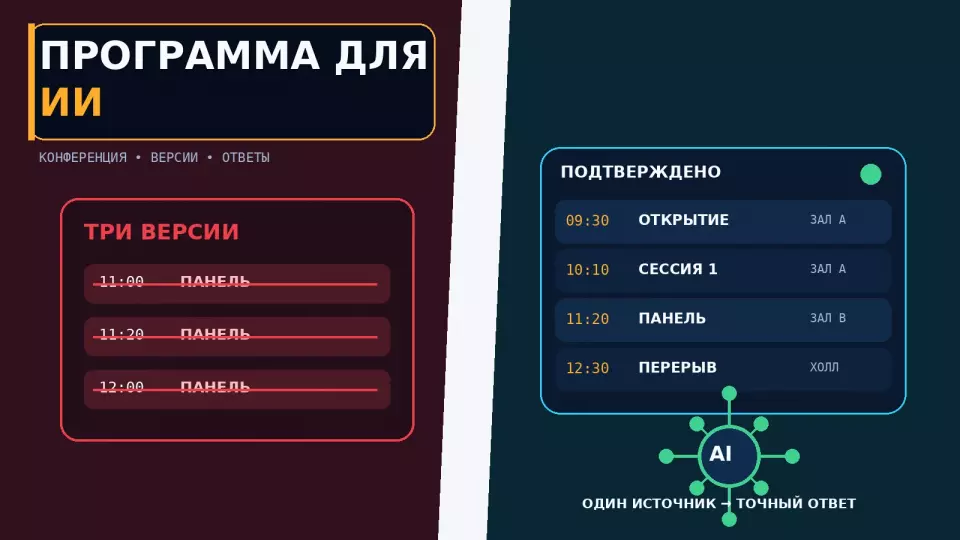
A practical framework for preparing a conference programme for an AI assistant: data structure, knowledge base, response rules, escalation to a human, and pre-launch checks.
A conference programme for an AI assistant must work as a verified knowledge base with a clear structure, data owners and update rules. An ordinary, attractive document meant for reading does not solve this task. It needs to separate facts, recommendations and the organiser's decisions. Then the assistant can tell a participant the time of a talk, find the right hall, explain the registration procedure and suggest a suitable session without inventing missing information.
We set the main constraint before loading any data: the AI assistant does not make decisions on behalf of the organiser. It does not change the schedule, does not confirm a participant's admission, does not promise a free seat, does not allow a late speaker onto the stage and does not interpret disputed rules. Its answers rely only on the verified knowledge base. If a question goes beyond its scope, the information contradicts itself, or the situation requires authority, the request is passed to a human.
At Aventura we see such an assistant as another channel for working with participants. It needs to be connected to the programme, registration, navigation, hall operations and the event control centre. A chat on its own will not fix a weak data structure. If the spreadsheets use different session names, an email contains an outdated time, and staff explain the rules differently, the AI will only make that confusion more visible.
If you are planning a conference and want to connect the programme, the guest journey, digital services and team operations from the start, request a quote from us. We will clarify the format, the number of tracks, the participant profile and the assistant's tasks.
What needs to be prepared before setting up an AI assistant?
First, prepare a unified programme, a list of standardised names, a verified knowledge base, response rules and a procedure for escalating questions to a human. The model, interface and communication channel are chosen after this. Without this preparation, automation will only accelerate the spread of contradictions between documents. The team must first agree on which source is considered authoritative and who confirms each category of information.
The minimum set consists of five parts:
- A structured programme with stable session identifiers.
- Cards for speakers, halls, services and participation rules.
- A register of verified answers to organisational questions.
- An authority matrix: what the assistant communicates and what it passes to an employee.
- A process for updating data and re-verifying answers.
It is best to start with participant tasks. One person wants to understand where to go after registration. Another is choosing between parallel sessions. A third is looking for a specific expert's talk. A fourth asks whether they can enter a full hall. For the first three questions, verified data is usually sufficient. The fourth already depends on the actual situation and the team's authority on site.
Before setup, we compile a list of user scenarios. For each, we record the question, the required data, the permissible answer and the condition for handing over to a human. Such a list helps avoid loading everything into the assistant. It may not need the internal budget, correspondence with speakers or the technical script. However, it definitely needs current hall names, session times, entry rules and support contacts.
Designing the assistant is part of the overall preparation for a conference, forum or seminar. It is connected not only to the programme. Answers to participants depend on registration, the venue layout, hall availability, transport, catering, broadcasting and decisions made by the command centre.
At the first working meeting, we ask the organiser the following questions:
- Who will use the assistant: registered participants, unregistered guests, speakers, partners or staff?
- Where will it be available: on the website, in the app, in the personal account or in a messenger?
- Which questions should it resolve without employee involvement?
- Which information may change on the day of the event?
- Who confirms each category of data?
- To whom is a question passed if there is no exact answer?
- How quickly should the team see a transferred request?
- Which data must not be shown to certain categories of users?
Based on the answers, we determine what the assistant can do and where a human will be required. Without such boundaries, it will start answering questions for which there is no reliable data or permission.
The boundary of responsibility: AI informs, humans decide
An AI assistant can find, cross-reference and explain verified information. The decision remains with the organiser or a designated responsible person. We write this boundary into the system rules from the outset and do not leave the choice to the model's discretion. We separately list the actions that require verification of registration, room status, safety or another fact from the working system.
We divide actions into three levels.
The table summarises the key points of this section: Level, What the assistant does, Example. Use it as a quick reference when preparing an event.
| Level | What the assistant does | Example | Who is responsible for the outcome |
|---|---|---|---|
| Informational | reports a verified fact | “The session starts at 14:30 in the Volga hall” | the programme owner |
| Navigational | helps find an option based on the specified conditions | “After the plenary part, three parallel sessions are available” | the participant chooses independently |
| Decisional | changes a status, grants permission or makes an exception | “You will be admitted without registration”, “the place is confirmed” | only an authorised employee |
The first two levels can be automated within the knowledge base. We do not hand the third level to the assistant unless there is a separate verified process behind it and an external system that performs the action. Even with technical integration, the decision must be made according to the organiser's rules, not by free interpretation of the text.
For example, the assistant can report that advance registration is required for a session. It can show a link to it if the link is current and accessible to that participant. But it must not state that the person will “definitely get into the hall” if it has no booking confirmation and no data on current admission.
The same rule applies to changes in the programme. The assistant can receive a message: “The speaker is running late.” It must not rearrange the talks on its own. It passes the information to the coordinator and, after an approved decision, receives a new version of the schedule.
We state the basic rule directly:
The assistant answers only from the verified knowledge base. It does not make decisions on behalf of the organiser. If there is not enough data, the sources conflict or the question requires an exception to the rules, the assistant hands the request over to a human.
It is useful to repeat this rule in the technical specification, system instructions, testing scenarios and employee memo. Then the team will not expect the tool to have powers it does not have.
What data is needed for each session?
Each session should have its own structured card. It stores the identifier, title, time, location, participants, format, audience, status and data owner. A single paragraph in a PDF does not give the assistant a reliable basis for searching and comparing. The card lets you update one field and check which channels should receive the new version.
A stable identifier is especially important. The title of a talk may change, but its internal code stays the same. We use one stable ID across all integrations. This way the programme, registration, navigation and notifications link the records of a single session.
A session card may include the following fields:
The table summarises the key points of this section: Field, What to record, Why the assistant needs it. Use it as a quick reference when preparing an event.
| Field | What to record | Why the assistant needs it |
|---|---|---|
| Session ID | a unique stable code | to link versions and external systems |
| Public title | the approved wording | to show to the participant |
| Short description | one confirmed paragraph | to explain the content without guesswork |
| Date and time | start, end, time zone | to answer questions about the schedule |
| Room | a single name and room code | to build a navigation answer |
| Format | talk, discussion, workshop, meeting | to explain how participation works |
| Speakers | confirmed names and job titles | to search for talks by person |
| Target audience | roles or level of experience | to help compare options |
| Language | language of the talk and availability of interpretation | to warn about participation conditions |
| Access | open, by registration, closed | to avoid mixing different rules |
| Materials | approved links and documents | to provide only current resources |
| Status | draft, confirmed, changed, cancelled | to avoid showing the working version |
| Owner | the employee who confirms the data | to route questions and changes |
The "target audience" field should not turn into a promotional description. It is better to write: "heads of sales departments, branch directors, partner network development managers" than "for anyone who wants to learn more". The assistant can match a specific role to the programme, but it should not guess interests from empty words.
We also describe the participation format directly. If a workshop requires a laptop, or a discussion allows questions only through the app, these conditions are included in the card. If attendance is available only to a specific group, the assistant states the rule and suggests the designated verification channel. It does not make an exception on its own.
For a hybrid programme, we additionally record the stream link, the time the room opens, access rules, whether a recording is available and the technical support channel. Preparing such a route is tied to the overall logic of a hybrid event: an online participant should get a full journey, not just a link without context.
If the programme, registration and digital services still live in separate files, organising a business event helps bring them into a single working framework. We connect data owners, update deadlines and answer verification before participants arrive.
A single glossary for the programme
All systems and staff must use the same names for sessions, halls, roles and services. The AI assistant needs a glossary that links the official name to acceptable query variants without creating new entities. The glossary also flags old names, ambiguous abbreviations and words participants often use in conversation.
A participant may write "main hall", "plenary", "big stage" or an old name for the room. The glossary helps interpret the request. In its answer, however, the assistant uses the current public name: for example, "Plenary Hall".
We add to the glossary:
- Official hall names and common variants.
- Speakers' full names and acceptable abbreviations.
- Company and product names in their approved spelling.
- Synonyms for formats: talk, presentation, session, panel discussion.
- Internal and public names of services.
- Terms that must not be conflated.
- Obsolete names with the current replacement indicated.
The glossary must not quietly change meaning. "Registering for the conference" and "signing up for an individual session" are different actions. "Live stream" and "recording of a talk" do not always mean the same thing either. If they are merged as full synonyms, the assistant will start giving incorrect instructions.
We flag sensitive matches separately. A multi-track conference may have two sessions with similar names. Speakers may share surnames. Different buildings on the venue may have identical room numbers. In such cases the assistant must ask a clarifying question rather than picking the first match it finds.
We standardise names in eight steps:
- Collect all names from the programme, website, emails, app and venue map.
- Choose one public variant for each entity.
- Assign a stable identifier.
- Add acceptable colloquial variants.
- Flag obsolete names.
- Check for matches and ambiguous abbreviations.
- Hand the glossary to the owners of the programme, registration and navigation.
- Prohibit the creation of new public names without updating the glossary.
At first glance this is an editorial task. In practice, the team's work and participants' navigation depend on it. If the website says "Hall A", the app says "North" and the signage says "Conference Room No. 1", the participant should not have to guess that these are the same room.
We publish practical breakdowns of programmes, the guest journey and working documents in Aventura's Telegram channel.
How do you build a verified knowledge base?
A knowledge base should contain only information with a clear owner, status and update date. Uploading a folder of documents without any selection does not make answers reliable: it may contain a draft, an approved version and an outdated email all at once. Before connecting the assistant, the team reviews the sources, removes duplicates and sets a priority for each type of fact.
We separate the data source from the user-friendly answer text. The source can be a line in the programme, a registration rule or a venue profile. The answer for a participant is worded more simply, but it does not add any new promises.
For each record, it is useful to store:
- a unique identifier;
- the question or topic;
- the confirmed answer;
- the source within the project;
- the information owner;
- the status;
- the date and time of the last update;
- the audience allowed to receive the answer;
- the expiry date;
- the condition for handing the question over to a staff member.
Statuses must be unambiguous. We use the following working logic: "draft", "under review", "confirmed", "replaced", "withdrawn". The assistant receives only confirmed records. A document "under review" may be available to the editor, but it must not influence the public answer.
Particular attention is needed for questions that look simple but depend on the current situation:
- are there still seats left in the hall;
- can people register on site;
- will participants be admitted after the start;
- can a company representative be replaced;
- is a recording of the closed session available;
- can the speaker's presentation be obtained;
- has the transfer changed;
- is entry without a document allowed;
- can a specific material be photographed.
A permanent answer is not enough for these. You need either current data from the responsible system or a handover to a person. If the assistant cannot see the actual hall occupancy, it must not present a forecast as a fact.
It is convenient to divide the knowledge base into several layers.
The table summarises the key points of this section: Layer, What it includes, Frequency of changes. Use it as a quick reference when preparing an event.
| Layer | What it includes | Frequency of changes |
|---|---|---|
| Programme | sessions, speakers, halls, times | changes until the programme is finalised and when approved adjustments are made |
| Guest journey | registration, entry, cloakroom, catering, navigation | changes when the service or venue is adjusted |
| Online participation | streams, access, support, recording | changes when links are issued and permissions are updated |
| Organisational rules | admission, restrictions, contacts | changes only after a decision by the owner |
| Operational statuses | delay, postponement, occupancy, failure | requires rapid confirmation and an expiry date |
| Reference information | event description, topics, partners | usually changes less often |
If the conference is held online, we link the knowledge base to the actual online event and broadcast journey. A link without access rules, opening times and a support contact rarely resolves a participant's question.
Personal data and accessibility are built in before launch
The assistant receives only the information needed for the declared scenarios. A speaker's public profile, a participant's registration status and a business contact have different access modes. We define in advance the purpose of processing, the set of fields, the retention period, the staff involved and the deletion procedure. The client agrees the specific scheme with their lawyer and data protection officer, taking into account Federal Law No. 152-FZ, the infrastructure used and any possible transfer to an external AI service.
Personal phone numbers, internal addresses, travel details and special needs are not included in the assistant's general index. If a response requires the status of a specific participant, the system must verify access rights and show only the necessary result. The dialogue history is also stored according to approved rules, not indefinitely "just in case".
The interface must be accessible from the keyboard and for screen reader programs. Errors and real-time changes are communicated in text, not only by colour or animation. The status "hall changed" must have a clear label and a programmatically determinable message so that a screen reader can announce it. These requirements align with WCAG 2.2 but do not replace a check of the venue's physical accessibility.
Response format and prohibitions for the assistant
The assistant first gives a short confirmed answer, then explains the conditions and suggests the next step. If there is no accurate data, it explicitly states the limitation and passes the question to a staff member. This order helps the participant quickly understand the fact, see its boundaries and not mistake the model's assumption for the organiser's decision.
We set the response structure:
- A direct answer to the question.
- Confirmed details.
- A condition or limitation, if any.
- The participant's next step.
- Handover to a human when the decision requires authority.
Example of a correct response:
The session "Managing a Distributed Team" will start at 15:10 in the Neva hall. Advance registration is required to attend. You can check your status in your personal account. If your registration does not appear, I will pass the question to a registration staff member.
A bad response sounds confident but adds an unconfirmed promise:
Come to the hall, they will definitely let you in.
In the second wording, the assistant made a decision on behalf of the access team. Even if there are usually free seats, this does not confirm the specific situation.
In the instructions we prohibit the assistant from:
- inventing missing time, place, name or rule;
- choosing between conflicting versions without a predefined priority;
- promising admission, a seat, a gift, catering or access to a record;
- changing the programme;
- confirming registration without data from the responsible system;
- disclosing private contacts and internal documents;
- giving legal, medical or technical assessments instead of a relevant specialist;
- presenting an assumption as the organiser's decision;
- continuing a confident answer after discovering a contradiction;
- reporting cancelled or revoked data.
A single phrase for the boundary of knowledge is also useful:
I do not have a confirmed answer in the current knowledge base. I will pass the question to a team member.
It is better than trying to fill the pause with an assumption. What matters to the participant is the correct route, not the appearance of omniscience.
How to build a programme update process
Every change follows a single route: request, owner's decision, source update, new version release, knowledge base synchronisation and answer verification. A chat message does not count as a programme update. Until approval, the assistant continues to use the current version or honestly states that the information is being confirmed.
We build the process as follows:
- The initiator describes the proposed change and the reason for it.
- The programme owner assesses the impact on participants, speakers, halls and production.
- The authorised organiser makes the decision.
- The editor updates the master version of the programme.
- The system assigns the new version a number and release time.
- The responsible person updates the related knowledge base records.
- The team checks the website, app, navigation and notifications.
- For a critical change, a message is sent to participants.
- The assistant is tested with control questions on the changed session.
- The previous version is marked as "replaced" but retained in the log.
Every change must have an effective date. If a rescheduling is still under discussion, the assistant continues to use the current schedule. If a decision has been approved but the new version has not reached the participant channel, the control team must see the gap and close it.
For each edit we assess the dependencies:
- whether the hall changes;
- whether a conflict arises with the next session;
- whether registered participants need to be notified;
- whether the broadcast link needs updating;
- whether navigation changes;
- whether interpreters and the technical team are affected;
- whether captions, title screens and displays need updating;
- whether the participant's registration is retained;
- who should receive questions about the rescheduling.
If only the wording of a description changes, participants usually do not need an urgent message. If a session moves to another building, a single edit in the knowledge base is not enough. Notifications, navigation and staff along the previous route will be needed.
An operational change has a validity period. A message saying "the start is delayed" cannot be left in answers after the session has ended. For temporary statuses we record the publication time, the expected review date and the owner of the next update.
Versions, priorities and a single source of truth
The programme should have one master version, and each channel should have a clear order for syncing with it. The AI assistant must not assemble the schedule simultaneously from a presentation, an email, a spreadsheet and a chat post. For each fact, the team assigns a priority source, an owner and the time of last confirmation.
We assign a master source separately for each category:
The table summarises the key points of this section: Category, Master source, Owner. Use it as a quick reference when preparing the event.
| Category | Master source | Owner |
|---|---|---|
| Session time and hall | approved programme | programme manager |
| Speaker name and title | speaker profile | speaker coordinator |
| Participant registration | registration system | registration manager |
| Broadcast link | broadcast register | online producer |
| Navigation | current venue map | venue manager |
| Operational status | control room log | shift manager |
| Public response | approved knowledge base | knowledge base editor |
The master source does not have to be a single file for the whole project. The programme is responsible for the schedule but does not have to store the actual registration status. What matters is that each fact has one owner and one priority source.
The programme version must be understandable to a person. We record the number, date, time, release author and a brief list of changes. If the assistant uses an export, the same attributes are retained in it. Then, if there is an error, it is possible to establish which data set was available at the time of the response.
You cannot update only the response text. If a session is moved, the programme source is changed first, then the related record. Otherwise the assistant will answer correctly while the website continues to show the old time.
We apply the same approach to the technical side of the conference. Presentations, videos and signals must have confirmed versions. The required equipment is selected after the programme and content requirements; individual sound tasks are linked to the sound equipment project rather than resolved with the general phrase "there will be a microphone".
Which questions should be handed over to a person?
Questions without a confirmed answer, exclusion requests, conflicting data, complaints and actions requiring the organizer's authority are handed over to a person. Passing a question to a staff member is a standard function of the assistant. It is needed when the answer depends on the actual situation, contains sensitive information, or requires a decision that is not in the knowledge base.
We draw up an escalation map in advance.
The table summarises the key points of this section: Situation, What the assistant writes, Who it is passed to. Use it as a quick reference when preparing an event.
| Situation | What the assistant writes | Who it is passed to |
|---|---|---|
| No answer in the knowledge base | reports that there is no confirmed data | information desk or support |
| Two sources contradict each other | does not choose a version on its own | programme owner |
| A participant asks for an exception | explains the current rule | authorised organizer |
| Registration cannot be confirmed | asks for the minimum data needed to search | registration service |
| The hall is full | reports the confirmed status and alternatives | hall coordinator |
| There is a complaint about safety or health | does not hold a long dialogue | responsible staff member on site |
| Question about restricted material | does not disclose the link | access owner |
| A speaker reports a change | logs the request | speaker coordinator and programme owner |
The handover must include context. The staff member needs the original question, the data already verified, the session ID, the response channel and the time of the request. If the assistant forwards only the phrase "help this participant", the person has to start the conversation from scratch.
The escalation process works as follows:
- The assistant determines that the question is outside its authority.
- It tells the participant why a staff member is needed.
- It collects only the data required for routing.
- It creates a request with context.
- It selects the question category and the responsible staff member.
- It shows the participant confirmation of the handover.
- The staff member makes a decision in the work system.
- The decision is returned to the participant via the agreed channel.
- If the answer is suitable for reuse, the owner considers it for the knowledge base.
- A new entry is published only after verification.
The last point matters. A one-off decision does not always become a general rule. If the organizer allowed one speaker to use the service entrance, the assistant must not recommend that route to all participants.
We also define the emergency boundary. For reports of a security threat, a deterioration in health, a lost child, a conflict or another urgent situation, the assistant does not attempt to provide consultation. It displays the approved contact and immediately passes the signal to the responsible staff member according to the venue's scenario.
Pre-launch checks before granting participant access
Before launching the assistant, we verify the accuracy of its answers and its behaviour when faced with uncertainty, programme changes, and attempts to obtain restricted information. A good result means the system respects the defined boundaries, uses the latest version, and passes disputed questions to the right employee. The total number of automated responses remains a secondary metric.
We run the check in several passes.
- Fact check. We cross-check names, times, halls, speakers, and links against primary sources.
- Language variant check. We ask the same question briefly, conversationally, with typos, and using the old hall name.
- Ambiguity check. We use matching surnames, similar sessions, and incomplete wording.
- Missing data check. We ask about things that are not in the knowledge base.
- Authority check. We ask for a guaranteed seat, a change to a registration, or an exception.
- Conflict check. We deliberately create two different versions of the same fact in the test environment.
- Update check. We move a session and see when the new version appears in all answers.
- Restricted data check. We ask for an internal phone number, an internal document, or an inaccessible link.
- Escalation check. We assess the recipient, the completeness of the context, and whether the employee receives the request.
- Recovery check. We return the system to a working version and repeat the control questions.
It is convenient to compile control questions by role. An HR manager may be interested in the employer brand track. A marketer looks for client case studies. A technical specialist asks about a product demo. A speaker clarifies arrival time. A participant with online access looks for the stream. Each role needs its own tasks, but the answers still come from the shared verified base.
Testing involves more than just developers. The programme owner checks the schedule, the registration service checks participation statuses, the venue manager checks navigation, the online producer checks the broadcast, and the editor checks clarity of wording. The project manager approves the authority matrix.
On the day of the conference, we set checkpoints:
- Before registration opens, we check the initial programme and support contacts.
- Before the first block, we verify last-minute changes.
- Before parallel tracks, we check halls and access restrictions.
- After a major rescheduling, we ask a set of control questions.
- After the programme ends, we disable temporary statuses and update links to materials.
- After the event, we switch the assistant to a mode where it answers only confirmed questions about recordings, materials, and feedback.
We keep an error log by category. We separately note an incorrect source, an outdated version, unclear wording, an error in choosing the responsible person, and exceeding authority. This helps fix the process, not just a single answer.
Frequently asked questions
First, prepare a single programme, a list of unified names, a verified knowledge base, response rules and a procedure for handing questions over to a human. The model, interface and communication channel are chosen after that. Without this preparation, automation will only speed up the spread of contradictions between documents. The team must first agree on which source is considered the main one and who confirms each category of information.
The AI assistant can find, cross-reference and explain verified information. The decision remains with the organiser or the designated person in charge. We record this boundary in the system rules straight away and do not leave the choice to the model's discretion. We separately list the actions that require checking registration, hall status, safety or another fact from the operational system.
Each session must have its own structured record. It stores the ID, name, time, venue, participants, format, audience, status and data owner. A single paragraph in a PDF does not give the assistant a reliable basis for searching and comparing. The record makes it possible to update one field and check which channels should receive the new version.
All systems and employees must use the same names for sessions, halls, roles and services. The AI assistant needs a glossary that links the official name to acceptable query variants without creating new objects. The glossary also flags old names, ambiguous abbreviations and words that participants often use in conversation.
The knowledge base must contain only information with a clear owner, status and update date. Uploading a folder of documents without screening does not make the answers reliable: a draft, an approved version and an outdated email may all sit there at the same time. Before connecting the assistant, the team reviews the sources, removes duplicates and sets a priority for each type of fact.
Only the information needed for the declared scenarios is passed to the assistant. A speaker's public profile, a participant's registration status and a business contact have different access modes. We define in advance the purpose of processing, the set of fields, the retention period, the staff involved and the deletion procedure. The client agrees the specific scheme with their lawyer and data protection officer, taking into account Federal Law No. 152-FZ, the infrastructure used and any possible transfer to an external AI service.
Leave a request — let's discuss your task
We'll clarify the event format and suggest the next step.
Sources
- Schema.org: Event - event fields, child sessions, dates, location, participants and status.
- Google Cloud: Grounding with Agent Search - grounding responses in corporate data and metadata of supporting fragments.
- OWASP GenAI: Misinformation - the risk of plausible fabrications, retrieval over verified data, automated checks and human oversight.
- W3C: Web Content Accessibility Guidelines 2.2 - text errors, element labels and accessible status messages.
- Federal Law No. 152-FZ “On Personal Data” - purposes, scope, accuracy, retention periods and protection of personal data in a Russian project.
- IETF: RFC 5545 - iCalendar - persistent UID, time zone, change markers and version sequence of a calendar entry.
- Microsoft Learn: Hand off to a live agent - handing off the conversation and relevant context to an employee.
Contents
Was this article helpful?


