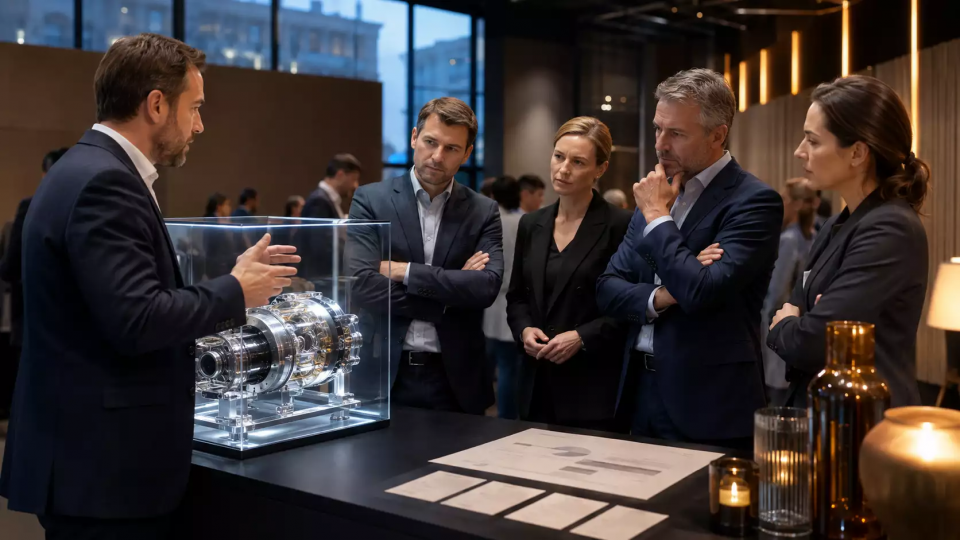
A B2B presentation budget helps you connect the sales objective, the demo format and the venue's resources in advance. We break down the budget structure without made-up prices or unnecessary line items.
Every week, the Aventura team reviews the practice of business and client events.
Leave a request — we'll discuss the task
We'll clarify the event format and suggest the next step.
Subscribe to our Telegram channel.
Why a B2B presentation budget needs a business objective
In short: the budget for a B2B product presentation starts with the decision the guest should make after the event. Until the audience, the demo and the next sales step are defined, the budget turns into a list of rentals, equipment and decor with no clear connection to the objective.
A closed meeting with key clients and an industry launch require different logic. In the first case, negotiation slots and expert work matter. In the second, it's the flow of guests, demo stations, navigation and the stage scenario. It is useful to fix one main outcome: a request for a demo, an agreed next meeting or an introduction of a partner to the product team.
The article about client B2B event already covers the guest journey. Here the focus is narrower: how to translate that journey into a transparent budget and maintain control when changes occur.
What data should be collected before the first version of the budget?
In short: before calculating, you need a product description, guest composition, demo format, venue restrictions, duration and the person responsible for decisions. These six inputs determine the main cost items and help separate mandatory items from options.
Start with a short brief. It is enough to answer the following questions:
- What exactly should the guest see or try: the product, a prototype, the interface, a production process, a service model.
- Who is invited: customers, partners, dealers, industry media, the client's employees.
- Where the event takes place and what restrictions exist for access, setup, power supply, noise and operating hours.
- Which part of the program requires the involvement of technical and product experts.
- What the team does after the event: passes contacts to sales, schedules a demo, sends materials, collects questions.
If you need to choose the type of venue and format, the material how to organize a business event will be useful. Do not replace the brief with a list of desired effects. Formulations like “make it bright” do not help to understand the scope of production and risks.
How to build a program around a product demo?
In brief: the program should give guests the context of the task, show the product in a working scenario, and leave time to talk with an expert. A stage is only needed where it helps explain the value to several groups at once.
A working flow often looks like this: registration and navigation, a short introductory block, a demo or themed stations, conversations with experts, and locking in the next step. For a complex product, access to a person who can answer practical questions matters more than a long list of entertainment mechanics.
The table brings together the key points of the section: Program block, Task, What goes into the budget. Use it as a quick guide when preparing your event.
| Program block | Task | What goes into the budget |
|---|---|---|
| Welcoming guests | A clear start and registration | Registration desks, staff, badges, navigation |
| General part | Give product context | Stage or screen, sound, lighting, content |
| Demo zones | Show the product in action | Build-out, catering, internet, experts |
| Negotiations | Turn interest into the next step | Furniture, time slots, CRM capture |
| Wrap-up | Preserve agreements | Materials, contacts, communication plan |
This breakdown helps you see which line supports a specific episode of the program. In Aventura's portfolio you can see how different formats come together into a single event.
The budget is one part of the preparation. If you need a partner to bring the concept, venue, technical side, and event day into a single workflow, request a quote. The Aventura team organizes corporate, business, and client events turnkey.
What cost categories make up a B2B product presentation budget?
In short: a convenient budget breaks costs down into mandatory, format-dependent, optional, and contingency items. This breakdown shows the client which decisions change the final scope of work and which items are needed in any case.
Mandatory items typically include the venue or site preparation, program production, coordination, basic technical equipment, registration, and security. Format-dependent groups include transfer, catering, additional demo zones, streaming, decoration, and printed materials. Separately, set aside a contingency for confirmed risks: changes to installation, equipment replacement, delivery delays, an increased flow of guests.
Do not publish average prices without context. The final figure is affected by geography, the number of guests, venue availability, product requirements, and installation duration. Instead of a single sum, it is better to show the client the scope of work and the rules for changing each line item.
How do you coordinate changes and maintain budget control?
In short: every budget line must have an owner, a basis for change, and a point of approval. Then an urgent request on site does not turn into a dispute over who approved the additional work.
Create a simple register: item, scope, supplier, responsible person, confirmation status, deadline, and change rule. Before launch, the team locks in the baseline version and routes new requests through a short approval path. For high-risk items, define an alternative in advance: a different type of equipment, a backup contractor, a simplified scenario, or moving a program block.
The international standard for sustainable event management describes a management system for events of various types and scales. For the budget, it is useful as a reminder to consider the consequences of decisions about procurement, resources, and working with the venue, not just the visible part of the program. A link to the standard is provided in the sources.
What should you plan for the demo zone and the technical side?
In short: the demo zone should showcase the product without unnecessary distractions and have a clear plan in case equipment or connectivity fails. The budget should cover not only the screen and the stand, but also delivery, power, internet, installation, testing and the person responsible for how the zone runs.
Ask the product team to define three demo scenarios: the main one, a shortened one and a standalone one. The standalone option is needed when the demo depends on the network, an integration or remote access. For equipment at the venue, check dimensions, the delivery route, loads and access rules in advance.
Safety requirements are best documented together with the venue and the technical lead: who gets access to the zone, where equipment is stored, how the team responds to a failure and who decides to switch to a different scenario.
How should you handle registration and guest data?
In short: registration should collect only the data needed for access, communication and subsequent sales work. The purpose of processing, the set of fields, the retention period and the person responsible should be defined before the form goes live.
Do not add fields to the form "just in case". For some events, a name, company, role, contact and consent to processing are enough. If you need special guest categories, venue passes or transfer lists, agree on their composition with the client's lawyer and the venue.
Roskomnadzor publishes clarifications on the protection of the rights of personal data subjects. For the event team, this is a reason to review the registration form, the consent text, access to exports and the procedure for passing contacts on to sales. The link to the clarifications is given in the sources.
What Plan B is needed before launch day?
In short: Plan B describes actions for a speaker delay, demonstration failure, guest access issue, communication breakdown, and flow change. Each scenario must have an owner, a backup solution, and a time when the decision is made.
Create a risk table together with the venue, technical director, and client. For each risk, define three points: what we notice, who makes the decision, and what we replace the main option with. The World Health Organization recommends an approach to mass events through risk identification, assessment, and mitigation measures. The link is provided in the sources.
The table summarizes the key points of the section: Risk, Backup action, Decision maker. Use it as a quick reference when preparing the event.
| Risk | Backup action | Decision maker |
|---|---|---|
| Expert is delayed | Reschedule the demonstration and include questions | Program producer |
| Demo doesn't connect | Show the offline scenario and materials | Technical lead |
| Guest flow changes | Open an additional station | Venue manager |
| Part of the area is unavailable | Move the meeting to a backup meeting room | Project manager |
How to measure results after a presentation?
In short: the results of a B2B presentation are better measured by confirmed guest actions rather than by the loudness of the program. The team can compare the number of scheduled meetings, demo requests, audience composition, and questions that need to be passed on to sales.
Before the event, agree on who collects contacts, in what format, and by when. After the event, it is useful to cross-check registration lists, actual attendance, demo sign-ups, and meetings. Eventbrite recommends linking event marketing goals to measurable indicators; for a B2B event, metrics that the team can actually confirm in the CRM and calendars are suitable. The link is provided in the sources.
Checklist seven days before the presentation
In short: a week before launch, check not only the venue's readiness but also the demo logic, the guest list, team roles, backup, and the procedure for handing off results to sales. A short joint review reduces the risk of surprises on the day of the event.
- Confirm the scenario, timing, and expert lineup.
- Lock in the final budget and rules for changes.
- Check access, delivery, installation, and testing of the demo zone.
- Cross-check registration, consents, and the guest journey.
- Assign owners of plan B and the team's communication channel.
- Agree on who and when transfers results to sales.
If the task is already clear, budget request form will help you start with the brief rather than a template calculation.
Frequently asked questions
A private meeting with key clients and an industry launch require different logic. In the first case, negotiation slots and expert work are important. In the second, the flow of guests, demo stations, navigation and the stage scenario. It is useful to record one main outcome: a request for a demo, an agreed next meeting, or a partner's introduction to the product team.
Start with a short brief. In it, it is enough to answer the questions:
A working route often looks like this: registration and navigation, a short introductory block, a demo or thematic stations, conversations with experts, and recording the next action. For a complex product, access to a person who answers practical questions is more important than a long set of entertainment mechanics.
The mandatory ones usually include the venue or site preparation, program production, coordination, basic technical equipment, registration and security. Format-dependent groups include transfer, catering, additional demo zones, broadcasting, decoration and printed materials. Separately, leave a reserve for confirmed risks: installation changes, equipment replacement, delivery delays, and an increase in guest flow.
Create a simple register: item, scope, supplier, responsible person, confirmation status, deadline and change rule. Before launch, the team fixes the baseline version and routes new requests through a short approval path. For a high-risk item, identify an alternative in advance: a different type of equipment, a backup contractor, a simplified scenario, or moving a program block.
Ask the product team to formulate three demonstration scenarios: main, shortened and standalone. A standalone option is needed when the demo depends on the network, integration or remote access. For equipment at the venue, dimensions, delivery route, loads and access rules are checked in advance.
Sources
- WHO - Managing health risks during mass gatherings
- W3C WAI - Introduction to Web Accessibility
- NIST Privacy Framework
Full preparation for a presentation comes down to decisions about the product, guests, venue, and production. Aventura can bring these parts together into a clear plan and execute the event at the venue.
Contents
Was this article helpful?