A practical process for AI-generated conference summaries: which meetings not to record, how to notify participants, how to verify the result and delete the source files.
A risk-controlled AI conference summary begins before the speaker's first word. The team decides in advance which sessions may be recorded, what exactly will enter the system, who will receive the audio and transcript, how long they will be stored, and what will replace the bot if a participant declines. These measures do not eliminate leaks entirely, but they reduce the number of unnecessary copies and disputed versions of the minutes.
At Aventura, we treat the AI summary as part of the conference production process. First we link the programme and the technical recording. Then we appoint a host, an editor and the owner of the final document. The client's legal counsel and information security service approve the legal basis for processing and the internal rules.
Leave a request - let's discuss your task
We'll clarify the format of your event and suggest the next step.
What exactly does an AI summary create?
In short: An AI summary consists of several data layers. The system may retain the original recording, the transcript, working outputs and service logs. Each layer needs its own purpose, owner, access rights and retention period. An approved set of minutes cannot automatically be treated as equivalent to a machine-generated summary.
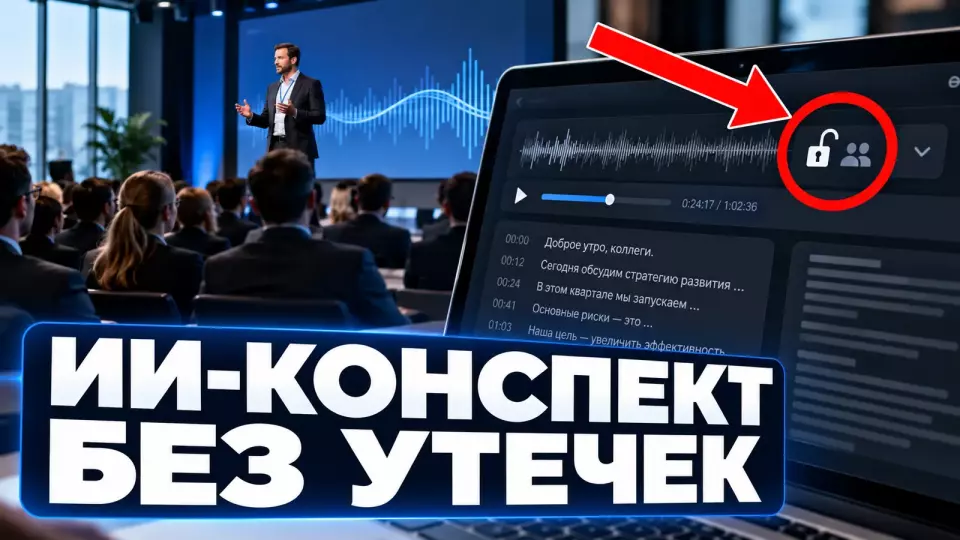
The first step is to break the function down into data. The organiser often sees only a tidy page with bullet points. Behind it there may remain the original audio, the full text of the conversation, timestamps, participant identifiers, the calendar event, chat messages and copies held by external processors.
The composition depends on the platform and its settings. One service stores only text. Another attaches a document to the calendar, indexes the meeting history for corporate search, or keeps a deleted file until final erasure. So the question "where does the summary live" is too narrow.
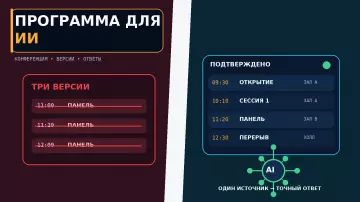
We start with a process passport. In it we specify the input data, intermediate materials, the final document and every recipient. This scheme complements the preparation of the conference programme for an AI assistant: the programme explains the structure of the event, while the recording passport is responsible for the data of a live conversation.
The table brings together the key points of this section: Layer, What it is for, Main risk. Use it as a quick guide when preparing an event.
| Layer | What it is for | Main risk | Reasonable owner |
|---|---|---|---|
| audio or video | to check context and disputed fragments | a full copy of the conversation | the organiser of the recording |
| transcript | search and editing | names, assessments, recognition errors | the minutes editor |
| draft AI summary | to assemble the structure quickly | invented connections and omissions | the designated reviewer |
| approved outcome | to record decisions | incorrect status of an official document | the meeting owner |
| logs and metadata | support and investigation | hidden copies and unnecessary identifiers | the client's IT service |
Classifying meetings before connecting the bot
Meetings should be divided into at least three classes: permitted for recording, requiring a separate decision, and prohibited for automatic connection. The bot must not be allowed to join the entire calendar by default. The meeting owner assigns the class before sending the invitation, and the platform settings enforce that decision.
A meeting title does not always reveal its content. "Weekly status" can shift to an employee's health condition, a disciplinary matter, a system vulnerability or deal terms. That is why a simple list of prohibited words is not enough. It helps filter out obvious cases but does not replace the organiser's decision.
The prohibited class usually includes HR investigations, legal consultations and discussion of security incidents. It may also include medical information, non-public transactions and access secrets. The list is approved by the client's responsible staff, taking into account the industry and data protection requirements.
For the conditional class, an explicit question is needed before the meeting: whether it can be recorded, which participants are invited, whether external parties are present, and what will happen to the data after the conversation. If no decision is made, the bot does not connect. The secretary uses manual notes.
Fireflies lets you set rules for skipping meetings based on words in the title, participant and domain. Microsoft Teams supports templates and policies for sensitive meetings. Technical restrictions are useful when they mirror the corporate classification rather than existing separately from it.
How do you notify participants before recording?
We warn participants twice: in the invitation and immediately before recording starts. The message states the purpose, the materials being created, the recipients, the retention period and how to opt out. The platform's system banner records the action, but it does not replace an explanation of the process and the client's decision on the lawful basis for recording.
The notice is best placed in the invitation and on the registration page. That way an external speaker or partner learns about the recording before entering the room. The wording "the event may be recorded" is too vague. It does not explain whether a full transcript will be created, who will see the draft, and where the final version will appear.
Before the start, the host briefly repeats the rules. In Microsoft Teams, an administrator can require explicit consent to recording and transcription. Google Meet separately notifies about recording, transcription and the automatic notes feature. Behaviour when someone declines depends on the platform, so the fallback scenario is tested in advance. The client, together with a lawyer, determines whether consent is needed and which lawful basis is suitable for the recording.
A refusal should not turn into a public argument. The organiser knows in advance how to remove the bot, turn off recording or switch the meeting to manual mode. After a participant objects, the conversation continues without the service recording, and the secretary notes only the agreed decisions.
When preparing conferences, forums and seminars, we include the notice in the participant's overall journey: invitation, registration, entry to the online room or hall, the host's announcement and the final mailing. That way the text does not diverge from what the technology actually does.
Leave a request - let's discuss your task
We'll clarify the event format and suggest the next step.
Roles and Data Owners
In our projects we assign five roles in advance: meeting owner, recording operator, platform administrator, editor and deletion officer. One person can combine tasks, but the team still records accountability. This helps quickly stop an erroneous summary, revoke unnecessary access and confirm that files have been deleted.
The meeting owner decides whether a recording is needed and which outcome is considered official. The operator starts the function only after notification. The administrator sets the settings, access and retention period. The editor checks the key points against the context. The deletion officer verifies that files have been deleted and temporary access has been closed on time.
For a large conference, roles are allocated by stream. General plenary sessions may have one standard, closed round tables another. The speakers' office collects speakers' restrictions in advance. The technical coordinator knows which tracks to record and which to exclude from routing.
In the process passport we also note the recipients. A full transcript is rarely needed by all participants. A manager may only need the approved decisions. The editor needs temporary access to the source. The communications team needs only approved fragments for post-conference content.
The table summarises the key points of this section: Role, Decision before the meeting, Action after the meeting. Use it as a quick reference when preparing an event.
| Role | Decision before the meeting | Action after the meeting |
|---|---|---|
| meeting owner | approves the recording format | approves the final document |
| recording operator | checks the notification and equipment | passes the source files along the route |
| administrator | applies settings and permissions | revokes access, applies the retention period |
| editor | receives the review criteria | corrects errors, separates fact from assumption |
| deletion officer | records deadlines and exceptions | confirms cleanup and closure of access |
How to choose corporate settings?
Before the conference, together with the client's IT department, we fix a single set of settings for all streams. The system owner determines who can start recording, whether explicit consent is required, which materials are saved, who can access them and when they are deleted. A single set of rules reduces the number of unnecessary copies and inconsistencies between sessions.
Start by disabling automatic bot joining for new users. Then enable the permitted scenarios: a specific calendar, a meeting template, a group of organisers or a programme class. For external participants, it is useful to restrict the launch of AI functions and grant access only after the owner's decision.
In Microsoft Teams, recording and transcription are controlled by admin policies, templates and separate sensitive meeting settings. Copilot is governed by policies and templates, but not by the sensitivity label. The set of tools differs from platform to platform, so the checklist is built around the required control, not the name of the plan.
Platform due diligence includes the contract and the actual data route. The client needs to find out where the data is processed and which contractors the service shares it with. Temporary and backup copies, as well as the use of materials to improve models, are checked separately. For Russian citizens, localisation and cross-border transfer are assessed by the client's lawyer and information security service.
Access to audio, transcript and outcomes
For the project, we narrow access rights as materials move from the source to the final document. A small working group receives the full recording for a limited time. The transcript is needed by editors, while the approved outcome is distributed via a separate list. Calendar and shared folder rights should not automatically extend to all materials.
A single shared link to a folder is convenient, but it mixes materials with different risk levels. A participant who needs the final list of decisions does not have to see every remark and recognition error. A video editing contractor should not get access to closed sessions of a neighbouring stream.
Check the calendar separately. Some platforms attach notes to the event or send the document to the organiser and the user who enabled the function. Calendar access may be delegated to an assistant, a shared group or a service account. This expands the list of recipients without the editor noticing.
In hybrid event management, remote speakers, parallel rooms and external platforms are added. It is useful to have a separate identifier, a list of permitted functions and a destination folder for each track. Then the recording of a closed roundtable will not end up in the general materials feed.
For the project, we build the following access matrix:
The table summarises the key points of this section: Material, Default access, When to expand. Use it as a quick reference when preparing your event.
| Material | Default access | When to expand |
|---|---|---|
| source audio or video | operator and editor | only by decision of the meeting owner |
| full transcript | editor and reviewing expert | if a participant needs the context of a specific fragment |
| draft AI summary | editor | do not distribute before review |
| approved decisions | agreed list of recipients | after review by the meeting owner |
| public takeaways | communications team | after separate approval for publication |
Human review of the summary
An AI summary remains a draft until the designated person checks the decisions and tasks against the source. A separate editor verifies the owners, deadlines, numbers and names. We pay particular attention to negations: one missed particle changes the meaning. The review ends with an explicit version status.
The editor does not work as a comma proofreader. They compare the machine summary with the transcript and, where necessary, with the audio. They check especially carefully the phrases "we decided", "we agreed", "undertakes" and "by such-and-such a date". These words change the managerial meaning of the document.
NIST AI RMF recommends defining human roles and documenting oversight of the result. For a conference this means a simple chain: AI proposes the structure, the editor corrects it, the meeting owner approves it. If a decision is disputed, it is returned to the participants rather than guessed from the likely meaning.
In the summary we separate facts from tasks. A fact describes what was said or shown. A task has an owner, a deadline and a source of the decision. Hypotheses and ideas get a separate status. This structure reduces the risk that a striking remark ends up in the official minutes as a commitment.
Safe handling of work data is covered in more detail in the material on AI Day for employees. The same rule applies to the editor: use an approved environment and do not move the raw transcript into a random external chat for a quick edit.
When does a voice recording become a separate risk?
Voice requires separate scrutiny, but the mere presence of a voice in an ordinary recording does not in itself provide a ready legal conclusion about biometrics. Under Federal Law No. 152-FZ, what matters is the purpose: whether voice characteristics are used to establish identity. The name, job title, remarks and the transcript linked to the person may still remain personal data.
You should not state in advance in your policy that any microphone "collects biometrics". We ask the vendor for a description of the feature and clarify whether the system separates speakers within a recording or stores a persistent voice template for identification.
The Bank of Russia describes voice as biometric personal data in the remote identification scenario. Federal Law No. 152-FZ links the biometric category to characteristics that are used to establish identity. The specific classification of the feature is confirmed by the client's lawyer after reviewing the vendor's documentation.
Even without biometrics, a recording may contain sensitive content. In the data protection impact assessment prepared by the UK regulator, recording and transcription are listed as carrying the risk of health data, employment disputes, beliefs and other special categories. That is why the class of the meeting and its content matter more than the generic name of the feature.
Retention periods and confirmation of deletion
We set separate retention periods for the source recording, the transcript, the draft summary and the approved final version. A delete button does not always mean permanent erasure. You need to check the recycle bin and backups. Legal holds on deletion, enterprise search and copies held by recipients are accounted for separately. The closure of the process is recorded in a log.
Keeping everything "just in case" is convenient only until the first search request, access revocation or investigation. The more copies there are, the harder it is to prove who saw the conversation and where it remains. The general principle of Federal Law No. 152-FZ is to tie processing to a specific purpose and set a retention period for that purpose. The specific application of the law is confirmed by the client's lawyer.
A working scheme can be short: the source is needed for verification, then deleted; the transcript lives until approval; the final minutes are stored for as long as the client normally keeps documents of that type. Specific periods cannot be borrowed from someone else's example. They are approved by the process owners, the lawyer and the information security service.
The corporate platform must allow retention periods for recordings, transcripts and other meeting materials to be set centrally. Acceptance distinguishes deletion from the interface from permanent erasure. The recycle bin, backups and legal holds on deletion are reflected in the process passport.
Before closing the project, together with the data owner we check:
- Whether temporary links and guest rights have been revoked.
- Whether the source has been deleted from the working folder and the recycle bin.
- Whether the transcript's retention period has expired.
- Whether the material has been excluded from enterprise search.
- Whether rights to the final document have been transferred to the regular owner.
- Whether copies held by the contractor have been deleted in line with the agreed procedure.
- Whether exceptions and the grounds for retaining them have been recorded.
Manual backup without an AI bot
We prepare the manual scenario alongside the AI feature. The secretary records the topic, decision, owner, deadline and open question without a verbatim transcript of the conversation. This mode is activated if a participant declines, the platform fails, recognition quality is poor or recording is prohibited. The team knows in advance where such minutes are stored and who approves them.
A manual backup does not mean chaotic notes in a personal notebook. The team uses an approved template and the same access classification. At the end, the secretary reads out the decisions and asks for confirmation of disputed wording. After the meeting, the owner circulates the draft summary for corrections.
This scenario is also useful when the sound is poor. If there are several microphones in the room, a noisy discussion or a mix of languages, machine transcription can look convincing but get key details wrong. The secretary flags the points that need clarification instead of filling the gaps with guesswork.
For photo and video coverage of events, we separately approve the recording of the programme, interviews and the handover of source files. We plan the AI summary just as thoroughly: we define the signal source, the permitted sessions, the file owner, the transfer route and the deletion deadline.
Acceptance testing of the process before a conference
Before a conference, we hold a test meeting with an external participant and an ordinary device. First we check the notification, the decline and the bot connection. After the meeting ends, we review the files created, access rights, summary quality, the manual backup and deletion of source files. The test ends with evidence, not with a tick saying "the feature was switched on".
We run the test before sending bulk invitations. The participant must see the same text and the same buttons as at the real event. We check different roles: organiser, internal participant, external speaker, guest without a corporate account and the manual-mode secretary.
Acceptance stages:
- Create a test meeting of the required class.
- Check the invitation and the advance notification.
- Join as an internal and an external participant.
- Start recording and capture the system message.
- Have one participant decline recording and switch on the backup.
- End the meeting and compile the list of materials created.
- Check the rights of each recipient.
- Compare the AI summary with the test scenario and correct errors.
- Delete the source file and check the recycle bin, search and re-access.
- Record the result, the owners and any open issues.
When organising business events, this test run is part of the overall technical rehearsal. We check not only the sound and picture but also the data route: who started the feature, what the participant saw, where the result went and how the team will stop the process if something does not match.
Frequently asked questions
The first step is to break the function down into data. The organiser often sees only a tidy page of bullet points. Behind it there may be the original audio, the full conversation text, timestamps, participant IDs, a calendar event, chat messages and copies held by external processors.
Meetings should be divided into at least three classes: permitted for recording, requiring a separate decision, and prohibited for automatic connection. The bot must not be allowed to join the entire calendar by default. The meeting owner assigns the class before the invitation is sent, and the platform settings enforce that decision.
We warn participants twice: in the invitation and immediately before recording starts. The message states the purpose, the materials created, the recipients, the retention period and how to opt out. The platform's system banner records the action, but it does not replace explaining the process and the client's decision on the lawful basis for recording.
In our projects we assign five roles in advance: meeting owner, recording operator, platform administrator, editor and the person responsible for deletion. One person can combine tasks, but the team still records accountability. This helps quickly stop an erroneous summary, revoke unnecessary access and confirm that files have been deleted.
Before the conference, together with the client's IT department, we fix a single set of settings for all streams. The system owner determines who starts recording, whether explicit consent is required, which materials are stored, who can access them and when they are deleted. A single set of rules reduces the number of unnecessary copies and discrepancies between sessions.
For the project we narrow access rights as we move from the source material to the final document. A small working group receives the full recording for a limited time. The transcript is needed by editors, while the approved outcome is distributed via a separate list. Calendar and shared folder rights should not automatically extend to all materials.
Leave a request - let's discuss your task
We'll clarify the event format and suggest the next step.
Sources
- Federal Law No. 152-FZ "On Personal Data", current version in the Garant system
- Bank of Russia: remote identification by face and voice
- Microsoft Teams: participant consent for recording and transcription
- Microsoft Teams: recording settings for sensitive meetings
- Google Meet: recording, transcription and Take notes for me
- Fireflies: rules for recording and skipping individual meetings
- NIST AI Risk Management Framework 1.0
- ICO: DPIA for Microsoft Teams recording and transcription
Contents
Was this article helpful?