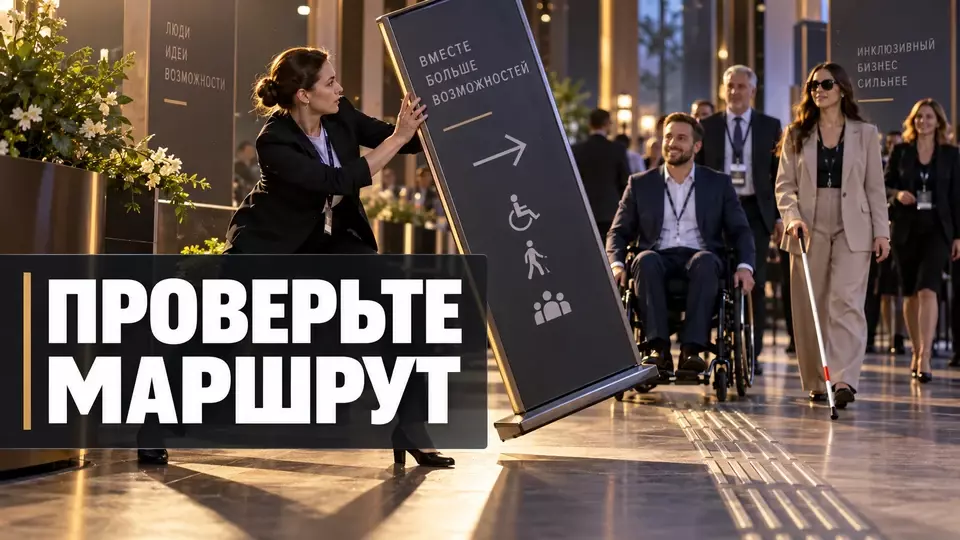
A practical roadmap for an inclusive corporate party: how to gather guests' needs, check the venue, programme, catering and team actions.
An inclusive corporate event begins long before the doors open. Barriers appear in communication, on the way, at the venue and in the programme. A separate ramp does not solve this task. What is needed is a coherent journey that the team walks through through the eyes of different guests.
At Aventura, we suggest looking at such a project as a chain of decisions. First, the team finds out what conditions participants need. Then it links those requests to the venue, programme, technical equipment, catering and safety. This article provides a working framework, but it does not replace checking applicable regulations, project documentation and the individual needs of specific people.
If inclusivity is already part of the HR team's task, we can put it together with the other requirements for organising a corporate event and link the solutions in a single budget. Discuss the format and request a quote.
What makes a corporate event inclusive?
An inclusive corporate event gives guests a real opportunity to get information, access the venue, take part in the programme and travel home safely. The conditions depend on the composition of the audience and specific requests. That is why the team combines baseline route accessibility with individually agreed solutions, and communicates limitations in advance and directly.
Inclusivity cannot be reduced to a single type of need. Some people need a barrier-free route and space for a wheelchair. Others need subtitles, Russian Sign Language interpretation, clear signage, materials in advance or the option to take a break in a quiet room. A temporary injury, pregnancy, age, sensory overload and limited language proficiency also change a guest's experience.
We divide the task into three layers. The first layer is baseline accessibility at all key points: entrance, registration, hall, catering, restroom and exit. The second is conditions tailored to a specific participant's request. The third is solutions that make participation easier for many people at once: plain language, high-contrast navigation, several ways to ask a question, a programme published in advance.
This approach does not promise that it "suits absolutely everyone". Every venue and programme has limitations. The team must identify them before the event, determine a possible alternative and communicate it to the person concerned. An honest description is more useful than a generic accessibility icon without checking the actual route.
Inclusivity also does not mean the same scenario for everyone. Equal participation sometimes requires different ways to reach the same outcome. One guest asks a question into the microphone, another writes it in the chat. One walks up the stairs onto the stage, another needs a different accessible route or to speak from the floor.
The goal remains shared: a person participates without the humiliating dependence on chance assistance.
The guest journey as the foundation of the project
The guest journey connects pre-event communication, the route through the venue, participation in the programme and departure. If these points are checked separately, gaps remain between them. We assign an owner to each transition and define what the participant will see, hear and be able to do at the next step.
It is convenient to start with a simple map. The left column lists the guest stages, the middle column the possible barriers, and the right column the solution and the person responsible. The map is needed before the final programme is chosen. Otherwise it turns out that the accessible entrance is far from registration, the space for a wheelchair blocks the view, and the quiet zone is behind the loud stage.
The full journey usually includes the following points:
- invitation and event page;
- registration form and confirmation;
- travel, parking and drop-off;
- entrance, access control and cloakroom;
- navigation to the main zones;
- seating, stage and participation in the programme;
- catering, breaks and quiet zone;
- accessible restroom;
- actions in case of failure or evacuation;
- departure, recording and post-event materials.
We check each transition as a separate task. For example, the presence of a lift does not yet confirm an accessible route. We need to find out how the guest will reach the lift, whether they can open the door, whether the lift works during setup and what will happen in a power outage. The same applies to the digital part: an accessible stream does not help if the registration form cannot be used with a keyboard.
The journey should be recorded already in the brief for a corporate event. The brief includes the audience composition, known requests, venue format, duration, noise level, ways to participate and limitations. This allows solutions to be built in before contracts and the technical specification, rather than looking for them after the budget is approved.
When choosing a venue for an event, we ask for a presentation, a list of equipment and a route plan. We need a plan of entrances, lifts, restrooms, circulation routes and emergency exits. Then the team walks the route on site. Photographs rarely show a heavy door, a high threshold, a temporary fence or furniture that narrows the passage on the day of the event.
How to collect needs without asking for a diagnosis
Registration asks what conditions would help a person take part. A diagnosis name is not required for this. The guest describes the action or barrier they need, the team confirms receipt of the request and agrees on a solution personally. Only those employees who need the information for a specific task get access to the answers, and contractors receive the minimum amount of data.
A neutral wording goes like this: "What conditions would help you participate fully in the event?" Examples can be given alongside so the person does not have to guess what the organiser can offer. Options include a step-free route, a seat next to a companion, subtitles, Russian Sign Language interpretation, materials in advance, a quiet zone, special meals and evacuation assistance.
A free-text field must be left in place. A ready-made list does not cover every situation. At the same time, the form must not promise automatic fulfilment of any request. After registration, the responsible person contacts the participant, clarifies the task and confirms the agreed option.
If a solution is limited, the person learns about it before the trip, not at a closed door.
We covered the detailed mechanics of fields, statuses and check-in in the article about event participant registration. For an inclusive project, four statuses are especially useful: request received, clarification carried out, solution agreed, solution verified. Without the last status, a purchased service may exist only in the contract.
Data about needs requires careful handling. The working spreadsheet must not be fully accessible to all volunteers, the host and contractors. Catering often only needs the number of meals and composition requirements. The meet-and-greet service needs the route task and arrival time.
The technical team needs the parameters for subtitles, sound or interpreter output.
It usually does not need the participant's diagnosis.
We appoint one requests coordinator. They maintain the register, collect responses from the contractors and come back to the guest with confirmation.
This reduces the risk of the person telling the same personal information to different people several times. The coordinator also checks late requests and understands which solutions can still be changed without making false promises.
Important: answers about special conditions may reveal information about health, disability or religious restrictions. Before the form is launched, the client, together with the person responsible for personal data, determines the operator, purposes, scope, retention period and legal basis for processing, as well as the procedure for transferring data to contractors. If consent is required for special categories, it is drawn up in the form established by law, separately from the general registration terms. Before submitting their answer, the participant is given a link to the personal data processing policy and an explanation of how to withdraw consent and update their information.
If the preparation requires linking registration, the venue, the programme and contractors, submit a request for a quote. We will bring the requirements together into a single plan and separately flag the issues that need to be confirmed with the venue or a specialist.
The venue: the journey from drop-off to restroom
The venue is checked along a continuous route. The team walks the route from the drop-off point through the main areas to the exit. At each section, they record the obstacle, the way to help, the fallback option and the staff member responsible for resolving it on the day of the event. The check is only complete when a guest can travel the entire route without an unexpected dead end.
The check starts with the last leg of the journey. The invitation needs a clear address, a description of the approach, information about parking and the drop-off point. If the accessible entrance differs from the main one, the guest is told the route and the reason in advance. The service entrance must not become the standard option simply because the team could not find another solution.
At the entrance, we look at steps, thresholds, doors, turnstiles and the ability to call for assistance without having to make a voice call. In cold seasons or rain, we take the surface of the route into account. Cables, temporary barriers and installation equipment must not block a path that was clear during the first inspection.
Registration must allow for different ways of being served. A person may find it difficult to stand for a long time, hold a phone, reach a high counter or go through a narrow queue. You need a free waiting area, the option to register while seated and a manual scenario in case the QR code, connection or scanner fails. A specific request is not printed on the badge.
Indoor navigation only works when signs are visible at junctions. We use short zone names, large readable text and clear pictograms. Staff must be able to describe the route in words. The answer "over there" is useless for a blind guest and often confuses anyone in an unfamiliar building.
Seating must leave a choice. A single seat by the door separates a person from colleagues and may block the view of the stage. You need options in different parts of the hall, an adjacent seat for a companion, access to the aisle and visibility of the screen, captions and the interpreter. Some chairs can be selected with armrests, some without.
During networking, you need places where people can sit.
We check stage accessibility separately from hall accessibility. A speaker or an employee receiving an award should not find out at the rehearsal that the only way up is by stairs. If the architecture limits access, the team agrees in advance on an alternative format of participation, the microphone position and the award presentation. The solution must preserve the person's dignity and the value of their role in the programme.
A restroom cannot be assessed by the sign on the door. We check the route, the free space, grab bars, the sink, the lock and the absence of storage inside. If a call button is provided, the team finds out where the signal goes and who responds. Navigation to the restroom must start from the main areas, not only in the corridor next to it.
The table summarises the key points of this section: Route point, What to check, Common gap. Use it as a quick reference when preparing an event.
| Route point | What to check | Common gap | Workable solution |
|---|---|---|---|
| Drop-off | distance, surface, navigation | the car stops far from the entrance | an agreed point and approach plan |
| Entrance | steps, doors, turnstiles | the accessible entrance is closed during installation | checks before opening and a responsible person |
| Registration | counter height, queue, backup | you can get in but cannot be served | mobile registration and a waiting area |
| Hall | aisles, seating, sightlines | the only seat is by the exit | several equally good options |
| Stage | speaker's route, microphone | the hall is accessible, the stage is not | a participation format agreed in advance |
| Restroom | route, equipment, free space | the room is used as storage | a final inspection before guests arrive |
How do you make a programme accessible for participation?
An accessible programme offers several ways to receive information, respond and take a break. The team announces the length of the blocks, breaks, noise level and format of activities in advance. The host verbalises visual information, questions from the room are asked into a microphone, materials are available before the presentation, and participation does not depend on the ability to stand for a long time or react quickly.
Predictability reduces the load. It is useful for guests to know in advance the start and end times, the length of sessions, and whether there will be bright light, loud music, stroboscopic effects and activities involving touch. If the programme changes, the update should appear in an accessible channel, not only on a screen in the foyer.
The host sets the rules of participation at the start. They explain how to ask a question by voice and in writing, where to find a assistance staff member, whether you can leave and return to the room, and where the quiet zone is. Questions from the audience are repeated into the microphone. Otherwise some guests and remote participants hear the answer without context.
Presentations are sent to the technical team in advance. Large text, sufficient contrast and the absence of overloaded slides help the whole audience. The speaker verbalises the meaning of a chart, photograph or diagram, rather than limiting themselves to the phrase "it's all visible on the screen". Documents are published after the presentation in a format that can be read without reference to the slide image.
Interactive activities require separate checking. Quickly going up on stage, working while standing, small objects, a loud signal or mandatory touching of a partner may exclude some people. This is not a reason to remove interaction. Alternative roles and ways to complete the task are needed.
The host should not ask a person to publicly explain why they choose a different option.
A companion helps the guest according to an agreed model, but the team addresses the participant themselves first and foremost. One cannot automatically consider a relative to be an interpreter, a safety specialist or an event staff member. If professional interpretation or subtitles are needed for communication, this task is planned separately.
A full second route is created for online participants. We link the broadcast, chat, questions, captions and materials with the overall programme. The principles of such a project are discussed in more detail in the article about a hybrid conference for branches. The very fact of a broadcast does not yet mean equal participation: a remote guest must see the necessary information and understand how to join the discussion.
Sound, subtitles, RSL and a quiet zone
Important: technical and service solutions address different needs and do not replace one another. They are selected based on the requirements and profile of the audience, then tested in the actual programme. Screens, lighting, sound, cameras and seating should allow a guest to see the stage, text or interpreter at the same time without constantly switching.
Subtitles convey speech and significant sounds. For quality work, the specialist needs the programme, names, terminology, presentations and clean sound in advance. The screen with text must be visible from accessible seats. If captions are only available in the stream, guests in the room will not be able to use them.
Automatic text requires verification, especially for names and professional terminology.
Russian Sign Language interpretation is planned as part of the direction. The interpreter must be lit, visible together with the stage and not hidden by set pieces. For the broadcast, a separate shot or a fixed window is needed. Subtitles do not automatically replace interpretation.
Interpretation also does not solve all the needs of hard-of-hearing participants.
An assistive listening system transmits sound directly to the user's compatible device or receiver. Simply increasing the volume in the room can reduce intelligibility and increase the burden on other guests. The specific equipment is selected by a technical specialist after inspecting the venue and understanding the requirements.
The table summarises the key points of the section: Solution, What need it addresses, What it does not replace. Use it as a quick reference when preparing an event.
| Solution | What need it addresses | What it does not replace |
|---|---|---|
| Subtitles | convey speech and significant sounds as text | Russian Sign Language interpretation and quality sound |
| RSL interpretation | provides communication in Russian Sign Language | subtitles for guests who prefer written text |
| Assistive listening system | transmits clearer sound to a compatible device | subtitles and visual alerts |
| Quiet zone | provides a place for a break during sensory overload or fatigue | an accessible programme and a clear route around the venue |
We include these elements in the event technical rehearsal. During the run-through, we check the sound source for captions, latency, screen placement, lighting on the interpreter, the broadcast shot and backup. After a remark is addressed, a repeat test is needed. A note saying "the equipment has been delivered" does not yet show that the solution works for the guest.
A quiet zone helps a person recover from sensory overload, fatigue or anxiety. It is a separate quiet place or a well-insulated area away from the stage and staff conversations. Clear rules are needed inside: no calls, meetings, filming or background music. Water, various seating options and the possibility of being near a companion are useful.
A quiet zone is not turned into a medical office, and no one is required to explain the reason for visiting. The route to it is marked in the programme and at the venue. A staff member can be nearby to help, but a constant presence inside sometimes interferes with privacy.
The solution is assessed as good practice for a specific format. It is not a universal legal obligation for every corporate party.
The technical route for broadcasting, recording and materials is covered in more detail in the article about accessible event streaming. For an in-person corporate event, the most useful points from it are checking subtitles, interpreter visibility, a clear support chat and an accessible recording after the event.
How to organise catering and service areas?
Catering requires a clear composition of dishes, careful serving and a responsible staff member. Preferences, religious restrictions, intolerances and the risk of a severe allergic reaction must not be lumped together under a single label. The team confirms the kitchen's capabilities, warns about the limits of control and does not promise the absence of traces of a product without a verified procedure.
Catering requests are collected together with other participation requirements, but are not included in the general guest list. The caterer is given the number of meals and the exact requirements. Names are needed only when an order cannot be served safely without them. For mass serving, separate labelling and a staff member who knows the composition are more useful.
Dish cards should contain clear words, not just coloured icons. The composition of sauces, drinks and decorations also matters. Shared utensils for different dishes create a risk of cross-contact. The team should find out how the kitchen stores, prepares and serves individual items, and then honestly describe the confirmed level of control.
We do not use the wording "completely safe for allergy sufferers" if the supplier cannot substantiate it. It is more accurate to state the composition, known risks and possible cross-contact. Staff do not prescribe medication and do not make medical decisions. In an emergency, they follow a pre-agreed emergency call scenario.
A detailed brief on the menu, flows and serving is available in the article about catering formats at events. If a separate contractor is needed, event catering is included in the overall route map: from table heights and aisle widths to labelling and seating.
Service areas can also create barriers. Tall cocktail tables are not suitable for all guests. A queue without a place to rest overloads people who find it difficult to stand for long periods. A cloakroom tag may be awkward to hold or read.
The solutions are simple: different types of tables and chairs, clear passageways, an understandable queue, assistance on request and a backup way to identify belongings.
A photo zone and entertainment activities require voluntary participation. Staff should not pull a guest onto the stage, touch a person without consent or mock a refusal. If bright light, smoke, loud sound or a moving structure is used, a warning is placed before entering the area. The alternative route should not pass through the most intense section.
Evacuation, team roles and backup scenarios
The safety plan sets out the available routes, alerting methods, team roles and backups in case of equipment failure. A general phrase like "the staff will help" is not enough. Roles are assigned in advance, routes are cleared of decor, and the scenario is rehearsed with the venue before participants arrive. Each person responsible knows their specific action and meeting point.
The guest list cannot be reduced to wheelchair users alone. A person with a visual or hearing impairment, a temporary injury, cognitive differences, pregnancy, age-related limitations or severe anxiety may need assistance. The team identifies the functional need and the action, without posting a medical list at the service desk.
It is useful to duplicate alerts in several ways: sound, light and text. The specific scheme depends on the venue and the project. Responsible staff must know how to get a guest's attention, describe the route and not separate them from their companion unnecessarily. A guide dog is also taken into account in the route.
Decor, cables, mobile stands and equipment change the space after the initial inspection. That is why the final check takes place after installation. An evacuation exit that was accessible in the morning may be blocked by boxes in the evening. The safety officer and the venue manager walk the main routes together and record who removes each obstacle.
A separate scenario is needed in case the lift stops working. The team does not improvise a way to carry a person at the moment of an alarm. Permissible actions, equipment and responsible persons are determined with the venue and specialist professionals in advance. If part of the route has a limitation, this is taken into account when choosing zones and seating.
A backup is also needed for communication. If the screen with captions goes down, the next channel must be clear. If the interpreter is delayed, the coordinator knows whom to inform and how to change the programme. If the registration system fails, the list and manual check-in are available to an authorised member of staff.
The backup may differ from the primary method, but it must preserve participation and safety.
We avoid claims that a universal checklist confirms an event's legal compliance. The applicability of regulations depends on the venue, services, employment relationships, guest composition and contracts. The project team checks requirements with the venue owner, technical specialists and the client's lawyer where a legal assessment is needed.
Step-by-step process for preparing an inclusive corporate event
Preparation moves from an audience map to a tested route. The team collects requests, checks the venue, assigns tasks to contractors and runs a rehearsal. Each step gets an owner, a deadline and an acceptance criterion. After the event, the team collects feedback, closes promises and deletes unnecessary working data.
- Describe the audience and format. Record the number of guests, duration, in-person and online participation, age groups, languages, known limitations and the expected noise level. Do not try to guess employees' diagnoses. You need a map of possible barriers and a channel for real requests.
- Add a question about requirements to registration. Provide examples and a free field. State the coordinator's contact and the deadline after which complex changes may require separate approval. Think through right away who will see the answers and how long the working data will be needed.
- Build the guest route. Walk the path from invitation to post-event materials. For each point, record the participant's action, the possible barrier, the primary solution, the backup and the owner. Separately note the handovers between contractors: registration and security, stage and broadcast, catering and the requests coordinator.
- Inspect the venue after a preliminary briefing. Take a floor plan, a tape measure and a list of real scenarios, but do not make legal conclusions from memory. Check the drop-off, entrance, doors, lifts, registration, aisles, seating, stage, catering, quiet zone, restroom and exit. Photograph problem points for the working team.
- Include solutions in the briefs and budget. Each option gets a contractor, a deadline, a cost and an acceptance criterion. The wording "ensure accessibility" is too general. It is better to record a specific action: display subtitles on a separate screen, clear an aisle, set up a mobile registration desk, prepare a meal with a confirmed composition.
- Confirm requests with participants. The coordinator personally reports which solution has been agreed, where it is located and who to contact at the venue. If a request cannot be fulfilled in its original form, the team discusses a workable alternative. Silence until the day of the event creates more risk than an honestly stated limitation.
- Run a technical and route rehearsal. Walk through the event by time: arrival, check-in, seating, speaker's exit, questions, catering, break, online connection and closing. Check the final files and the actual equipment. After fixes, repeat the test of the affected section.
- Brief the team. Each employee should have a short role, not a general call to "help everyone". Explain the rules of respectful communication: address the guest, ask before physical assistance, do not touch technical equipment without permission, do not discuss requests publicly.
- Do a post-setup check. A few hours before opening, walk the routes again. Check doors, lifts, signage, aisles, screens, sound, quiet zone, restroom and emergency exits. Record the barriers found and the time they were resolved.
- Collect feedback and close out the data. Ask where the person encountered a barrier and what would have helped next time. Fulfil promises regarding materials and answers. Then delete unnecessary working spreadsheets by the pre-set deadline and destruction procedure once the processing purpose has been achieved, unless there is a lawful basis for further storage. Transfer the results into an updated briefing template.
This process also works for an event with hybrid participation. If the remote audience is significant, organising a hybrid event needs to be planned together with the in-person route. Otherwise, captions, chat, questions and recording will end up as a separate technical add-on with no connection to the programme.
Pre-opening and post-event checks
The final check takes place after setup, before registration and after the programme. Before opening, the team checks the physical and digital route, the operation of the agreed equipment and the readiness of those responsible. After the event, it collects feedback, sends out the available materials, follows up on individual promises and keeps only the data that is still needed.
Before opening, a short briefing is useful. Each area owner confirms by fact, not with the word "ready". The registration coordinator shows the backup list. The technical team runs the titles and checks the microphones.
The venue manager opens the accessible entrance and the lift. Catering confirms the labelling. The person responsible for the quiet zone checks the silence and the rules of use.
The table brings together the key points of this section: Moment, Check question, Confirmation. Use it as a quick reference when preparing your event.
| Moment | Check question | Confirmation |
|---|---|---|
| After setup | is the route still clear? | personal walkthrough and issue log |
| Before registration | are the entrance, lift and desk working? | test run by a staff member |
| Before the programme | are the stage, titles and interpreter visible? | check from accessible seats |
| Before catering | are the ingredients and serving confirmed? | dish cards and a responsible person |
| Before closing | are departure and material handover clear? | message to guests and the welcome service |
| After the event | what barriers remain? | short feedback and a list of fixes |
If a problem arises during the event, the team records the failure itself and its consequences. You need the time, the affected point on the route, the decision taken and the owner of the fix. This helps distinguish a one-off breakdown from a systemic error in the brief. The next project should receive an updated template, not a hope that the manager will remember.
After the event, participants are sent the recording, presentations and transcript in the agreed format. If a material takes longer to prepare, the deadline and contact are communicated. Requests from individual guests are not mixed into the general mailing. Work-related data about health and special conditions is not used for other purposes without a separate legal basis.
At Aventura, we see inclusivity as part of the overall direction and production of an event. It affects the choice of venue, registration, programme, technology, service and safety. The earlier this task enters the brief, the fewer expensive reworks there are after contracts and setup.
Frequently asked questions
An inclusive corporate event gives guests a real opportunity to get information, reach the venue, take part in the programme and leave safely. The conditions depend on the make-up of the audience and specific requests. That is why the team combines basic route accessibility with individually agreed solutions, and communicates limitations in advance and directly.
The guest journey connects communication before the event, the route through the venue, participation in the programme and departure. If these points are checked separately, gaps remain between them. We assign an owner to each transition and define what the participant will see, hear and be able to do at the next step.
Registration asks what conditions would help a person take part. No diagnosis name is required for this. The guest describes the action or barrier they need addressed, the team confirms receipt of the request and agrees the solution personally. Only those employees who need the information for a specific task get access to the answers, and contractors receive the minimum amount of data.
The venue is checked along a continuous route. The team walks the route from drop-off through the main areas to the exit. At each section they record the obstacle, the way to help, the fallback option and the employee responsible for the solution on the day of the event. The check is only complete when a guest can walk the entire route without an unexpected dead end.
An accessible programme offers several ways to receive information, respond and rest. The team announces the length of the blocks, breaks, noise level and format of activities in advance. The host voices visual information, questions from the audience are asked into a microphone, materials are available before the presentation, and participation does not depend on the ability to stand for a long time or react quickly.
Important: technical and service solutions address different tasks and do not replace one another. They are selected based on the requests and profile of the audience, then tested in the actual programme. The screen, lighting, sound, camera and seating should allow a guest to see the stage, the text or the interpreter at the same time without constantly switching.
If you need to put together the full guest journey, requirements for contractors and a budget in one project, request a consultation and quote. We will clarify the format, known requests and venue limitations, and refer matters of legal or specialist assessment for separate confirmation.
Sources
- W3C WAI - Making Events Accessible
- W3C - Web Content Accessibility Guidelines 2.2
- W3C - Understanding Success Criterion 1.2.4 Captions Live
- United Nations - Disability Inclusion Strategy Entity Technical Notes
- United Nations - Disability-Inclusive Communications Guidelines
- United Nations - Reasonable Accommodation Guidelines
- World Health Organization - Ensuring Accessibility
- EMERCOM of Russia - recommendations on evacuation of people with limited mobility
- Eurasian Economic Commission - TR CU 022/2011
- U.S. Access Board - Assistive Listening Systems
- ADA.gov - Effective Communication
- NSW Government - Accessibility when planning an event
- Federal Law No. 152-FZ, Article 9 - consent to personal data processing
- Federal Law No. 152-FZ, Article 10 - special categories of personal data
- Federal Law No. 152-FZ, Article 18.1 - obligations of the operator
Contents
Was this article helpful?