A practical SMS communication scenario for participants: which messages you need, how to separate service messages from marketing, and what to do when a message is not delivered.
To notify event participants by SMS without sending unnecessary messages, first answer one practical question: what does the person need to know or do right now. Start by mapping out the events from registration to departure. Then separate essential logistics from marketing, assign an owner to each message and prepare a backup channel in case of non-delivery.
If communication with guests is part of an overall project, at Aventura we bring registration, the venue, transfers, the programme and the command centre together in a single plan. Request a quote or see how we organise business events.
What SMS messages does an event participant need?
An SMS should help the participant take the next step. It confirms registration, reminds them about entry or communicates a verified change. Start with the guest journey and the risks at each stage. For each message, define the goal and the audience. Alongside that, specify the time, how long it stays valid and what the team should do if it is not delivered.
Participants do not need a recap of the entire programme on their phone. They need the facts that affect arrival and participation. Details are better kept on a stable page, in an email or in a personal account.
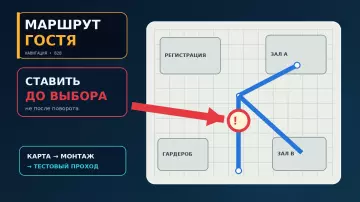
We start with an event map. It shows the participant's action and the main channel. Next to it are the time and the fallback scenario. After registration, the person receives a confirmation. Before the event, they need the date, time, address and entrance. A change to the transfer triggers a new message immediately after the decision is confirmed.
To notify event participants by SMS without overwhelming the guest, use a minimal set:
- registration confirmation, if SMS was promised in the form;
- a reminder with the key logistics;
- a message about a required action, such as collecting a pass;
- a confirmed change to the entrance, time, hall or transfer;
- a cancellation, postponement or urgent safety instruction.
After the event, an SMS is usually not needed. A survey and a new offer belong to a different task. They must not be automatically added to the last organisational message.
The line between a service message and advertising
Look at the purpose and content of the text. A message about a specific registration, address, pass or programme change helps the recipient complete an action they have already started. An offer to buy a ticket, order a service, get a discount or attend the next project promotes a product or service. Mixed text is best split into two separate communications.
The table summarises the key points of this section: Criterion, Organisational SMS, Advertising SMS. Use it as a quick reference when preparing an event.
| Criterion | Organisational SMS | Advertising SMS |
|---|---|---|
| Purpose | help the recipient complete registration or reach the event | promote a purchase, a service or the next project |
| Content | a confirmed fact, logistics, a change, an action | a discount, an offer, a sale, a subscription to future projects |
| Working rule | keep only the information the participant needs | send separately, with appropriate consent in place |
The name of a template does not change its meaning. If a file is called “service SMS” but contains a discount for the next forum, the message becomes mixed. We remove promotion from logistics text. We separate marketing communications and use them only where there is an appropriate basis.
The Advertising Law requires the recipient's prior consent for advertising via telecommunication networks. The sender must be able to confirm that consent. At the recipient's request, advertising mailings must be stopped.
Service text is best checked with a simple question: without this information, would it be harder for the person to complete an action they have already started or to get to the event? If the answer is no, the message probably does not relate to essential logistics.
Important: this article describes a working organisational model and does not replace legal review of a specific registration form, contract and mailing text.
How should you collect phone numbers and consents?
In the registration form, explain in advance why a phone number is needed and what organisational messages a participant may receive. State the purpose of processing, the expected types of notifications and how long the contact will be used. Do not combine mandatory information with optional advertising under a single checkbox. The advertising choice must remain separate and voluntary.
For organising an event, a phone number and minimal segment indicators are usually enough: participant, speaker, contractor, transfer group. Do not collect additional information "for the future" if it is not needed for registration and communication.
In the registration form, it is useful to state a specific purpose: registration and information about the organisation and changes to the event. Next to it, list the expected messages: confirmation, logistics, reminder, change or cancellation. The exact wording and legal basis for processing should be checked by the person responsible for personal data. We covered the detailed set of fields and statuses in the article on event participant registration.
Advertising consent is given separately. The absence of such a checkbox must not prevent registration if advertising is not required for participation. For verifiable consent, keep the version of the text, the date and time, the source, the form identifier and the result of the choice.
Personal data law requires a purpose defined in advance, proportionality of the data and a limited storage period. Therefore, before launching the mailing, answer two more questions: when the number is no longer needed for this purpose, and who is responsible for deletion or anonymisation.
If registration, communication and logistics must work as a single process, include them in conference organisation at the briefing stage. Then the form fields, message scenarios and headquarters actions are not assembled separately on the last day.
Message plan before, during and after the event
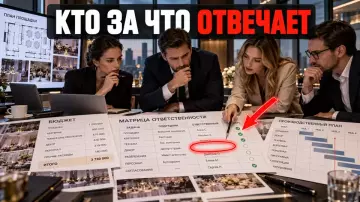
A working map links each message to a real event. It states the reason, the audience and the participant's next step. A fact owner is assigned separately — the person who confirms the change and is responsible for its accuracy. Next to it are the send time, the validity period and the action to take if delivery fails. Such a document helps remove duplicates and avoid missing a critical change.
The table brings together the key points of this section: Event, What to say in the SMS, When. Use it as a quick reference when preparing your event.
| Event | What to say in the SMS | When | What to do if delivery fails |
|---|---|---|---|
| Registration completed | event name and confirmation of registration | immediately after the action, if the channel was promised | show confirmation on screen and send an email |
| Before the event | date, time, address, entrance, one important action | according to the approved plan, usually the day before | check the number and use the chosen backup channel |
| Pass or QR code is ready | where to open the pass and what to bring | when the pass is created | repeat the link in the email or personal account |
| Entrance, hall or transfer changed | what changed and what to do now | immediately after the change is confirmed | prioritise the failed-delivery list |
| Cancellation or postponement | new status, who it affects, next step | immediately | SMS, email, website and personal contact for critical groups |
| Survey or new offer | do not mix with service logistics | separate campaign | only according to marketing communication rules |
The table does not set a mandatory number of SMS. One project may get by with a confirmation and a reminder. Another needs separate messages for the transfer, the pass and a change of flow. What matters is the link to an action, not the same frequency for all guests.
We mark the validity period separately. The message "entrance B is closed" must not arrive after the new message "entrance B is open again". If the platform supports message lifetime, it is set according to the meaning of the specific event.
When should you send SMS?
Send non-urgent messages during clear daytime hours in the participant's time zone. Send a confirmed urgent change at the moment it happens. The timing is chosen based on the guest's action and the risk of the information arriving late. There is no universal federal rule of "no more than N service SMS" for events in verified sources.
Registration confirmation is appropriate immediately after the action. A reminder should leave time to plan the route and prepare documents. It is useful to check its frequency against the approach in the article on how to reduce no-shows at a B2B event without turning the notification into pressure. A change of entrance is sent after the new entrance is ready to receive people and the information has been confirmed by the owner of the fact.
Do not use relative wording if the message may be read later. Instead of "tomorrow morning", write "24 October, 10:30 (MSK)". For participants from different regions, specify the time zone.
A nighttime message is acceptable only when waiting would create a greater risk: the person will go to the wrong place, miss an early transfer or not learn about a cancellation. Explain the urgency in the first line. The regular programme, a request to complete a profile or a dress code reminder can wait until the daytime window.
Do not duplicate identical text simultaneously in SMS, email and a messenger without reason. One channel can confirm an action, another can hold the details, and a third can be used for urgent changes. This approach reduces communication fatigue.
How to write a text that is clear from the first screen
A short SMS is built around a single action. In the first sentence, the recipient should see the sender or the event and the main fact. Then state the date and time, the location and the next step. Put the critical instruction directly in the message: a link complements the text but does not replace it.
A workable order:
- who is writing or which event this is;
- what has been confirmed or changed;
- when and where this applies;
- what the participant should do;
- where to check details or get help.
Confirmation template:
Conference “Project”. Registration confirmed. 24 October, start at 10:30 (MSK), entrance B. Address and programme: example.ru/eventIf the entrance has changed:
Conference “Project”. Entrance B is closed. On 24 October use entrance C from Mira Street. Show your existing QR code. Help: example.ru/statusUrgent version:
Conference “Project”. URGENT: the 08:00 transfer has moved to exit 3. The bus waits until 08:10. Updates: example.ru/statusDo not put sensitive information or unnecessary personal data in an SMS. A link must not be the only carrier of a critical instruction. If the participant needs to use a different entrance, state the new entrance directly in the message.
Use a recognisable sender name and a trusted domain. A link shortener without a clear brand may look suspicious. Before a mass send, check the text on a real phone, including Cyrillic characters, line breaks and link length.
If you find short practical breakdowns of event preparation useful, we publish them in the Aventura Telegram channel. Here we continue with the delivery control scenario.
Delivery does not confirm that a message has been read
The
deliveredstatus means technical delivery under the provider's rules. It does not confirm that the person has read and understood the message. For an ordinary reminder, this may be sufficient. A cancellation, a security matter or a critical transfer requires a stricter scenario: a response, a confirmation or personal contact with the key group.
For each message, keep an internal identifier, the template version, the time it was queued, the provider status, the error code and the fallback step chosen. This data helps distinguish a mass problem from a wrong number and prevents sending an outdated repeat.
The table summarises the key points of this section: Status, Practical action. Use it as a quick reference when preparing an event.
| Status | Practical action |
|---|---|
| queued, accepted, sending | wait only within the time allowed for this type of message |
| delivered | do not treat it as automatically read; for a critical action, check for a response |
| temporary failure | perform a limited retry, then switch to the fallback channel |
| permanent failure, invalid number | do not retry endlessly; update the contact and use the fallback channel |
| expired, timeout | do not deliver an outdated instruction; create a new, up-to-date message |
The waiting period depends on the situation. A reminder sent a day in advance can wait longer than a message about a change of entrance twenty minutes before the doors open.
What to do if an SMS is not delivered
Assign a backup channel for every critical message in advance. Do not choose it after a failure. Pass the non-delivery list to someone who has the authority to act. A temporary error allows one limited retry. A permanent one requires a different channel. An outdated message must be stopped so it does not give the wrong instruction.
First, identify the cause. A temporary failure allows a limited retry. An incorrect number requires a different channel. An expired message must not be repeated without verifying the facts: an old instruction can do more harm than no message at all.
The working chain looks like this:
- the provider passes the status to the system;
- the system matches the status to the message's criticality;
- a temporary failure gets one limited retry;
- a permanent failure is switched to email, a messenger or a phone call according to the approved scheme;
- the command centre sees the list of people without a confirmed channel;
- once complete, the team records the cause and updates the data.
For transfers, the backup can be a call from the coordinator or a message in a pre-agreed messenger. For a change of entrance, use the status page, on-site signage and staff at the previous point. A single additional channel should not be the only safeguard.
Participant logistics are tied to transport and pick-up points. If the project involves buses or several routes, link communications in advance with the logistics and transfer service, group lists and coordinator contacts. The working structure of routes is complemented by the article on transfers between the airport, hotel and venue.
Postponement, cancellation and urgent changes
An urgent message must have a single owner of the facts and a single agreed core. Channels must not relay different versions. First, the responsible person confirms the decision. Then the team issues a short text for participants. After sending, it updates the status page and separately handles the undelivered list by criticality.
Core template:
[Organiser or event]. URGENT: [what happened]. [Who it affects]. [New time or venue]. [What to do now]. Updates: [trusted address or phone number].Before sending, check five points:
- the change is confirmed by a person with authority;
- the affected group is named;
- the new action can be carried out;
- the old message will not be delivered after the new one;
- the response team has received the undelivered list and priority contacts.
Priority contacts may include speakers, contractors, transfer groups, people with accessibility requests and participants in another time zone. The composition of the groups is determined in the communication plan, not during the incident.
A single factual core does not mean the same length everywhere. In SMS, the action remains. In an email, an explanation can be given. The status page holds the current full version. Coordinators receive a short instruction for answering guests.
How can you protect attendees from unnecessary messages?
Send routine notifications during local daytime or working hours. Send urgent changes without delay if they affect the ability to travel, access the venue or take part safely. Every repeat must contain a new fact or an important action. Do not turn an exception into a regular schedule.
It is better to limit frequency by events rather than by a number "for all projects". Registration, one useful reminder, a mandatory action and a confirmed change provide clear logic. A repeat without a new fact requires separate justification.
Before every send, ask three questions:
- has a new fact or action appeared;
- can the message be combined with one already scheduled;
- what will happen if it is not sent.
If nothing has changed and the attendee has already received the necessary information, a repeat is usually unnecessary. If the entrance or time has changed, silence creates an operational risk.
Maintain a separate stop list for advertising. A request to stop advertising messages must be processed before the next send. Do not use an opt-out from advertising as a reason to disable essential notifications about an event that the person has already registered for without analysing the specific situation and the basis.
SMS communication checklist
Go through the list before registration opens, then repeat it before a mass send. Every message must have an owner of the fact and a person responsible for the launch. After testing, check the sender number and the link. Verify the time, audience and queue of old templates. Make sure the provider returns statuses.
Before registration opens
- The purpose of using the phone number is defined.
- The personal data text has been checked by the responsible specialist.
- Organisational information is separated from advertising consent.
- The version of the text, date, source and result of the choice are stored.
- A retention period and a rule for deletion or anonymisation are established.
When preparing the scenario
- The attendee journey map has been compiled.
- Every SMS is tied to an event or a mandatory action.
- The time zone is specified for each audience.
- An owner of the fact has been appointed.
- The validity period and the condition for cancelling the message are defined.
- A backup channel has been chosen for critical messages.
Before sending
The task at this step is to notify event attendees by SMS without errors in audience, time and text.
- The first line contains the event and the main fact.
- The date, time and time zone are written unambiguously.
- The attendee is given one clear action.
- The logistics SMS contains no advertising.
- The link leads to a trusted and up-to-date page.
- The text has been checked on a phone and on a test group.
- Old templates and queues have been cancelled.
After sending
- Statuses are received in the system.
- Undelivered messages are handled according to criticality.
- Outdated repeats are stopped.
- The team can see the problem groups.
- After the event, numbers, templates and causes of failures have been updated.
Frequently asked questions
A participant doesn't need the whole programme retold on their phone. They need the facts that affect their arrival and participation. Details are better kept on a stable page, in an email or in a personal account.
The name of a template doesn't change its meaning. If a file is called a "service SMS" but contains a discount for the next forum, the message becomes mixed. We remove promotion from logistics text. We keep marketing communication separate and use it only when there is a suitable legal basis.
To organise an event, a phone number and minimal segment markers are usually enough: participant, speaker, contractor, transfer group. Don't collect extra information "for the future" if it isn't needed for registration and communication.
The table doesn't set a mandatory number of SMS. One project can get by with a confirmation and a reminder. Another needs separate messages for the transfer, the pass and a change of flow. What matters is the link to an action, not the same frequency for all guests.
A registration confirmation is appropriate right after the action. A reminder should leave time to plan the route and prepare documents. Its frequency is worth checking against the scenario in the article on how to reduce no-shows at a B2B event without turning a notification into pressure. A change of entrance is sent after the new entrance is ready to receive people and the information has been confirmed by the owner of the fact.
A workable procedure:
If you need to connect registration, notifications, the programme and the work of the event team, request a quote. We will bring corporate event management together into a single plan and determine in advance who will inform participants of changes.
Sources
- Federal Law No. 38-FZ “On Advertising”.
- Federal Law No. 152-FZ “On Personal Data”.
- GOV.UK Service Manual: planning and writing text messages and emails.
- W3C: WCAG 2.2, readable content.
- OASIS: Common Alerting Protocol 1.2.
- SMS.RU: statuses of sent messages.
- National Cyber Security Centre: protecting SMS messages used in critical business processes.
Contents
Was this article helpful?