A practical incident log template: what to record, how to assign urgency, hand tasks over between shifts and protect sensitive data.
A radio message, a photo in the chat and a verbal instruction from the shift supervisor may all relate to the same incident. An hour later the team already has three versions: when it all started, who made the decision and whether the cause has been eliminated. An incident log at an event brings this chain together into a single verifiable entry.
At Aventura we use such a log as a working register, not as a search for someone to blame and not as a replacement for the relevant official documents. It captures facts, decisions, owners and open actions. If people need help or emergency services need to be called, the team responds first. The entry is created in parallel or immediately after the initial actions.
Leave a request - let's discuss your task
We'll clarify the format of the event and suggest the next step.
Why do you need an incident log?
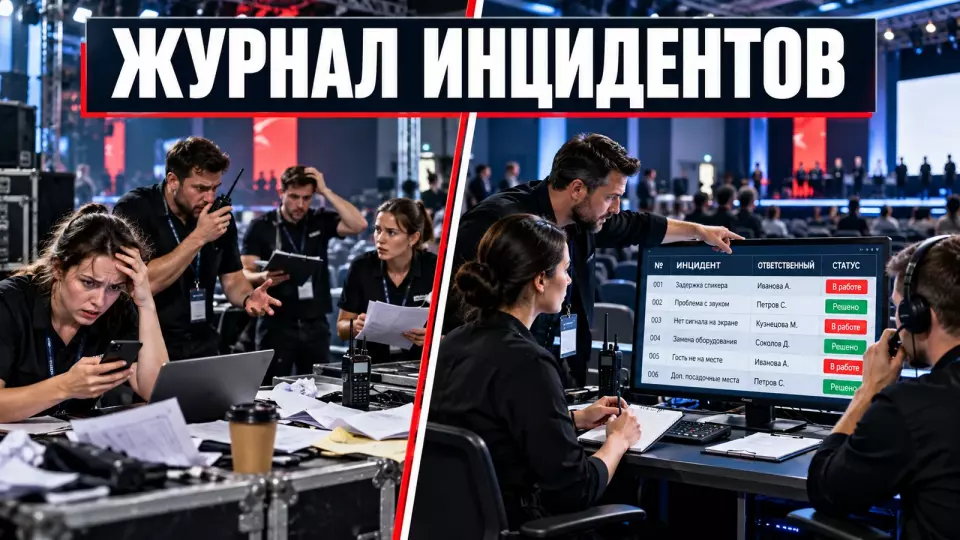
The log maintains a single chronology of the event. It shows what was noticed, what information was confirmed, what was done immediately, to whom the task was assigned, and how it ended. Such a record helps manage the current shift and provides material for a post-event review. The main value of the log is one current version of the status for all responsible roles.
We did not find in Russian regulatory sources a mandatory form called “event incident log.” The organizer usually approves an internal template taking into account the venue, contract, guest composition, and special requirements. The operational log does not replace fire documentation, medical records, investigation of a workplace accident, or law enforcement materials.
The general outline of roles and actions is best defined in the event security plan. For conferences, this mechanism is linked to organizing conferences and forums, the venue plan, and the work of the command center. The log starts working where an observed deviation, decision, or task that cannot be lost appears.
What counts as an incident and what should be left in the work chat?
A record is needed if the event affects or could affect people, access to the venue, or the program flow. Service and equipment failures, property damage, and contractual risks are also entered in the log. The second criterion is that work continues after the first message: an owner, a new status, or a handover to the next shift is needed. A routine question without consequences remains in the work channel.
We use a simple check:
- Is there an actual or potential impact on safety and event operations?
- Is an owner for the next action needed?
- Should the command center receive a new status after a certain time?
- Does the deviation recur and indicate a systemic problem?
- Should the episode be preserved for the final review?
If the answer to all questions is negative, the message should not bloat the log. For example, scheduled water delivery or microphone readiness confirmation remain in the shift checklist. Entry stoppage, registration system failure, structural collapse, property loss, threat complaint, or recurring failure receive a separate ID.
It is also useful to record near misses. A small change in circumstances could have led to injury, property damage, or program stoppage. Such an episode helps identify a weak point before a serious incident. The term and route for further investigation should be agreed with the relevant service, not assigned independently.
Log fields: minimum template
A good entry answers the questions "when, where, what happened, what was done, and who is responsible next". We have assembled these fields based on the official FEMA ICS 214 form, HSE guidance and our own command centre management practice. This is an internal template, not a government form.
The table summarises the key points of this section: Field, What to record, What not to write. Use it as a quick reference when preparing an event.
| Field | What to record | What not to write |
|---|---|---|
| ID | unique entry number | a person's surname instead of a number |
| time | when it was noticed, when it was reported and when the entry was made | "recently" or "around lunchtime" |
| location | site, hall, entrance, sector, landmark | unnecessary details of a restricted layout |
| source | the employee's role or the signal channel | a reliability assessment without verification |
| category | safety, flow, service, equipment, access, property, weather, complaint | a legal diagnosis |
| observed fact | what was seen, heard or shown by the system | the cause and the person at fault before verification |
| impact | what is already disrupted and what is at risk | dramatisation |
| first action | the specific measure, time and person responsible | "measures were taken" without explanation |
| escalation | to whom, when and via which channel it was passed | sensitive information in an open field |
| owner | the role responsible for the next step | a collective "the team" |
| checkpoint | which status is needed and by what time | a vague "later" |
| status | new, accepted, in progress, stabilised, handed over, closed | "resolved" without verifying the result |
| related materials | ID of a photo, measurement, report or restricted card | copies of all files in a shared table |
| closure criterion | observable confirmation of the result | the fact that an instruction was sent |
Time is best recorded unambiguously, with the clocks on work devices synchronised. For an electronic log, the format 2026-10-29T18:42:16+03:00 will work. If a message is entered later, the time of the event and the time of the entry are stated separately.
The form should be linked to command centre operations and radio communication. The radio and chat deliver the signal, while the log keeps a single version of the status and decision.
How to assign an urgency level?
An urgency level must automatically trigger a clear action. A colour or number without a route is useless. Thresholds are approved before the event together with the venue, security service, technical lead, medical team and other relevant roles. The team must immediately understand who the message goes to, the permitted response time and the next control status.
The internal scale might look like this:
The table summarises the key points of this section: Level, Indicator, Mandatory action. Use it as a quick reference when preparing an event.
| Level | Indicator | Mandatory action |
|---|---|---|
| S1 - observation | no threat to people, deviation resolved locally | log for trend analysis, check by the function owner |
| S2 - significant | help from another function needed, downtime or area restriction | notify the shift supervisor, owner and status deadline |
| S3 - serious | injury or high probability of injury, loss of crowd control, stoppage of the programme or an area | immediate escalation to the command centre, specialist assistance, decision on operating mode |
| S4 - critical | threat to life, fire or smoke, collapse, weapon, mass crush, need for evacuation | call 112, activate the venue plan, hand over control to the emergency services |
This four-level scale is not established by ISO, HSE or the Ministry of Emergency Situations. It is an example of an internal model. The names can be changed, but the link "level - recipient - action - deadline" must remain unambiguous.
We take two parameters into account: what actually happened and what harm was possible. An empty corridor briefly blocked by a trolley and the same blocked corridor during a mass exit differ in actual impact. The potential of the event must still be recorded so that the team eliminates the cause.
If you need a single framework covering the venue, contractors and the command centre, take a look at our corporate event management. We agree roles, escalation points and contingency solutions in advance, and on site we monitor their implementation.
We also publish practical breakdowns of operational processes in Aventura's Telegram channel.
Fact, decision and outcome are separate fields
A record should separate observation from a version of the cause. The phrase "the contractor missed the entrance" already contains an accusation. A verifiable fact sounds different: "at 09:18 two of the four scanners stopped accepting QR codes; the queue extended beyond the mark in the lobby." This separation helps make decisions based on confirmed data and update the timeline correctly.
We distinguish four layers:
- Fact: what was observed and what confirms it.
- Verification: which question remains open and who is checking it.
- Decision: which action was approved by an authorised person.
- Outcome: what changed after the action and whether the closure criterion was met.
If the initial information turns out to be inaccurate, the original record is not deleted. A clarification is added with the author and time. Such a version preserves the course of decisions and shows what data the team was acting on at a specific moment.
A chat is not suitable as the only log. Messages get edited, disappear into a long feed and have no owner. A chat is useful for notification, but a link to a record ID should return the team to a single up-to-date card.
How to escalate an incident without delaying assistance?
Filling in a form must not delay saving people, calling the services or stopping a dangerous action. The initial message can be short, and the fields are completed after the situation is stabilised. The team must have the authority in advance to act without a long approval chain. First, the location, the threat and the required assistance are passed on, then the remaining log fields are clarified.
For a serious message we use a short seven-point structure. It is close to the British M/ETHANE mnemonic used for the initial message to the emergency services:
- Whether a major incident has been declared or whether readiness for one is needed.
- Exact location.
- Type of incident.
- Current and potential hazards.
- Access and a safe route to the location.
- Number and condition of casualties, if known.
- Which services are already working and which are needed.
In the event of a fire, the Fire Safety Regulations in force on the publication date require immediately notifying the fire service of the facility, address, location of the fire and the surname of the person reporting, as well as taking evacuation measures. The log can record the time of the call, the information passed on and the role of the caller, but it does not replace the call itself.
For events with 50 or more participants, the premises are checked in advance for compliance with fire safety requirements. Duty officers are appointed on stage and in the halls. Russian Government Decree No. 1479 is in force until 31 December 2026 inclusive, so before a new project it is necessary to check the current version and any act that has replaced or extended it.
Personal Data and the Closed App
The shared operations log should contain only the minimum data the command team needs. Information about health, the content of a complaint, documents and contacts should not be shown to contractors and all members of the working chat unless necessary. For sensitive cases, it is better to use a separate card with restricted access. The shared table then stores a neutral ID, the action, the owner and the status.
A secure two-tier model:
- in the shared log: ID, time, zone, neutral category, urgency, operational action, owner and status;
- in the closed app: the information needed for contact, assistance, verification or performance of a special duty;
- between documents: a reference ID without copying sensitive text.
Federal Law No. 152-FZ requires that processing purposes be specific and lawful and that the volume of data not be excessive. Information about health status falls under special categories of personal data. Therefore, in the shared record it is usually enough to note the fact of the request, the first aid provided and the handover to medical staff, rather than a diagnosis and detailed medical history.
Consent alone is not always sufficient. The legal basis, the composition of data, access roles and retention periods are determined for each specific project. For complaints and sensitive requests, use a separate process similar to the one described in the event code of conduct.
How should the log be kept during a shift?
The log is opened before guests are admitted and closed after dismantling and handover of any remaining issues. Incidents can occur during setup, registration, the programme, audience exit, dismantling and contractor departure. The log owner must have a backup and access to the current version without depending on a single device.
The recording workflow:
- A signal reaches the command centre or the designated role.
- The dispatcher checks the minimum data and creates an ID.
- The responsible person assigns a preliminary level and route.
- The team takes the first containment action.
- The owner receives the task and the time of the next status update.
- The entry is updated when the impact, decision or owner changes.
- Closure is confirmed by an observable result.
- Open entries are handed over to the next shift.
A fault fixed on the spot is not deleted. It may reveal a recurring weak point: one entrance is regularly overloaded, a cable keeps coming out into the walkway, staff lack permissions in the system, or contractors interpret the stop signal differently.
Before the venue opens, it is convenient to gather the initial constraints and reserves in a technical audit of the venue. The log then records deviations from the agreed plan rather than reconstructing it after the fact.
How should open entries be handed over to a new shift?
The shift handover preserves current decisions and commitments. There is no need to read the entire log aloud. The incoming team receives open and recently closed serious entries, temporary restrictions, owners, upcoming checkpoints and the expected actions of services or contractors. The new shift confirms that it understands the context and can continue the work.
What to hand over to the next shift:
- Time of handover.
- Outgoing and incoming staff, their roles.
- Open entries and the current level.
- What is restricted right now.
- Who has already been notified and what they must do.
- What the next status should be and when.
- Where the related materials are located.
- Confirmation from the incoming person.
The outgoing shift must not consider a task handed over just because it sent a message. The incoming person confirms the context and the ability to continue the work. If a system or area remains unstable, this is stated separately.
Evidence and related materials
Photos, videos, system readings and communication records help verify the timeline, but the general log should not become a file dump. Each entry records the material ID, source and time received. The author and the restricted-access storage location are recorded separately. This way the team keeps the link between the record and the confirmation without copying sensitive files.
First, the team helps people and eliminates the immediate threat. After that, it restricts unnecessary access to the site, records changes and preserves the original materials. An "ideal picture of the incident" must never come at the cost of delaying assistance.
For digital materials, the traceability principle can be applied: preserve the origin of the record, the time of actions, the person responsible and the handover of the file between roles. This approach is used by the US National Institute of Standards and Technology (NIST) in its cybersecurity incident guidance. The set of fields above is our adaptation for an event log, not a NIST requirement for Russian events.
Do not send originals containing personal data to a shared chat. Radio traffic and video recordings may be stored only where there is a lawful basis and a pre-defined access regime. The log keeps a reference to the material and the reason for storing it.
Post-event review
The final review looks for the conditions that would allow a repeat, not for a convenient scapegoat. The team compares the plan with what actually happened, checks which reserves worked, recurring signals and the quality of status handovers. The raw log is not circulated to everyone on the project. The purpose of the review is to assign specific changes, owners and a way to verify the result.
For the After Action Review, WHO proposes the following sequence: what was expected, what happened, what worked, what did not work, why, and what needs to be improved. For events, we add an owner, a deadline and a verifiable criterion for each change.
The review runs as follows:
- Select serious and recurring hazardous events, even if no one was harmed.
- Verify the timeline, facts and related materials.
- Separate the immediate cause from the conditions of the system.
- Determine which reserves worked and where the gap was.
- Formulate a corrective action.
- Assign an owner, a deadline and a method of verification.
- Update the brief, audit, rehearsal, communication plan or team training.
The final report carries anonymised categories, the impact on the programme or service, the decisions that worked and open actions. Medical details, the content of confidential complaints and unconfirmed versions stay within a restricted circle. The overall project closure process is covered in the article on the event budget, documents and final report.
Journal readiness checklist
If you are responsible for an event with a complex venue or multiple contractors, check the journal before the first guest arrives. A short list helps you find gaps in roles, access, status timelines and closure criteria. The check takes less time than reconstructing the chronology after a failure, and it shows whether the team is ready to hand over records between shifts.
- The recording criterion is clear to all teams and contractors.
- The categories do not substitute for legal or medical qualification.
- Each urgency level is linked to an action and a recipient.
- A journal owner and a backup have been appointed.
- Device clocks are synchronised.
- The shared journal is separated from sensitive applications.
- Each entry has an owner and a next checkpoint.
- Corrections preserve the original chronology.
- Materials are stored in a controlled repository.
- Shift handover requires confirmation from the receiving party.
- Closure is based on an observed result.
- After the event, the journal becomes a change plan rather than an archive with no actions.
Frequently asked questions
The journal keeps a single chronology of the event. It shows what was noticed, what information was confirmed, what was done immediately, to whom the task was handed over and how it ended. Such a record helps manage the current shift and provides material for a debrief after the event. The main value of the journal is one current version of the status for all responsible roles.
An entry is needed if the event affects or may affect people, access to the venue or the course of the programme. Service and equipment failures, property damage and contractual risks are also recorded in the journal. The second criterion is that work continues after the first message: an owner, a new status or a handover to the next shift is needed. An ordinary question with no consequences stays in the work channel.
A good entry answers the questions "when, where, what happened, what was done and who is responsible next". We have assembled these fields based on the official FEMA ICS 214 form, HSE recommendations and our own command-centre management practice. This is an internal template, not a government form.
The urgency level must automatically trigger a clear action. A colour or number without a route is useless. Thresholds are approved before the event with the venue, security service, technical lead, medical team and other specialist roles. The team must immediately understand the message recipient, the acceptable response time and the next control status.
The entry must separate observation from the version of the cause. The phrase "the contractor ruined the entrance" already contains an accusation. A verifiable fact sounds different: "at 09:18 two of the four scanners stopped accepting QR codes; the queue extended beyond the mark in the lobby". This separation helps make decisions based on confirmed data and update the chronology correctly.
Filling in the form must not delay rescuing people, calling the services or stopping a dangerous action. The initial message can be short, and the fields are completed once the situation has stabilised. The team must have the authority in advance to act without a long approval chain. First, the location, the threat and the required assistance are communicated, then the remaining journal fields are clarified.
Sources
- Fire Safety Regulations in the Russian Federation
- Federal Law No. 152-FZ "On Personal Data"
- HSE: event safety management
- HSE: incidents and emergencies
- FEMA: official Incident Command System forms
- JESIP: M/ETHANE initial message structure
- NIST SP 800-61 Rev. 3: incident response guide
- WHO: After Action Review methodology
- W3C: unambiguous date and time format
Contents
Was this article helpful?