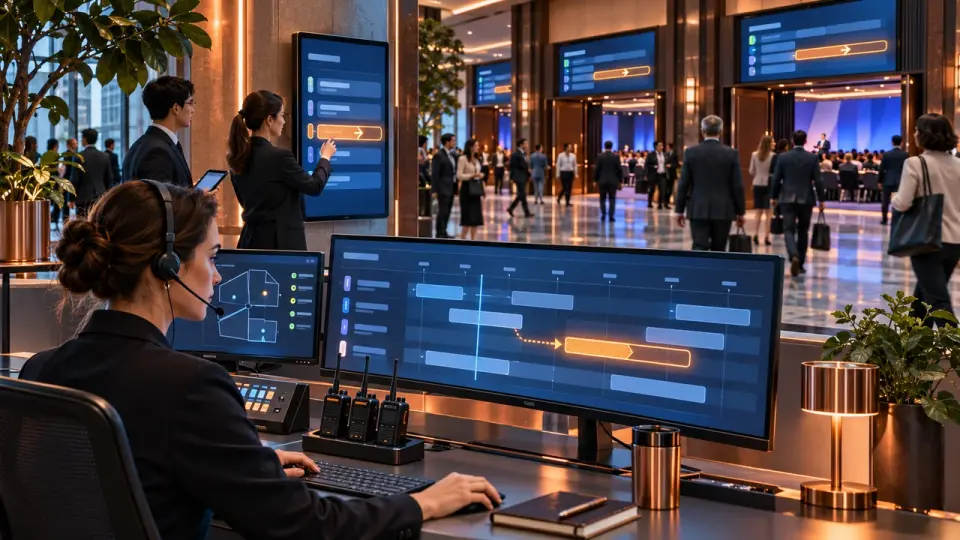
A practical control-room scheme for a forum: one version of the programme, a change route, shift handover and preparation for the next day.
The programme control room of a multi-day forum maintains a single up-to-date picture of the event: what has been approved, what is happening now, which changes are open and what the team and participants have already seen. A rescheduling is closed only after a new revision has been issued, the affected channels have been updated and the result has been checked. A corrected row in a spreadsheet is not enough for this.
At Aventura we separate this function from the general command centre. The controller does not replace the programme manager, hall coordinators, the technical team, the venue or security. They gather their statuses around the programme, take changes through a clear route and hand over to the next shift a working state rather than a history of chat messages.
Leave a request - let's discuss your task
We'll clarify the event format and suggest the next step.
What does the programme control room oversee?
The control room oversees the state of an already approved programme, open decisions and dependencies between blocks. It can see whether the hall is ready, whether the speaker and the file are confirmed, whether the previous block has shifted, which channels need updating and who must confirm execution. The content of the programme and the authority of function owners remain unchanged.
The underlying logic comes earlier: the team defines the outcome of the blocks, the transitions and the boundaries of the day. A separate article, a conference programme without overload, is devoted to this. The control room takes the approved grid as its starting state and manages deviations during the event.
Three groups of data remain in view:
- the position of the block in the programme: day and time, hall and track, public status;
- readiness of dependencies: speaker and material, equipment and broadcast, accessibility and services;
- decision status: request received; impact being checked; decision made; update released; result confirmed.
We do not ask the controller to keep detailed registers for every team. The conference speaker office passes on an aggregated status of the session. The hall coordinator reports the readiness of the space. The technical lead confirms production. The controller links these signals to a specific block and the dependencies that follow.
For a project where the programme is connected to the venue, the service and production, organising forums and seminars is a good fit. Such a setup helps define in advance who reports status, who makes the decision and who checks the release of a new version.
One working picture for all forum days
It is useful to split the working picture into the approved grid, the current operational state and the public version. The first shows the agreed foundation. The second reflects what should happen given the changes made. The third shows the information participants have already received. Mixing these layers hides the difference between a decision and its publication.
NIST describes the baseline as an agreed state that, once approved, changes according to agreed rules. In its scheduling guide, NASA separates the baseline plan from the current one and requires changes to be distinguished, assessed and documented. These documents do not regulate forums. We use their principle as a working model for the event programme.
A multi-day forum adds the actual history of delivery. After a block ends, we record the actual start, end and deviation in the execution log. A past baseline cannot be quietly rewritten to match the facts: otherwise the team loses the answer to what was approved and why the day went differently.
One working picture does not mean one huge file for all roles. The data source can have different views: the dispatcher's screen, the hall schedule, the host's sheet, the participant card and the broadcast plan. But every session keeps a common identifier, the current revision and the owner of the change.
How to build a status card for each block?
A block card should quickly answer four questions: what is happening, what the next step depends on, who makes the decision and where the information needs updating. We keep only programme management data in it. Detailed technical checks, speaker documents and local team logs stay with their owners.
The table summarises the key points of the section: Field, Approved foundation, Current operational state. Use it as a quick reference when preparing the event.
| Field | Approved foundation | Current operational state | Closure condition |
|---|---|---|---|
| Day and block | the session's place in the programme and a permanent identifier | the block's actual status | the block is unambiguously found in all working views |
| Time and hall | agreed start and end at the chosen venue | delay or move, or confirmation of the plan | affected owners have accepted the new state |
| Readiness | requirements for the speaker and material, stage and broadcast | final signal from function owners | there is observable confirmation of readiness or a backup has been chosen |
| Dependencies | related sessions, transitions, services and audiences | impact of the proposed change | all affected links have been checked |
| Decision | authority and permissible options | keep, shorten, move, replace or cancel | the decision is recorded with the owner and reason |
| Channels | website, app, screens, host, team and broadcast | delivery and actual display of the new revision | critical outputs have been checked |
| Next checkpoint | the condition or moment of the new status | open question and responsible person | the next action is assigned or the block is closed |
The minimum states depend on the project. In the working model there may be marks for "on plan"; "preparing"; "ready"; "in progress"; "delayed"; "shortened"; "moved"; "replaced"; "completed" and "requires action for the next day". We do not present this set as an industry standard. The team chooses statuses for taking the next action.
A revision number and update time are needed separately. In the iCalendar scheduling standards, a persistent UID, SEQUENCE and timestamps are used for identity and change order. The same principle works for a forum: an old export should not look newer just because it arrived later.
Leave a request — we'll discuss your task
We'll clarify the event format and suggest the next step.
Control room roles and decision boundaries
Roles are built around authority, not around presence in a shared chat. The programme manager is responsible for the substantive logic. The controller tracks the state and the route of a change. Venue and function owners confirm feasibility. An authorised manager makes the material decision, and a reviewer checks whether a new revision has appeared on the end channels.
At Aventura we separate several areas of responsibility:
- the programme manager resolves conflicts within the logic already approved;
- the controller receives the request and checks completeness, then manages the release of the revision;
- venue coordinators report seating and readiness status, then confirm completion;
- the owners of speakers and files, technical equipment and streaming confirm their part;
- the communications lead prepares a single text for the relevant audiences;
- the reviewer confirms that the new version is displayed on critical outputs;
- the incident lead steps in when a change affects safety, the venue or several areas at once.
The initiator of a material change must not single-handedly approve it, publish it and close it. Independent review reduces the risk that the same error passes through the entire route unnoticed.
In the overall organisation of a business event, the control room occupies a narrow position. It manages the programme state but does not replace the venue, security, technical production or the overall command centre. This boundary helps avoid piling all decisions onto a single coordinator.
Changing the programme: from signal to new version
A change follows a complete route from the signal received to verification of the result. First, the team confirms the fact and assesses the impact. Then the authorised owner makes a decision, the dispatcher issues a new revision, the responsible parties update the channels, and the verifier checks the actual display. The status "table corrected" sits in the middle of the process.
The sequence of actions is as follows:
- The request receives an identifier and a time. The initiator's name and a link to the specific block are added to it.
- The dispatcher checks the original state and the reason. Then they verify the initiator's authority.
- The team assigns the change to one class: editorial, local, substantial or incident.
- Owners assess the impact on halls and people; adjacent sessions; materials and services; accessibility; digital channels.
- The dispatcher assembles a candidate version without quietly replacing the published version.
- The authorised role approves or rejects the request, or asks for clarification.
- After the decision, the revision number increases. The state before and after remains in the log.
- The responsible parties publish the change according to the channel matrix.
- The verifier confirms the final display and reports any discrepancies.
- The dispatcher closes the request or leaves an open item for the next shift.
NIST includes the proposal and justification, analysis and decision, implementation and verification in change management. NASA recommends recording the states before and after, issuing a new revision and keeping a log. We transfer this logic to the forum programme, without presenting NIST and NASA documents as rules for running events.
A late version of the presentation goes through its own technical procedure. The material on freezing presentations explains who accepts and checks the file. The dispatch office receives the outcome: whether the change was accepted or rejected, which dependencies were affected and whether the block's time can be preserved.
When does shifting a single block change the whole day?
A block changes the day if its new position affects the next session and the overall audience, the transition between halls and the speaker, catering or transport, the broadcast or accessibility. A free slot in the schedule proves nothing on its own. The decision is made after checking the chain of dependencies and the hard boundaries of the programme.
Before releasing a new time, the team checks:
- Whether the speaker or moderator is available. The specialist in the parallel track is checked separately.
- Whether the buffer for stage preparation and recording is preserved. Whether there is enough time to change the format.
- Whether participants have time to move between halls or buildings.
- Whether a conflict arises for one audience with another key session.
- Whether interpretation and subtitles are ready. Whether the accessible route and other agreed conditions are preserved.
- Whether the broadcast and the viewing page, together with the embedded player, can be updated.
- How the shift affects catering and transport. What changes in the work of security and the venue.
- Which screens and announcements need to be changed along with the working documents.
Hall statuses come from a separate hall and flow management loop. The control room does not count people at the door. It receives a short signal and assesses the impact on the grid. The consequences for transitions and service peaks are checked against the guest flow management plan.
If a block cannot be delivered at its original scale, the team chooses a prepared option: a short version, a postponement, a replacement with a backup, a format change or cancellation. The choice depends on the outcome of the block and the related constraints. There is no universal delay threshold for all forums.
For a programme with parallel halls, we link this work to conference organisation. The project includes the programme, roles, venue and production, but every substantive or technical decision remains with the designated owner.
Shift handover and the night between days
The shift handover records the state from which the next team will continue work. It includes closed deviations, decisions limited to the current day, changes to the next day, open dependencies, owners and checkpoints. A multi-day forum requires such a transition every day: correspondence from the past day does not replace the starting picture of a new run.
At the end of the day the dispatcher follows one sequence:
- Checks actual delivery against the current programme and separates completed deviations.
- Marks temporary decisions. They cannot be carried over to the next day automatically.
- Carries into the new shift only open issues with an owner and a next action.
- Checks the changes included in the next day's programme and the items awaiting a decision.
- Verifies the versions of working documents and screens, broadcasts and messages.
- Checks whether urgent announcements and temporary content substitutions have been removed.
- Generates the starting status for the morning team and saves the decision log.
The night window is not turned into free editing of the programme. Changes go through the same control, but their impact is especially important to verify before mass export, printing and warming up digital channels. In the morning the team starts not with the question "what changed in the chats" but with a check of the current revision and open items.
How to update the programme for the team and participants?
The team publishes the programme as a separate step after the decision. For each change the dispatcher determines the affected channels, the audience, the owner of the sending and the method of verification. An update is considered complete when the system has accepted the new revision and the end user or operator sees the correct value.
Google Calendar separates changing an event from sending notifications: updating the data does not always by itself mean that the recipients will receive a message. The iTIP protocol also distinguishes update and cancellation operations. For a forum this leads to a simple conclusion: the master record, the delivery and the message to the participant have different statuses.
The publication matrix may include:
- the main programme record and working exports;
- the website and app together with search and favourites;
- calendar invitations;
- email or SMS, as well as a messenger for the affected group;
- hall screens and overview screens together with navigation;
- the host's sheet and registration for the information and production team;
- the scheduled broadcast and the viewing page together with the embedded player and the broadcast team's workroom;
- available copies of the programme and notifications for participants with special conditions.
For screens it is not enough to replace a single file. In the ScreenCloud documentation, scheduling, assigning a channel to a screen and a temporary urgent display are different actions. After an urgent message, the return to regular content must be checked. For a broadcast, the scheduled event, the public page, the embedded link and the accessibility parameters are verified separately.
A dynamic change on the website must be understandable not only visually. W3C requires that status messages can be determined programmatically and conveyed to assistive technologies without unnecessary focus changes. Therefore the colour marking is supplemented with full text: what changed, what the previous value was and what is in effect now.
Contingency scenarios without a full rebuild of the forum
A contingency scenario preserves the working part of the programme when the original option no longer works. The team determines in advance which blocks can be shortened, replaced, moved or converted to another format, who selects the option and which dependencies need to be confirmed. A contingency must not appear as an improvised new programme without an owner and a revision.
A practical set may include a short version of a block, a replacement session, a remote connection, a move to an available slot or a local cancellation. For a remote speaker, the dispatcher receives two independent outcomes: clearance confirmed and technical readiness confirmed. Detailed checks remain with the specialist team.
After the programme is frozen, changes do not disappear. Their cost and route change. The closer the start, the less room there is for experimentation and the more important a pre-agreed simplified state becomes. The team chooses a solution that preserves the mandatory outcome and does not create a larger cascade in neighbouring blocks.
A critical failure puts the team into incident mode. Three workstreams then run in parallel: decisions on the programme and people, recovery of the operation, and communication. One person should not simultaneously diagnose the cause, change the master programme record and write messages to all audiences.
Closing the day and preparing the next run
Closing the day provides a verified starting point for the next run. The team records what actually took place, closes temporary publications, carries over open decisions, reconciles versions and prepares the morning check. Reviewing deviations is needed to refine procedures, not to retroactively edit the previous programme.
Before the end of the shift, we check in order:
- All completed blocks have received their actual status. Deviations have been entered in the execution log.
- Open requests contain an owner and status, the next step and a link to the relevant revision.
- Temporary messages and on-screen replacements have been completed or have an explicit continuation.
- The next day's programme has been issued from the current source, and old exports cannot overwrite it.
- Halls and speakers, materials and broadcasts, and the accessibility workstream have reported their final readiness status.
- The next shift has received a list of decisions, constraints and questions without hidden context from correspondence.
- Major cascades and incidents are flagged for a separate review.
It is useful to look separately at change turnaround time, publication delay, discrepancies between channels, the appearance of an old version after a new one, and missed accessibility dependencies. These are areas to monitor, not ready-made standards. The team sets the threshold and measurement method for the specific forum.
Frequently asked questions
The control desk oversees the state of the already approved programme, open decisions and dependencies between blocks. It sees whether the hall is ready, whether the speaker and the file are confirmed, whether the previous block has shifted, which channels need updating and who must confirm completion. The content of the programme and the authority of function owners remain unchanged.
It is useful to split the working picture into the approved grid, the current operational state and the public version. The first shows the agreed foundation. The second reflects what should happen given the changes adopted. The third shows the information participants have already received. Mixing these layers hides the difference between a decision and its publication.
A block card should quickly answer four questions: what is happening, what the next step depends on, who makes the decision and where the information needs updating. We keep only programme management data in it. Detailed technical checks, speaker documents and local team logs stay with their owners.
Roles are built around authority, not around presence in a shared chat. The programme manager is responsible for the substantive logic. The dispatcher manages the state and the change route. Hall and function owners confirm feasibility. The authorised manager makes the material decision, and the reviewer checks whether a new revision has appeared on the end channels.
A change goes through the full route from the signal received to verification of the result. First the team confirms the fact and assesses the impact. Then the authorised owner makes the decision, the dispatcher issues a new revision, those responsible update the channels, and the reviewer checks the actual display. The status "table corrected" sits in the middle of the process.
One block changes the day if its new position affects the next session and the general audience, the transition between halls and the speaker, catering or transport, the broadcast or accessibility. A free slot in the schedule proves nothing by itself. The decision is made after checking the dependency chain and the hard boundaries of the programme.
At Aventura we can set up the control desk together with the programme and venue, production and services. Send us your brief and request a quote if you need to define roles and the status card, the change route and publication, and shift handover for a specific forum.
Sources
- NIST SP 800-128: Guide for Security-Focused Configuration Management of Information Systems
- NASA Schedule Management Handbook
- IETF RFC 5545: iCalendar
- IETF RFC 5546: iCalendar Transport-Independent Interoperability Protocol
- Google Calendar API: Reminders and notifications
- W3C: Understanding Success Criterion 4.1.3 - Status Messages
- W3C: Captions and subtitles
- Section508.gov: Create Accessible Meetings
- ScreenCloud: How to manage and schedule content
- NIST SP 800-61 Rev. 2: Computer Security Incident Handling Guide
Contents
Was this article helpful?