A practical plan for protecting QR codes at an event: owners, domains, printing, venue checks, what to do if a code is swapped, and a backup that doesn't rely on QR.
Safe QR codes at an event don't start with a generator or with design. First the team defines the guest's action, the page owner, the permitted address, the data, the lifespan, and a backup that doesn't require scanning. Otherwise a neat square at the registration desk can lead to an outdated form, someone else's domain or a spoofed page.
Quishing is phishing that uses a QR code. At a venue, context amplifies the risk: a person sees a code on an official-looking poster, is in a hurry, is standing in a queue and expects a quick result. The QR itself hides its destination until it is scanned, so trust in the carrier is easily transferred to a link that no one has checked.
At Aventura we treat QR as part of the guest journey and the event's digital infrastructure. We connect layouts, registration, navigation, materials pages and the work of coordinators. The technical rules for protecting the domain, accounts and incident handling are approved by the client's specialist department. This division of roles helps avoid passing off organisational measures as full-fledged information security.
Leave a request - let's discuss your task
We'll clarify the event format and suggest the next step.
Why does a QR code at an event become a risk point?
Safe QR codes at an event become a risk point when a person trusts the location but cannot see the destination and the action before scanning. Substitution can happen on a printed item, a screen, in an email or in a dynamic link panel. That is why security depends on the entire path: from approving the destination to disabling the page after the event.
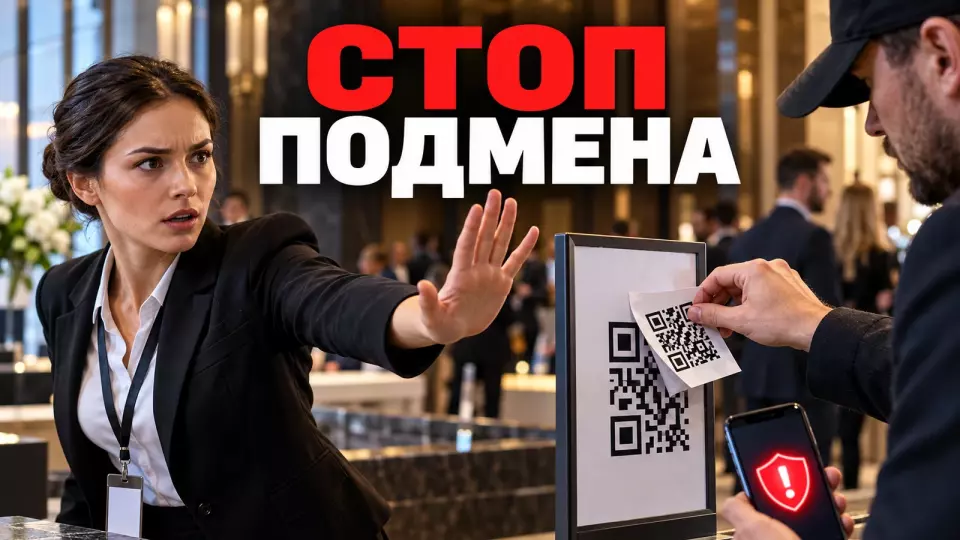
An ordinary sticker placed over a poster can replace a working code with another one. To do this, you do not necessarily need access to the organiser's website. It is enough to briefly get close to the reception desk, stand, lift lobby or table tent. Externally, the new code may match the brand style, because the colour and logo are easy to copy.
There is also digital substitution. The team prints a dynamic QR code, but its destination is managed by an employee's or contractor's personal account. If access to the panel is lost or the link is changed without approval, the original layout will remain the same. The guest will not see the difference until they follow the link.
HTTPS also does not prove that the page belongs to the organiser. It protects the connection to the domain that opens. A fake website can also use HTTPS. The guest needs a known official domain in advance, a clear path and the ability to perform the action in another way.
We do not suggest shifting protection onto the participant's attentiveness. At a venue, a person may be in a hurry, talking and looking for the right hall at the same time. It is more useful for the organiser to remove unnecessary redirects, show the destination next to the code, check the media and give employees a clear procedure for reporting a suspicion.
Map of QR touchpoints at the event
First, list every place where a guest or staff member may encounter an official code, and assign an owner for each touchpoint. The map covers digital messages, guests' personal devices, venue signage and programme materials. Without such a map, some codes will inevitably fall outside the overall review.
It is convenient to start with the attendee journey. Before arrival, a QR code may be in the invitation or ticket. At the entrance, it is used for registration.
In the hall, the code opens the programme, translation, questions for the speaker or a survey. In the exhibition area, it helps request materials or voluntarily share contact details. After the programme, it leads to recordings and presentations.
For each touchpoint we record not only the code itself but also its context:
- who will see the touchpoint;
- what action the caption promises;
- where the official address is located;
- who can replace the layout or screen content;
- whether a personal identifier is needed;
- what data the landing page requests;
- which route works without a camera, phone or network;
- who checks the touchpoint after installation.
This map is also useful for physical wayfinding at the event. A QR code can supplement a sign with a map or programme, but it must not replace the zone name, arrow and staff member at the decision point. If a guest needs a phone to understand where to turn, the route depends too heavily on a digital channel.
When preparing conferences, forums and seminars, the map helps bring registration, parallel halls, questions for speakers, materials and feedback into a single plan. Each function's code gets a separate assignment. It is easier for the team to see where the same screen or poster is being used for incompatible tasks.
How to build the register before printing
The register is compiled before layouts are approved and includes every official QR code. Each entry links an identifier and scenario to an owner, a medium and an address. It also records the data, the lifespan, permitted redirects and the deactivation method. The register becomes the source of truth for production, the command centre and the client's relevant department.
We suggest using a simple QR code passport. It is a working project document. It does not claim to be a universal standard. It can be kept in a spreadsheet or a task system, provided that edit rights are restricted and version history is preserved.
The table summarises the key points of this section: Field, What to record, Why it is needed. Use it as a quick reference when preparing your event.
| Field | What to record | Why it is needed |
|---|---|---|
| ID | a short unique designation | cross-check the medium; layout; register entry |
| Purpose | a specific guest action | avoid a generic "scan me" call to action |
| Owner | the role responsible for the content | get a decision quickly if something goes wrong |
| Medium | email; ticket; stand; screen; badge | understand the risk of access and substitution |
| Address | the visible and final URL | check the domain and the redirect chain |
| Data | form fields and recipients | remove unnecessary collection and mixing of purposes |
| Lifespan | activation and deactivation | do not leave a temporary page up forever |
| Fallback | a manual address or offline action | keep the process going without a QR code |
| Revocation | who deactivates the route and how | shorten response time when something is suspected |
| Reference | the approved layout or photo | compare the medium after installation |
A personal ticket and a general programme code cannot be treated the same way. A ticket is tied to a guest's status and can be forwarded. An information code is usually available to everyone, but it is easier to replace en masse on an open surface. These differences affect rights, lifespan, logging and the fallback process.
Only a limited group has the right to change the final address. Changing the purpose after printing must leave a record: who changed the route, for what reason, what was checked and who approved the new page. Sharing the account password in a group chat does not solve this task.
For a large venue, we add a short medium label to the register. For example, REG-ENTRANCE-01 denotes registration at the main entrance, and HALL-B-POLL-02 denotes a poll in hall two. The code is printed in small type next to the manual address and repeated in the installation plan.
The coordinator reports exactly this ID, so the command centre does not have to guess which stand or presentation is meant. When a file is replaced, it gets a new revision, and the old copy is marked as revoked. This labelling is not a security secret. It shortens the path from a guest complaint to the right entry, owner and reference layout.
We have put together a separate scheme for the entrance flow and non-standard cases in the article on event participant registration. In the QR register, only the part of the process that links the ticket, the guest record, the status check and the fallback lookup is needed.
Leave a request and we'll discuss your task
We'll clarify the event format and suggest the next step.
Trusted domain and short URLs
The official path is easier to recognise when the same address is printed next to the QR code, and the server only allows redirects to approved destinations. A short URL should be understandable and easy to type by hand. A random shortener or a generator's domain deprives the guest and the team of a simple way to tell a legitimate link from a spoofed one.
The practical scheme looks like this: the organiser has a short domain or a section of the main website, and the paths name the action. Separate addresses lead to registration, the programme, networking and other functions. Once opened, the page again shows the event name and the purpose.
The contact channel is listed there too. The guest knows where they have landed before entering any data.
A dangerous design emerges when an address on the trusted domain accepts an arbitrary external URL. The familiar beginning of the link creates the impression of an official redirect, after which the redirect sends the person to another site. OWASP recommends matching the short identifier to a pre-approved destination on the server, and checking external addresses against a strict allowlist.
Checking only the start of the string is not enough. Address parsing must take into account the scheme, domain and port. This setting is configured by the client's technical team or the platform owner. On our side, we record the permitted route in the registry and do not change it in the layout without re-checking.
NIST states that authenticators with manual entry of a one-time code are not considered phishing-resistant: such a code can be relayed by a fake verifier. WebAuthn/FIDO2 ties verification to an authenticated domain name. Account protection is configured by the client's technical team.
For business event organisation, a trusted domain is also convenient operationally. Registration, the programme, materials and the feedback form retain a single point of control. At the same time, pages and permissions are separated, and a shared domain does not become permission to lead anywhere.
How to protect printed and on-screen codes
Secure QR codes at an event require a clear caption, a visible domain, a controlled layout and regular inspection. A standalone sticker without any oversight is easy to replace. An on-screen code can end up in a presentation from an old file. That is why you check not only whether the square is readable, but also where the version came from, where it is placed and what the final action is.
Next to a QR code, write a verb and the result: "Open the programme", "Connect to the guest network", "Rate the session", "Get the materials". The caption "Scan" explains nothing and suits any fake. Place the official short address, the registry ID and a way to report a problem next to it.
For a permanent sign, solid lamination or a construction where tampering is visible is useful. For temporary media, the team approves the fixing method and the appearance. A seal, a serial label or a branded frame help with inspection, but they do not prove digital authenticity. They too can be copied or replaced together with the code.
On-screen QR codes are part of the media plan. The team records the file, the playback source, the person responsible and the display time. A speaker's presentation goes through the same check if it contains links for the audience. A code cannot be considered secure just because it is displayed on a large screen from the speaker's laptop.
Let us look at error correction separately. The error correction level helps a QR code be read when it is dirty or partially damaged. Raising the level adds redundancy and can make the symbol larger.
This function does not confirm the owner, does not protect the address and does not prevent another fully working code from being stuck on top. Setting print quality does not replace control against substitution.
Before printing, the code is tested at its real size and on the chosen material. The expected lighting and the usual distance are taken into account. The check ends with a successful action on the final page.
The camera may see the square even if the form does not work. Access rights, whether the materials are up to date and a backup path are checked separately.
Pre-opening checks
At an event, safe QR codes are checked after full installation and before guests are admitted. The team cross-checks every carrier against the register, the approved artwork, the label and the declared domain. The check covers the code itself, the landing page and the fallback route. Results are logged by ID, location, time and person responsible, so any discrepancy can be found and fixed quickly.
The inspector then scans the code with a standard phone camera, reviews the address preview and follows every link. The result is logged by ID and location. The log also records the time and the person responsible, so the phrase "we checked everything" gains verifiable substance.
The walk-through route is best built along the guest path from entrance to exit. It covers registration, common areas, halls and the exhibition area. The inspector checks whether a code is blocked by a queue or a decoration. They also cross-check the surface, the label, the action and the manual address.
For each QR code, we check the following sequence:
- Compare the carrier with the approved artwork or photograph.
- Check the surface integrity and that nothing overlaps it.
- Read the label, domain and ID without scanning.
- Open the code with a standard phone camera.
- Verify the preview domain.
- Follow the permitted chain of links.
- Perform the action without saved authorisation.
- Check the fallback method.
- Log the result and any issues in the journal.
A single morning walk-through is not enough if visitors, exhibitors and different installation crews have access to the carriers. Repeat checks are tied to changes: opening a new zone, replacing a presentation, rearranging stands or a guest report. The frequency is set by the team according to the venue format and the risk of a specific surface.
A mass opening of a single page creates a separate load spike. We covered the network plan, separation of guest and staff access, and fallback for critical processes in our piece on guest Wi-Fi at a conference. In the QR walk-through, it is enough to check the actual network and make sure a guest access failure will not halt registration or the command centre.
What to do if you suspect a substitution?
If a substitution is suspected, the employee stops using the specific medium, redirects guests to the backup route and notifies the designated owner through the approved channel. They do not attempt to investigate the unknown page themselves. The specialist team blocks the route, preserves the necessary data, checks neighbouring codes and decides how to restore official access.
Grounds for stopping may include a sticker over the artwork, an unknown domain, an unexpected login form, a request to install an app, a guest complaint or a discrepancy with the reference. The coordinator does not need to prove an attack on the spot. It is enough to record the observed fact and activate the safe scenario.
Working procedure:
- Close or remove the suspicious medium if it is safe and within the employee's authority.
- Photograph the location; the general view; signs of tampering.
- Report to the owner the QR identifier; the zone; the time; the observed sign.
- Redirect guests to the short address, a staff member or a manual process.
- Disable the server-side route or display a safe stub page.
- Check copies of the same code and neighbouring surfaces.
- Determine which data could have been affected.
- Communicate further instructions through an independent official channel.
- Record the decision and the restoration in the log.
Removing the poster does not disable photographs, forwarded tickets and saved images. That is why the route needs a server-side kill switch. A safe stub page states that the link is temporarily unavailable and shows a verified alternative path without a second redirect.
The team appoints a reporting channel in advance. This may be the command centre phone number, a support address or a staff member for a specific zone. The instruction must be visible without scanning the suspicious code. For internal training, a separate piece on cybersecurity day for employees is useful, where we distinguish the roles of the organiser and the client's specialist service.
QR codes for registration, Wi-Fi and materials
Registration, Wi-Fi, surveys and materials require different QR codes and different controls. They must not be combined under a single unclear button or have their purpose changed without an entry in the register. They differ in data, lifespan, backup, owner and the consequences of substitution. Guests must understand the action before scanning and see the expected result after following the link.
Registration and ticket. The public code leads to the official domain and does not ask for a password if one is not needed for the action. A personal ticket is best built on an opaque identifier. Full names, emails and job titles are not placed in the QR code.
Status is checked in the registration system. The desk retains a search by guest details and an exceptions procedure.
A forwarded ticket must not automatically change the participant. If the company replaces a guest, the team arranges the replacement according to the registration rules. Otherwise a single screenshot starts to live separately from the current list and creates a dispute at the entrance.
Guest Wi-Fi. A QR code may offer a connection to the network, so the exact network name is printed next to it. Guests check it against what their phone shows. Isolated guest access is used for participants.
The venue's internal network and that of the technical team remain closed. The password and manual instructions remain as a backup.
Survey. Next to the code it says what the form evaluates and who receives the responses. If login is not needed, it is not added for the platform's convenience. The fields are tied to the decision for which the survey is conducted. The set of fields, processing purposes, recipients and retention period are approved in advance by the personal data operator together with a lawyer or the person responsible for personal data.
Materials. The code leads to a single controlled page with the programme, map or files. Public and private materials are separated by access. Files are checked before publication, and arbitrary external destinations are not allowed. A short address next to the code helps open the page manually and identify the official domain.
Contact at the stand. Before confirming, the person sees the recipient, the purpose and the composition of the data being transferred. Scanning the code itself or being near the stand does not confirm prior consent to receive advertising messages. If an advertising mailing via telecommunication networks is planned after the exchange of contacts, the procedure for obtaining and recording consent is checked by the client's lawyer. We described the mechanics of voluntary exchange in detail in the article on contacts without transferring a shared participant database.
When organising exhibitions and stands, it is especially useful to separate the codes of the organiser, exhibitors and partners in advance. Each owner is responsible for their own page and data, and a joint walkthrough of the venue checks that the labels and domains do not mislead visitors.
When does a payment QR require a separate mode?
A payment QR requires a separate mode whenever scanning it can lead to a money transfer or other payment. It must not be mixed with program codes, Wi-Fi codes, or materials. It is assigned a separate owner and medium. The procedure also describes recipient verification, the stop channel, and an independent fallback through an approved payment process.
This section sets an organizational boundary and does not contain financial recommendations. The specific scheme is confirmed by the finance department, bank, payment provider, lawyer, and the client's relevant security service. At Aventura, we can link the approved process to the venue plan and staff operations, but we do not determine payment rules on behalf of these owners.
The payment medium is visually separated from informational ones. The payment purpose and official help channel are indicated next to it. Before opening the point, the responsible person scans the code through the standard app and verifies the recipient, amount, or other expected detail shown by the approved process.
EMVCo distinguishes between scenarios where the buyer displays the code and where the seller does. This terminology relates to payment infrastructure. Compliance with the format does not prove the authenticity of a specific sign. Surface inspection, recipient control, and the ability to quickly stop use are still necessary.
If there are no payments at the event, it is better not to introduce payment QRs "just in case." If there are payments, a temporary point must not use an employee's personal account or an arbitrary card data entry page. The acceptable route is set by the approved payment scheme, while the event team ensures clear placement and escalation.
If replacement is suspected, the medium is immediately taken out of service. Further actions are determined by the authorized owners of the payment process. Staff do not ask the guest to repeat the operation through another unknown link and do not make promises about refunds.
Backup route without QR
For every QR scenario, an alternative is prepared in advance in case equipment fails or the medium is damaged. It performs the same task without a new unknown code. This could be a short address, a staffed desk or a pre-prepared local list. For the programme and Wi-Fi, dedicated text instructions work well.
We test the backup as a standalone route. A note saying "ask the organiser" is not enough. The team must know which staff member to approach, where the current version is kept and how to log the action for later synchronisation. A guest should not be sent from one non-working QR to another.
The table summarises the key points of this section: Scenario, Primary route, Backup without QR. Use it as a quick reference when preparing your event.
| Scenario | Primary route | Backup without QR |
|---|---|---|
| registration | personal ticket or form | lookup by details; invitation code; exceptions desk |
| programme | mobile page | short address; screen; printed version at the desk |
| navigation | map on the phone | signs; zone names; staff member at junctions |
| Wi-Fi | connection QR | exact network name and staff instructions |
| survey | mobile form | short address or sending after the event |
| materials | hub page | manual URL and a follow-up official mailing |
| contact | confirmation on the page | paper business card or voluntary manual exchange |
Critical operations are not made dependent on guest internet. Local ticket validation, a minimal list export and a manual log allow entry to continue while the technical team restores connectivity. We described the full switching scheme in the article on the plan for operating without mobile internet.
A backup cannot be assembled during an incident from random messages and files. It is accepted together with the primary scenario. The team checks that the list is up to date, access rights, how clear the instructions are, subsequent synchronisation and the procedure for deleting temporary copies after the event.
A good backup reduces pressure on the guest. A person does not have to choose between a suspicious link and losing access to the event. They can pause, show the problem to a staff member and complete the action through a clear official route.
How to accept a QR code system from a contractor
Acceptance relies on evidence and keeps control with the client after the work is completed. The contractor hands over the register, source URLs, owners, access rights, reference layouts and test results. The package is supplemented with permitted redirects, fallback scenarios and a shutdown procedure. The client walks through each path on an ordinary device and checks that access does not depend on the contractor's personal account.
Before acceptance, it is worth finding out who owns the domain, the generator account, the dynamic link panel, the forms and the analytics. A specialist's personal profile creates a dependency on a single person. A shared account without individual rights makes it difficult to investigate changes. A client-managed environment or a pre-agreed handover procedure is preferable.
The acceptance package includes:
- A complete QR register with current IDs and purposes.
- Source layouts and finished files for each medium.
- A list of visible and destination URLs.
- A list of permitted transitions between domains.
- Owners of pages, forms, data and technical access.
- Test results on target devices and networks.
- Reference photographs after installation.
- An emergency shutdown procedure and a safe stub page.
- A fallback path for each scenario.
- Deadlines for closing pages and revoking access.
The acceptance test starts with the medium and ends with the result. For registration, it is the found record or a clear refusal. For Wi-Fi, it is connection to the expected guest network.
For materials, the result is the opening of the current page with the correct rights. For a survey, it is submitting the form without unnecessary requirements.
Logging out of an authorized session is checked separately. A page that works only on the developer's laptop or on the phone of an already logged-in administrator has not passed acceptance. It is useful to use an ordinary device without saved cookies and corporate access.
After handover, the contractor must not retain unnecessary rights. The specific timeframe and scope of access depend on the contract and the technical scheme. The decision is recorded in advance: who remains an administrator, who gets view access, who can change the destination and who revokes access after the project closes.
Organiser's checklist
A working checklist links the QR to the overall event plan, from choosing the scenario to closing temporary pages. The team assigns owners in sequence, approves the domain and data, produces the artwork, tests it and carries out a walkthrough after installation. On the day of the event, the checklist sets out repeat checks and actions to take on suspicion. Once the event is over, it is used to remove the media, revoke access and keep a log of decisions.
The process ends with the walkthrough, support and closure. Starting with printing forces you to go back to assignments and access at a point when changing the media is already inconvenient.
Before production:
- List all the actions for which a QR is proposed.
- Separate registration; network; survey; materials; contacts; payments.
- Assign an owner to each action and page.
- Create a register with ID; address; data; deadline; backup.
- Approve the official domain and permitted redirects.
- Restrict rights to change dynamic links.
- Check that the form does not ask for unnecessary data or login.
- Prepare a short address and a channel for reporting problems.
Before printing and display:
- Add a clear action, the domain and the ID next to the code.
- Check the artwork against the register.
- Check the actual size, material, lighting and distance.
- Complete the final action on an ordinary phone.
- Check the backup without scanning.
- Record the reference version of the file.
- Include on-screen codes and presentations in the media plan.
After installation and during the event:
- Check all media against the reference versions.
- Check that there are no stickers or signs of replacement.
- Open the addresses without saved authorisation.
- Record the results of the walkthrough.
- Repeat the check after changes or a guest report.
- Keep the emergency shutdown available.
- Redirect people to the backup while the specialist team investigates the suspicion.
After the event:
- Remove temporary media.
- Disable unnecessary routes and forms.
- Close guest access according to the approved plan.
- Revoke unnecessary rights of contractors and temporary administrators.
- Delete unnecessary exports and backups in line with the data owner's rules.
- Keep the log of changes and incidents without unnecessary personal information.
- Update the project template to reflect the errors found.
At Aventura, we include this checklist in the overall production plan together with the venue and the programme. QR codes are tied to registration, navigation, technical services, content and the work of the command centre. That is why the owner of each code must be visible in the event's responsibility matrix.
Frequently asked questions
Safe QR codes at an event become a risk point when a person trusts the placement but cannot see the address and the action before scanning. Substitution can happen on printed materials, on a screen, in an email or in the dynamic link panel. That is why security depends on the entire path: from approving the destination to disabling the page after the event.
First, collect all the places where a guest or employee may encounter an official code, and assign an owner for each surface. The map covers digital messages, guests' personal devices, venue signage and programme materials. Without such a map, some codes will inevitably remain outside the overall check.
The register is compiled before layouts are approved and includes every official QR code. Each entry links an identifier and scenario to an owner, a surface and an address. It also specifies the data, the validity period, permitted redirects and the way to disable the code. The register becomes the source of truth for production, the control centre and the client's specialist department.
The official path is easier to recognise when the same address is printed next to the QR code and the server only allows redirects to approved destinations. The short URL should be clear and easy to type manually. A random shortener or the generator's domain deprives the guest and the control centre of a simple way to tell a legitimate link from a substitution.
Safe QR codes at an event require a clear caption, a visible domain, a controlled layout and regular inspection. A separate sticker that is not tracked is easy to replace. An on-screen code can end up in a presentation from an old file. That is why you check not only whether the square is readable, but also where the version came from, where it is placed and what the final action is.
Safe QR codes at an event are checked after full installation and before guests are admitted. The team cross-checks each surface against the register, the reference copy, the caption and the declared domain. The check covers the code itself, the destination page and the fallback path. The result is recorded by ID, location, time and responsible person so that any discrepancy can be quickly found and resolved.
Leave a request and we'll discuss your task
We'll clarify the event format and suggest the next step.
Sources
- Kaspersky: What is Quishing?
- National Cyber Security Centre: QR Codes - what's the real risk?
- Internet Crime Complaint Center: Cybercriminals Tampering with QR Codes
- OWASP: Unvalidated Redirects and Forwards Cheat Sheet
- NIST SP 800-63B-4: Authenticator and Verifier Requirements
- Canadian Centre for Cyber Security: Security Considerations for QR Codes
- MDN Web Docs: HTTPS
- DENSO WAVE: QR Code Error Correction
- EMVCo: The What, Why and How of EMV QR Codes
- Federal Law "On Advertising", Article 18
Contents
Was this article helpful?