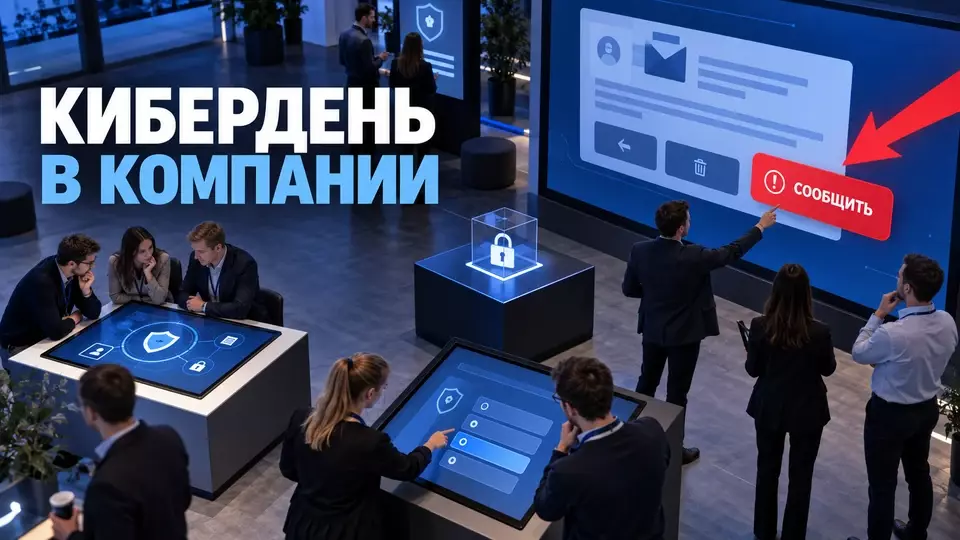
How to organize a Cybersecurity Day for employees: station program, safe drills, team roles, data handling, and budget factors.
A Cybersecurity Day for employees translates familiar rules from a presentation into action: participants hear about suspicious emails and immediately decide where to report them. During a tabletop exercise, managers identify where the response gets lost. At Aventura, we build this format together with the client's dedicated team. The Chief Information Security Officer (CISO) is responsible for content and safe boundaries, while we handle the program, routes, technology, and venue operations.
Why does a company need a dedicated Cybersecurity Day?
In short: on this day, the company checks how employees report suspicions, and managers make decisions based on an incident scenario. The format combines explanation of rules, practice of actions, and review of processes. A single event does not eliminate risk and does not replace technical protection. After it, there remains a list of improvements with responsible employees.
The U.S. National Institute of Standards and Technology (NIST) describes cybersecurity and privacy training as a continuous program with a repeating cycle of assessment and improvement, so Cybersecurity Day is best placed between other communications. Before the event, collect typical difficulties employees face. After it, send short reminders. Separately check whether the identified gaps have been closed.
The format is especially useful if a standard course ends with a test but does not show how a person acts in a work situation. An employee may know the term "phishing" and not understand where to send a suspicious email. A manager may remember the response plan but not know who decides to stop an operation. The day provides a safe place for such questions.
Before preparation, define the management objective. Suitable formulations look like this:
- Check whether employees know the standard channel for reporting a suspicious request.
- See whether the escalation chain is clear to managers and support.
- Practice verifying a payment or HR request through an independent channel.
- Find gaps in communication, access, and instructions.
- Form a plan of corrective actions after the exercise.
The goal "improve cyber literacy" is too broad. It does not suggest what the participant should do and what result the client will get. We start the brief with an observable action, and only then choose stations, stage, and design.
Boundaries of a Safe Format
A safe Cybersecurity Day does not require malicious code, production data, or a public list of mistakes. The training environment is separated from the production system. Scenarios test messages, decisions, and roles. The dedicated team approves stop criteria in advance, tests demonstrations, and can stop the exercise without pressuring the participant.
The U.S. Cybersecurity and Infrastructure Security Agency (CISA) builds tabletop exercises around objectives, scenario, discussion questions, and a final report. Participants discuss what to do before, during, and after an incident. This format allows the process to be tested without reproducing an attack. A training message may appear on screen, but the team does not run a dangerous file or probe real infrastructure.
We separate permitted and prohibited mechanics already at the concept stage.
The table summarizes the key points of the section: Include, Do not include. Use it as a quick reference when preparing the event.
| Include | Do not include |
|---|---|
| Mock-ups of suspicious emails and messages | Real malicious attachments and links |
| Verifying a request through an approved channel | Entering a real password, code, or token |
| Practicing the phishing report button | Scanning the production infrastructure by participants |
| Tabletop exercise on roles and decisions | Exploiting a vulnerability in the production environment |
| Demo of multi-factor authentication on a test account | Using a personal device without an agreed necessity |
| Analyzing a crisis message | Public ranking of the 'least attentive' |
Each demonstration needs a content owner. Usually this is a CISO, an information security officer, or an invited subject-matter expert from the client's side. The organizing team does not pretend to be a cyber defense specialist and does not change the agreed scenario for show.
Stop criteria are also recorded in advance. They include unexpected disclosure of real data, switching to a production system, loss of access control, and any deviation from the approved training environment. Upon such a signal, the host pauses the block, the technical team disables it, and participants are given a neutral reason and the next step.
Program of stations and the general exercise
The working program combines a short general start, several stations with specific tasks, and a final debrief. Groups begin at different points to avoid queues. The wave size is determined by the tightest station. For managers, you can add a separate tabletop exercise while employees go through practical modules.
A station differs from a mini-lecture. The participant reports a suspicion, verifies a request, or makes a decision based on a scenario. The card records the goal, capacity, and facilitator. Equipment, stop criteria, and reserve are written separately.
An example program can be assembled like this:
The table summarizes the key points of the section: Block, What the participant does, What the team records. Use it as a quick reference when preparing the event.
| Block | What the participant does | What the team records |
|---|---|---|
| General start | Learns the goal, rules, and help channel | Understanding boundaries and absence of punishment |
| "Report, not investigate" | Chooses an action for several mock messages | Convenience of the standard channel and typical questions |
| Verification by second channel | Confirms a payment or HR request according to procedure | Route errors and missing contacts |
| Access and recovery | Works with a test account | Clarity of instructions and points of contact |
| Data minimization | Removes unnecessary fields from a form or list | Which data is collected without a work purpose |
| Tabletop exercise | Discusses decisions on sequential scenarios | Roles, escalation, gaps, and disagreements |
| Crisis communication | Drafts a short message to the audience | Approval speed and a single version |
| Final debrief | Checks decisions and asks questions | Improvement plan and action owners |
The exact set depends on the audience: the finance department is closer to verifying payment requests, while the human resources (HR) team examines the protection of personnel data. Managers make decisions about escalation and priorities. Information technology (IT) specialists together with the support service check the reception of training signals. A single lecture for all these roles rarely yields equally useful results.
Flows are designed from the narrowest point. If eight people can work safely at a station, a group of twenty-five will create a queue and lose attention. It is better to divide the audience into waves, give them different starting numbers, and repeat the route color on badges, navigation, and screens.
We have discussed the detailed rotation principle in the article about Occupational Safety Day. For cybersecurity, the content changes, but the production logic remains: one module, one action, known capacity, transition time, and reserve.
We can link expert content, stations, venue, and routes in a single scheme. Request a quote from us. We will start with the goal and constraints, and then present solutions for the program and event organization.
Subscribe to Aventura's Telegram channel to receive new practical materials about corporate events.
How to Prepare a Phishing Simulation Without a Trap for Employees?
Briefly: the simulation tests the system's operation without looking for a culprit, so the information security manager, HR, IT, and legal departments agree on the goal and audience in advance. They also determine the legal basis for processing and the retention period for results. The training email does not collect real passwords, and the team tests it on a control group. After the exercise, a calm debriefing takes place.
The British National Cyber Security Centre explicitly warns that no training package can teach recognition of every phishing attempt. Punishment for clicking can reduce willingness to report an error. Therefore, a useful metric considers not only the action with the email but also reports through the official channel.
The minimum set of checks before launch includes:
- Describe the goal and boundaries of the simulation in a single document.
- Agree on the audience, scenario, and data processing with CISO, HR, IT, and legal.
- Exclude topics of illness, death, dismissal, debts, and other traumatic lures.
- Do not store entered passwords and do not use working malicious code.
- Test the email, page, notification, and report on a test group.
- Ensure that the support team is ready to receive training messages.
- Assign a person who can stop the mailing.
- Prepare a supportive debriefing and a clear instruction.
- Restrict access to results and determine the deletion period in advance.
- Do not link a single result to an automatic disciplinary decision.
The level of prior notification depends on the methodology and local documents. One cannot universally promise complete secrecy or require the same type of consent in all organizations. The decision is made by the legal and specialized team of the client. In the article, we raise operational and ethical questions but do not replace a legal opinion.
The simulation is useful only together with technical barriers and clear procedures. The program should include verification of important requests through another known channel, multi-factor authentication, updates, backups, and access restrictions. An employee should not remain the last and only line of defense.
Team roles and areas of responsibility
The information security manager approves the content and may stop the exercise, while HR monitors labor rules and a non-punitive tone. IT prepares the test environment together with the security operations center (SOC). The legal department checks data handling. At Aventura, we bring these decisions together with the program, venue, flows, and equipment.
The table summarizes the key points of the section: Role, Responsibility before the event, Responsibility on the day of the event. Use it as a quick reference when preparing the event.
| Role | Responsibility before the event | Responsibility on the day of the event |
|---|---|---|
| CISO or training program owner | Objectives, content, safe boundaries, assessment criteria | Scenario and escalation decisions |
| HR | Labor policies, psychological safety, employee participation | Support and handling of contentious situations |
| IT, SOC and help desk | Test environment, reporting channel, backup and stop mechanism | Receiving signals, technical support, stopping the block |
| Lawyer or person responsible for personal data protection | Legal basis for processing, notification, access and storage | Monitoring compliance with agreed boundaries |
| Internal communications | Invitation, neutral tone, materials for managers | Unified messages to participants |
| Event producer | Venue, stations, timing, equipment, navigation | Managing flows and program versions |
| Facilitator | Questions and sequence of briefings | Pace of discussion without hinting at the answer |
| Assessor or secretary | Observation form and report template | Decisions, gaps and corrective actions |
| Management | Authority and resources | Adoption of improvement plan |
The division protects the project from two extremes. In the first, the organizing team receives a technical scenario they cannot evaluate. In the second, the information security manager is forced to handle registration, furniture, navigation, and flows themselves. A joint working group keeps every decision with a competent owner.
One person can combine several functions, but it is useful to keep the role names. Then the team understands who observes the signal, who makes the decision, who executes it, who informs participants, and who records the outcome. We also use this scheme in the event crisis plan.
Step-by-Step Preparation
Preparation begins with the goal, audience, and data boundaries. After that, the team assembles the route, test environment, and communications. Each complex action undergoes a technical rehearsal on the same devices and files that will be used at the venue. The final run-through closes out issues with a repeated test instead of marking them as "fixed."
The working sequence looks like this:
- Assign an owner for the result and formulate the observable action of the participant.
- Divide audiences by roles, departments, shifts, and participation methods.
- Approve permissible training scenarios, data, and stop criteria.
- Select stations and a general exercise for each audience's objectives.
- Create a flow map, module capacities, and transition intervals.
- Determine registration, access, and the minimum set of fields.
- Prepare test accounts, mockups, and backup materials.
- Coordinate invitations, rules, and messages for managers.
- Conduct a technical rehearsal from participant entry to final report.
- Update the scenario after testing and repeat problem areas.
- Prepare the final report form and corrective action plan.
For the rehearsal, the same links, devices, screens, and file versions that will be used at the venue are needed. The team goes through invitation, registration, entry, station, result recording, and transition. Network failure, device failure, incorrect file, and overload of a bottleneck area are modeled separately.
Each remark gets reproduction conditions, an owner, and a deadline. After correction, the team repeats the same step. A detailed scheme is available in the material on technical rehearsal of the event.
If participants work in shifts, there's no need to compress the program into a single common window. The same modules can be repeated in several waves, and the general start can be recorded or conducted for each shift. Key instructions and access to an expert should remain equally accessible.
What data to collect and how to store it?
Collect only data that leads to a clear action: for registration, name, department, participation status, and a request for help are usually enough. Exercise results are best analyzed in aggregates. Before the event, the team approves the set of fields, access, and retention period. It also sets rules for anonymization and deletion.
Article 5 of Federal Law No. 152-FZ requires linking data processing to a specific purpose. There should be no more data than necessary for that purpose. Identifying information cannot be stored longer than the necessary period unless the law or contract specifies otherwise. The application of the norm to a specific project is checked by the client's lawyer.
For each field, ask four questions:
- What decision will we make based on this value?
- Who will see it and why?
- When will it no longer be needed?
- Is it possible to achieve the same result without identifying the person?
For a report to management, the number of completed stations, an aggregate by audience, and a list of process gaps are often enough. A personal table 'who made mistakes' creates additional risk and rarely helps to fix the procedure. If individual results are needed, this decision should have a separate justification and limited access.
Registration is kept in one main list. The backup export is stored by a designated employee and used only in case of failure. The request for accessibility is formulated as necessary assistance, not as a request to disclose a diagnosis. More practical details are in the article about event participant registration.
Accessibility of in-person and hybrid programs
A participant must complete the route in an accessible way: perform an action, observe, listen, read, or ask a question. The venue, broadcast, materials, and backup are checked together. Registration allows you to confidentially request assistance. Subtitles, microphones, readable navigation, and text alternatives are preserved even when switching to a backup scenario.
The World Wide Web Consortium (W3C) recommends considering both the on-site venue and the remote platform, verbalizing significant visual information, and using a quality microphone. The program should start with a clear overview, and key takeaways should be repeated in an accessible text format.
Include in the production plan:
- an accessible route from the entrance to all mandatory areas;
- seats for participants who need to sit or use a wheelchair;
- large navigation with sufficient contrast;
- a microphone for questions from the audience;
- subtitles or a text alternative for key videos;
- materials before the event in an accessible format;
- a station that does not require a personal smartphone;
- a quiet way to ask a question;
- breaks between intensive blocks;
- preserving accessibility in the backup scenario.
A hybrid participant should not receive a shortened version without the ability to act. If a station requires sending a training message, prepare a test remote channel. If this is impossible, offer an equivalent scenario of observation and decision-making. Technical guidelines are collected in the article on accessible event broadcasting.
Metrics Without Zero-Incident Promises
Measure actions and fixes instead of abstract 'security'. Useful metrics include use of the standard channel, escalation accuracy, time to first report, support load, and completion of the improvement plan. One cybersecurity day does not prove compliance with a standard and does not promise absence of incidents. Progress is only compared between comparable exercises.
The final document links the exercise goals to actions the team could observe. It retains strengths, areas for improvement, corrective actions, responsible parties, and deadlines. This is more useful than a single average quiz score and helps revisit decisions after the event.
A working set of metrics may include:
The table collects key points of the section: Metric, What it shows, Limitation. Use it as a quick reference when planning the event.
| Metric | What it shows | Limitation |
|---|---|---|
| Completion of stations | Route coverage | Does not prove retention |
| Training messages via the standard channel | Use of the process | Depends on tool availability |
| Time to first report | Speed of system response | Compared only in similar scenarios |
| Choice of correct escalation | Clarity of roles | Requires a predefined benchmark |
| Load on help desk or SOC | Readiness to handle the flow | Does not assess response quality on its own |
| Identified gaps | What needs to be fixed | A large number may indicate honest diagnosis |
| Actions with owner and deadline | Manageability of follow-up | A check-in date is needed |
| Anonymous clarity rating | Trust and applicability | Does not replace observation of action |
Don't promise to 'eliminate the human factor' or reduce risk by an arbitrary percentage. People work within a system: interfaces, access, workload, technical barriers, and support quality influence their actions. The European Union Agency for Cybersecurity (ENISA) also builds training programs by audiences, channels, and metrics, rather than around a single universal event.
After the day, schedule a short debrief for owners. They close quick fixes, move complex issues to the work plan, and give employees a clear answer: what the company changed after the exercise. Without this, the format risks remaining a bright but isolated episode.
Cybersecurity Day Budget
The budget depends on the number of stations, flows, and repetitions. Experts, test equipment, venue, accessibility, and rehearsal are calculated separately. First, the structure and boundaries are approved, then production costs are calculated. We do not provide a universal per-participant price: the same number of guests may require one hall or a complex multi-zone program for several shifts.
It is convenient to assemble the budget by blocks:
The table collects the key items of the section: Block, What it may include, Main driver. Use it as a quick reference when preparing the event.
| Block | What it may include | Main driver |
|---|---|---|
| Concept and program | Brief, route, station passports, debrief scenario | Number of audiences and modules |
| Experts | Content preparation, facilitation, assessment | Complexity and number of repetitions |
| Venue | Halls, meeting rooms, access hours, furniture | Flows and venue mode |
| Equipment | Screens, sound, network, test devices, backup | Format of demonstrations |
| Registration and navigation | Lists, badges, route materials | Access level and number of waves |
| Team | Producer, coordinators, hosts, technical service | Number of parallel zones |
| Accessibility | Subtitles, translation, adaptation of materials and route | Audience needs |
| Logistics and catering | Delivery, installation, breaks, shift work | Geography and duration |
| Rehearsal | Test of venue, devices, files, and backups | Number of complex transitions |
| Post-event materials | Summary, recording, action plan, accessible versions | Reporting requirements |
It is better to cut what does not affect the learning action. Sometimes you can simplify decor but keep the test environment, accessibility, coordination, and rehearsal time. An expensive stage will not fix a non-working message button and will not replace a specialist who is authorized to make decisions.
The general logic of budget baskets is disclosed in the article about corporate event budget. For a preliminary calculation, we need the city, audience, format, number of stations, shift schedule, requirements for data, venue, and hybrid participation.
Brief for the agency: what to prepare
A good brief separates subject-matter content from event organization: the client brings the goal, audience, security owner, and constraints. At Aventura, we clarify the venue, flows, technology, accessibility, team composition, and decision schedule. If the initial input is still limited, we hold a kickoff meeting and collect questions. The information security policy is defined by the client's subject-matter team.
Before contacting us, it is useful to prepare:
- The goal of the Day and the action employees should perform.
- Audience composition, cities, departments, shifts, and remote participants.
- The content owner and a list of approvers from CISO, HR, IT, and legal.
- Acceptable scenarios, data, devices, and stop criteria.
- Desired stations and mandatory internal procedures.
- Requirements for registration, access, photos, recording, and reporting.
- Accessibility and language needs.
- The venue or constraints on its selection.
- Budget range and line items that cannot be cut.
- The decision management will make after the final debrief.
At Aventura, we can handle the organizational part: concept, scenario plan, venue, routes, technology, design, coordinators, rehearsal, and on-site work on the day of the event. The client's subject-matter expert approves the content of the stations and cyber exercises. This division gives the team clear boundaries and helps keep a serious topic from turning into an entertaining quiz.
Frequently Asked Questions
In short: on this day, the company sees how employees report suspicion and how managers make decisions based on an incident scenario. The format combines rule explanation, action training, and process review. A single event does not eliminate risk or replace technical protection. After it, a list of improvements with responsible employees remains.
A safe Cybersecurity Day does not require malicious code, production data, or a public list of mistakes. The training environment is separated from the production network. Scenarios test reporting, decisions, and roles. The expert team approves stop criteria in advance, tests demos, and can stop the exercise without pressuring participants.
The working program combines a short common start, several stations with specific tasks, and a final debrief. Groups start at different points to avoid queues. The wave size is determined by the most cramped station. For managers, a separate tabletop exercise can be added while employees go through hands-on modules.
In short: the simulation tests the system without looking for a culprit, so the information security manager, HR, IT, and legal department agree on the goal and audience in advance. They also define the legal basis for processing and the retention period for results. The training email does not collect real passwords, and the team tests it on a control group. After the exercise, a calm debrief takes place.
The information security manager approves the content and can stop the exercise, while HR monitors labor rules and a non-punitive tone. IT prepares the test environment together with the security operations center (SOC). The legal department checks data handling. At Aventura, we align these decisions with the program, venue, flows, and technology.
Preparation starts with the goal, audience, and data boundaries. After that, the team sets up the route, test environment, and communications. Each complex action undergoes a technical rehearsal on the same devices and files that will be used at the venue. The final run-through closes issues with a repeated test instead of marking them as 'fixed'.
If you are planning a Cybersecurity Day for employees, take a look at our portfolio. To get a preliminary estimate, request a quote. We will clarify the task, roles, and limitations. Then we will propose a program and an event preparation plan.
Sources
- NCSC: Phishing attacks, defending your organisation
- ICO: Monitoring workers checklists
- W3C WAI: Making Events Accessible
- ConsultantPlus: Federal Law No. 152-FZ 'On Personal Data'
- Microsoft Learn: Attack simulation training
- ENISA: Awareness Raising in a Box
Contents
Was this article helpful?