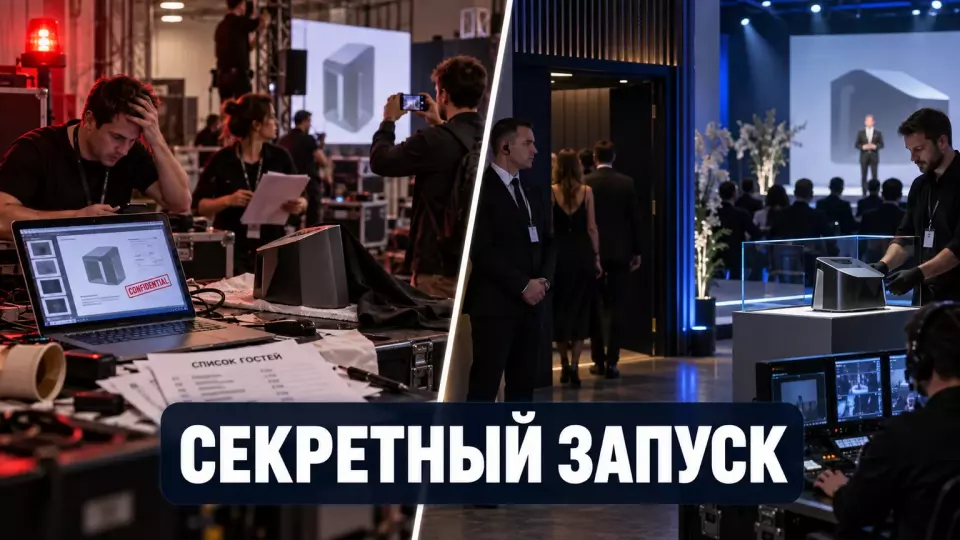
A closed product presentation requires a single plan: roles, access zones, NDAs, a guest register, demo devices, filming and project closure.
A closed product presentation starts losing control even before the speaker takes the stage. A file reaches the technical team, the guest list goes to registration, the prototype arrives at the venue, and the photographer asks for the shooting route in advance. A single confidentiality document does not tie these flows into one system.
At Aventura, we start by separating responsibilities. The product owner decides what can be disclosed. Lawyers set the contractual regime, information security specialists define digital measures, and we turn these decisions into requirements for the venue, access, the programme, contractors and project closure.
Leave a request — let's discuss your task
We'll clarify the event format and suggest the next step.
What Counts as a Closed Product Presentation?
A closed product presentation limits the number of participants, the amount of information disclosed, and the further use of materials. A personalized invitation alone does not protect the showing. The team needs clear rules for access, filming, file sharing, and completion of work with them. These rules link content, people, devices, and timelines into a single workflow.
The format can be an intimate showing for clients, a meeting with partners, a preliminary introduction for the press, or an internal launch. The key feature is one: some information cannot yet be freely published or passed on. The reason for the restriction is determined by the client together with relevant specialists.
A closed format should not be confused with an ordinary presentation for which tickets are simply not sold. The participant must understand their mode: what they can see, record, discuss within the company, and publish after a set moment. The team must be able to confirm who received access and on what basis.
We ask four check questions. The answers are needed before assembling the guest list and the scenario:
- what information is available to each group of participants;
- what actions with materials are permitted;
- until what moment the restrictions apply;
- who makes the decision in case of exclusion or suspected leak.
The answers turn the general word "closed" into a working model. If at least one point remains a verbal agreement, different teams begin to interpret the mode in their own way.
For the program itself, the logic from the article on presentation organization rules is useful. But a closed showing requires an additional layer: classification of information, restricted access, and managed completion.
Protection perimeters and decision owners
Protection works when legal, product, digital and operational decisions have different owners and come together in a single plan. We do not ask the coordinator to determine trade secrets, patent strategy or personal data processing rules. Any disputed case is immediately passed to the relevant specialist.
The product owner determines the permissible scope of what is shown. They confirm which properties, interfaces, figures and plans may be disclosed to each audience. If a demonstration could affect patent strategy, the decision is made by the client's patent specialist.
Lawyers describe contractual obligations, confidentiality, embargoes, image rights and the allocation of responsibility. The personal data specialist determines the roles of the operator and contractors, the set of fields, the legal basis for processing and retention rules. The information security service, hereinafter IS, sets the channels, devices, accounts, logs and the method for deleting temporary copies.
Our scope begins after these decisions are approved. We design entry points, badge types, staff routes, equipment storage, distribution of materials, the work of the film crew and the procedure for closing the venue. In the event of an incident, we record the facts and pass them to the lawyers or IS. The legal assessment is provided by the client's relevant specialists.
The table summarises the key points of this section: Perimeter, Who makes the decision, What the organisational team does. Use it as a quick reference when preparing an event.
| Perimeter | Who makes the decision | What the organisational team does |
|---|---|---|
| Content of the presentation | product owner, relevant experts | includes only the approved version in the programme |
| Trade secrets and contracts | lawyers, information owner | checks that the required status is in place before granting access |
| Patent disclosure | patent specialist, product owner | does not expand the demonstration without a new decision |
| Personal data | data operator, lawyers, data officer | collects and transfers only approved fields |
| Digital access | IS and the client's technical service | issues access according to the list and records the return of devices |
| Venue and programme | client, project manager, venue | implements zoning, timing, registration and services |
| Photo and publication | lawyers, public relations (PR) team, product owner | conducts filming in agreed zones and according to the shot list |
| Incident | designated manager, IS, lawyers | stops the dangerous action, records the facts and passes the matter to specialists |
This boundary protects both the client and the contractors. The project manager keeps the overall picture but does not assume the authority of a lawyer or IS. The relevant specialist makes the decision, and the operational team makes it executable on site.
When a project involves many services, we use the approach from the material on the event headquarters and radio communication. Every critical decision has an owner, an escalation channel and a single final status for the contractors.
What information and zones should be separated before inviting guests?
Before sending invitations, the client separates information by disclosure levels and the venue by access levels. Then the guest list, the run of show, filming and demonstrations follow the same logic. If classification is postponed, restrictions have to be added on top of decisions already made, and different teams receive conflicting instructions.
You don't start with badge colors. First, the product owner describes content categories: a public announcement, material for invited guests, information for selected partners, technical information for the demonstration team, and internal data for information security. The category names may differ, but the boundaries must be clear to the people executing them.
After that, we link content to space. The external perimeter must not reveal the product name ahead of time. At registration, staff see only the fields needed to verify access. In the main hall, the approved version is shown, while in the demonstration zone devices and guest actions are controlled.
The table summarizes the key points of this section: Zone, Who enters, What we control. Use it as a quick reference when preparing the event.
| Zone | Who enters | What we control |
|---|---|---|
| External perimeter | all visitors to the building | neutral signage, no open lists or renders |
| Registration | invited guests and access staff | verification against the registry, badge issuance, minimum visible data |
| Main hall | confirmed guests and approved staff | entry after the start, screen visibility, composition of materials shown |
| Demonstration zone | groups with the required access level | actions with the prototype, filming, connections and support |
| Technical zone | individually approved specialists | master files, equipment, service screens and media |
| Secure storage | a minimal list of responsible persons | issuance and return of devices, keys, printed kits |
| Incident command center | designated decision owners | logs, facts, liaison with lawyers, information security and PR |
Zoning must not interfere with fire safety. You cannot block an emergency exit with an access control desk or block the path to firefighting equipment. The accessible route for participants is also preserved. Access control is built around the facility's mandatory requirements, not instead of them.
It is best to check the venue along the routes of guests, the product, equipment and information. We look at whether the screen is visible from the common lobby, whether sound can be heard outside the door, where catering takes place and who has permanent keys. This check is part of the technical venue audit.
If the venue has not yet been chosen, you can start with the venue catalog. For a closed showing, what matters is not only capacity and appearance, but also controlled entrances, service routes, separate storage and the ability to limit screen visibility.
Leave a request - let's discuss your task
We'll clarify the event format and suggest the next step.
Unified access register
The unified register answers six questions: who enters, why they need access, where they can go, when the permission is valid, what they can do, and who confirmed the decision. Registration, security, filming and technical team spreadsheets remain working copies. The coordinator first updates the master record, then issues a new copy for the staff on the ground.
A general "admitted" mark is too broad. A speaker may enter the hall and the preparation room, but must not receive the master archive of other talks. A photographer may work at marked points, but must not shoot technical screens or move freely through the service area.
For each person we link a role, a zone, a time window and a permitted action. We track devices, transport and cargo separately. An employee's clearance does not automatically authorise their laptop, camera, storage device or car.
The table summarises the key points of this section: Register field, Why it is needed. Use it as a quick reference when preparing an event.
| Register field | Why it is needed |
|---|---|
| Record ID | to distinguish a person or object from a similar record |
| Name or service category | to verify clearance without unnecessary data |
| Organisation and role | to understand the participant's function |
| Why entry is permitted | to link the record to an invitation or task |
| Permitted zone | not to extend the default right of entry |
| Time window | to end access once the task is complete |
| Permitted action | to separate viewing, filming, configuration and copying |
| Who confirmed | to quickly route a disputed issue to the right specialist |
| Current status | to see whether access is active and whether the task is closed |
| Change history | to reconstruct who changed a decision and why |
The registration officer receives only the working export. They usually do not need passport copies, contract terms, an assessment of the guest's commercial value or comments from the product team. The composition of data and the legal basis for processing are approved by the personal data operator together with the lawyers.
A guest's working journey can be assembled in a single process. Each step changes the status of the master record:
- The list owner creates the record and states the basis for the invitation.
- The relevant owners confirm the role, zone and permitted actions.
- Lawyers or the responsible employee mark the required contractual status.
- The coordinator issues a derived export for registration.
- The staff member at the entrance verifies the guest and changes the arrival status.
- Exceptions go to a separate decision owner and do not change the overall flow.
- After exit, the status is closed and temporary access credentials are returned.
We covered the detailed mechanics of statuses and reserves in the article on event participant registration. For a private screening, the usual registration is supplemented with disclosure levels, devices and the validity period of access.
How to Work with Contractors and NDAs
An NDA, or non-disclosure agreement, sets out the parties' obligations. Actual control is still built separately: the client defines the protected information, the recipients, the access procedure and the rules for handling media. The contractor receives only the amount of information needed for their task, and only for the agreed period.
The Russian commercial secrecy regime requires a set of measures. These include a list of protected information, restricted access, records of recipients, regulation of relations with employees and counterparties, and labelling of media. The specific legal model is determined by lawyers and the information owner.
The organisational team does not decide which document a particular recipient needs. We verify that the approved condition has been met before a file is transferred or someone enters the zone. If the status is not confirmed, the matter goes to a lawyer or the information owner.
Before a contractor is brought on board, the client sets the terms of their work. This reduces the number of decisions that would otherwise have to be made on site:
- the legal entity and the specific employees with access;
- the purpose and scope of the information transferred;
- permitted devices and channels;
- whether subcontractors are allowed;
- the access period and the procedure for revoking it;
- what to do in the event of an incident;
- return of media and deletion of temporary copies.
Different contractors need different packages. The venue receives operating and access conditions. The technical team receives files and the show plan. The catering team receives the route and service restrictions, while the film crew receives a map of permitted points.
We do not give everyone the same table with the guest list, phone numbers, roles, internal comments and routes. Each export contains only the fields needed for a specific operation. This approach reduces the number of unnecessary copies and simplifies project closure.
Accreditation of technical specialists and vehicles is best handled using the process from the article on contractor and vehicle access. For a closed presentation, an information level, permitted devices and escort conditions are added to it.
Presentation, demo devices and master files
The demo environment must be separated from production systems and personal data. The client's information security and IT teams define the architecture, permissions and the cleanup method. We account for devices, hand over approved versions, control equipment on site and follow the agreed demo script. Every account has an owner and a deactivation time assigned in advance.
A demo device must not contain production data, saved passwords, personal email or a history of internal discussions. A separate account gets minimal permissions and a pre-set deactivation deadline. Unnecessary connections and features are restricted by the technical team at the discretion of information security.
The presentation file also follows a separate route. We separate content sign-off from technical sign-off. First, the product owner confirms what may be shown; then production accepts a specific version for playback.
The master file goes through a single approval procedure. A new version skips none of the affected steps:
- The content owner confirms the facts, wording and scope of disclosure.
- The coordinator saves the accepted version in a controlled repository.
- The file is assigned a version number and an entry in the change log.
- The technical team opens it on the target or a comparable system.
- The team checks video, audio, fonts, links, hidden slides and notes.
- A separate copy is transferred to the playback system.
- The backup version is verified with an actual switchover.
- A late edit goes through a new decision and a repeat of the affected tests.
This process is described in more detail in the article on freezing presentations before a conference. For a closed launch, the file check additionally covers metadata, service names, change history and the possibility of automatic cloud saving.
The table summarises the key points of this section: Item, Risk, Owner control. Use it as a quick reference when preparing an event.
| Item | Risk | Owner control | Operational action |
|---|---|---|---|
| Master file | hidden data or wrong version | product and information security confirm the content | the coordinator issues only the accepted copy |
| Demo account | excess permissions or indefinite access | information security sets the role and deadline | the technician checks login and subsequent deactivation |
| Device | personal data, ports, drives | information security approves the configuration | the team records issue and return |
| Backup | old version or untested scenario | the show owner approves the composition | the team performs a test switchover |
| Press kit | premature publication | PR and legal set the mode | the coordinator issues a labelled press kit against the list |
Deleting a file to the recycle bin should not be considered proven destruction. The cleanup method depends on the medium, encryption, further use and the client's requirements. The method is chosen by information security, while the organisational team collects the devices and confirms handover to the responsible specialist.
How do you organise photo, video and a press embargo?
Shooting and publication require separate decisions. Before the event, the client determines who shoots, which areas and objects are accessible to the camera, who approves the material and when it may be released. The embargo sets the moment of publication. Transferring a file, an open test page or the wrong recipient remain separate risks that are closed off by a handover and review process.
A closed presentation cannot automatically be considered a public event. Image rights, personal data processing and the terms of use of the material are assessed by the client's lawyers. A sign about filming helps inform guests, but does not replace all the legal and organisational work.
We divide the programme into working, filming and closed parts. For each part we record the participants, the time window, the permitted shots, the camera position, permission for sound and the wrap-up command. A photographer does not follow the group into a closed area without separate clearance.
The list of prohibited objects is approved before shooting. It usually includes:
- QR codes and badges in close-up;
- engineering screens and control panels;
- open laptops and guests' phones;
- service menus of demonstration devices;
- documents on tables and in the service area;
- serial numbers and internal names;
- conversations whose recording has not been approved.
The film crew needs an agreed route and a shot list. We also record where the source files go, who makes the selection, whether a personal cloud may be used and what happens to rejected material. These tasks are conveniently linked to the event photo and video shooting service.
A press embargo must contain the exact date, time and time zone when the restriction is lifted. The document lists the material under embargo, the permitted circle of recipients, the ban on forwarding and the procedure in case of a suspected leak. PR and lawyers determine how the embargo relates to other contractual obligations.
It is better to distribute the press pack through a controlled channel. Individual marking helps identify who a file was intended for, but does not remove the need to minimise the content. The pack includes only what the editorial team is permitted to prepare for publication.
Event day: entry, exceptions and incidents
On the day of the show, the team follows the approved plan. The main flow goes through the register, while disputed cases are routed separately to the designated decision owner. The registration desk does not rebuild the rules on the fly. This order keeps confirmed guests moving and does not expand access because of a verbal request or haste.
Before the doors open, we check the working export, badge types, devices, keys, escort points and escalation contacts. Registration must not be left without a staff member. A badge is not issued on a colleague's verbal say-so unless that procedure was approved in advance.
An exception follows a separate route. It must not stop confirmed participants:
- The staff member stops only the disputed entry, not the entire entrance.
- The coordinator checks the main register and the change history.
- The team records the discrepancy without creating unnecessary copies of documents.
- The issue goes to the decision owner for access, product, information security or legal regime.
- The owner returns an explicit status and permitted actions.
- The coordinator updates the main register.
- The access point receives a single final answer.
An incident also requires a pre-prepared card. It states who receives the report, what actions are permitted immediately, who can stop the show, who preserves the logs and who communicates with the guest or the editorial team. A backup communication channel is needed in case the primary one is affected by the problem.
The table summarises the key points of the section: Situation, First operational action, Who to pass the decision to. Use it as a quick reference when preparing an event.
| Situation | First operational action | Who to pass the decision to |
|---|---|---|
| Person without clearance | stop the passage and check the register | access owner |
| Filming of a prohibited facility | stop filming within the instructions, preserve the facts | filming coordinator, lawyer, product owner |
| Lost badge or key | block the access device and check the route | venue security and access owner |
| Material published before embargo | record the URL, time and recipient | PR, lawyers, product owner |
| Lost device | restrict access to the area, do not erase logs | information security and the designated manager |
| File sent to the wrong recipient | stop further distribution, preserve the sending data | information security, lawyers, information owner |
| Fire or medical situation | perform mandatory safety actions | emergency services and the venue's responsible persons |
The operational team does not decide whether a situation counts as disclosure of a trade secret or a personal data incident. The team stops the immediate problem if it is safe and provided for by the instructions, records the exact time and preserves the evidence. Then information security, lawyers and the data operator decide how to classify the case and whether notifications are needed.
We use the working response model from the approach to the event crisis plan. Each risk needs an observable trigger, a decision owner, a permitted action and a condition for returning to the programme.
What should be closed after the last guest leaves?
Shutdown begins after the guests leave and ends after digital access is revoked, media are returned and approved retention periods are applied. The final slide does not complete the confidentiality regime. The team must know the fate of every temporary copy, account and physical pass, and hand over exceptions to the designated decision owner.
We divide shutdown into physical, digital and contractor perimeters. First, the team reconciles people, devices, keys and premises. Then information security closes accounts and links, while data owners decide which records are retained under the approved rules.
The physical walkthrough covers the hall, service area, meeting rooms, control room and storage location. The team collects printouts, badges, stickers, drafts and removable media. Any materials found are handed over to the client's authorised representative rather than discarded at their own discretion.
Shutdown follows a single sequence. Those responsible mark the completion of each step:
- Record the departure of guests, contractors and transport.
- Collect temporary badges, keys and access cards.
- Reconcile demonstration devices, media, cameras and equipment.
- Inspect closed and service premises.
- Hand over master files and logs to the responsible employees.
- Revoke temporary links, tokens and accounts.
- Delete working exports of guest lists according to the operator's instructions.
- Send devices for wiping or reinstallation as decided by information security.
- Obtain confirmation from contractors that media have been returned and temporary copies deleted.
- Record exceptions: what is retained, by whom, why and on what basis.
Retention periods should not be invented on site. They are determined by the data operator, lawyers, information security and the client's internal rules. We check the calendar and mark the completion of each action.
After shutdown, we review incidents and near misses. The review updates the risk register, instructions and the plan for the next launch. We separate facts from assumptions and do not disclose confidential details in public materials.
Readiness check before the doors open
Readiness is confirmed not by the number of emails sent, but by the ability to quickly show a live register, an approved version, decision owners and a verified backup. If the team does not know who can authorise an exception or stop the presentation, it is too early to open the doors. We carry out the final check at the interfaces between roles.
The client confirms the content, confidentiality rules, data composition and digital measures. The venue confirms the facility's constraints and mandatory security systems. We check that staff have received clear instructions and the contacts of the responsible people.
Before the start, we check the interfaces between decisions and execution. Every open item gets an owner and an explicit status:
- the product owner has approved the scope of the presentation for each group;
- legal has confirmed the applicable documents and embargo terms;
- information security has approved the devices, accounts, channels and the shutdown procedure;
- the data controller has approved the registration fields and access to them;
- the master register contains up-to-date roles, zones and statuses;
- derived exports have been reconciled with the master version;
- the master file and the backup have passed technical checks;
- demo devices are accounted for and cleared of unnecessary data;
- photographers and camera operators have received the route and the list of restrictions;
- the entrance, service doors and storage areas have assigned owners;
- evacuation routes are clear and route accessibility has been verified;
- exception and incident cards are available to the designated staff;
- the team knows who has the right to continue, change or stop the presentation;
- after the event, owners are assigned for return, recall and deletion.
We complete the check with a short role-based briefing. Each staff member hears only the part of the protocol they need and knows the next contact if something deviates. Extra product details do not make the instruction more useful.
A closed presentation is still an event, so secrecy must not come at the expense of people's safety, accessibility and presentation quality. The working scheme connects the decisions of the product owner, legal and information security with the precise work of the team on site. We are responsible for this link within the approved authority.
Frequently Asked Questions
A closed product presentation limits the circle of participants, the scope of disclosure and the further use of materials. A personalised invitation alone does not protect the showcase. The team needs clear rules for access, filming, file sharing and the completion of work with them. These rules tie content, people, devices and timelines into a single working scheme.
The product owner determines the permissible scope of the showcase. They confirm which features, interfaces, figures and plans may be disclosed to each audience. If the demonstration could affect the patent strategy, the decision is made by the client's patent specialist.
Before sending out invitations, the client separates information by disclosure levels and the venue by access levels. Then the guest list, the run of show, filming and the demonstration follow the same logic. If classification is postponed, restrictions will have to be added on top of decisions already made, and different teams will receive contradictory instructions.
A single register answers six questions: who enters, why they need access, where they can go, when the permission is valid, what they can do and who confirmed the decision. The registration, security, filming and technical team tables remain working copies. The coordinator first updates the master record, then issues a new copy for the contractors.
An NDA, that is, a confidentiality agreement, records the obligations of the parties. Actual control is still built separately: the client defines the information to be protected, the recipients, the access procedure and the rules for handling media. The contractor receives only the amount of information needed for their task, and only for the agreed period.
The demonstration perimeter must be separated from production systems and personal data. The client's information security and information technology teams set the architecture, rights and the method of wiping. We take devices into account, hand over approved versions, control the equipment on site and follow the agreed showcase scenario. Every account has an owner and a shutdown time in advance.
Leave a request — let's discuss your task
We'll clarify the event format and suggest the next step.
Sources
- Federal Law No. 98-FZ, Article 10: Protection of Information Confidentiality
- Federal Law No. 152-FZ: Principles and Conditions for Processing Personal Data
- Federal Law No. 152-FZ, Article 6: Conditions for Processing Personal Data
- Federal Law No. 152-FZ, Article 21: Termination of Processing and Destruction of Personal Data
- Civil Code of the Russian Federation, Article 152.1: Protection of a Citizen's Image
- Federal Law No. 181-FZ, Article 15: Accessibility of Facilities and Services
- Fire Safety Regulations in the Russian Federation
- WIPO Guide to Trade Secrets and Innovation: Managing Trade Secrets
- European Patent Office: disclosure and confidentiality
- NIST SP 800-53 Rev. 5: Access Control, Logs and Physical Protection
- NIST SP 800-88 Rev. 2: sanitization of media
- NIST SP 800-61 Rev. 3: incident response recommendations
- W3C: Making Events Accessible
Contents
Was this article helpful?