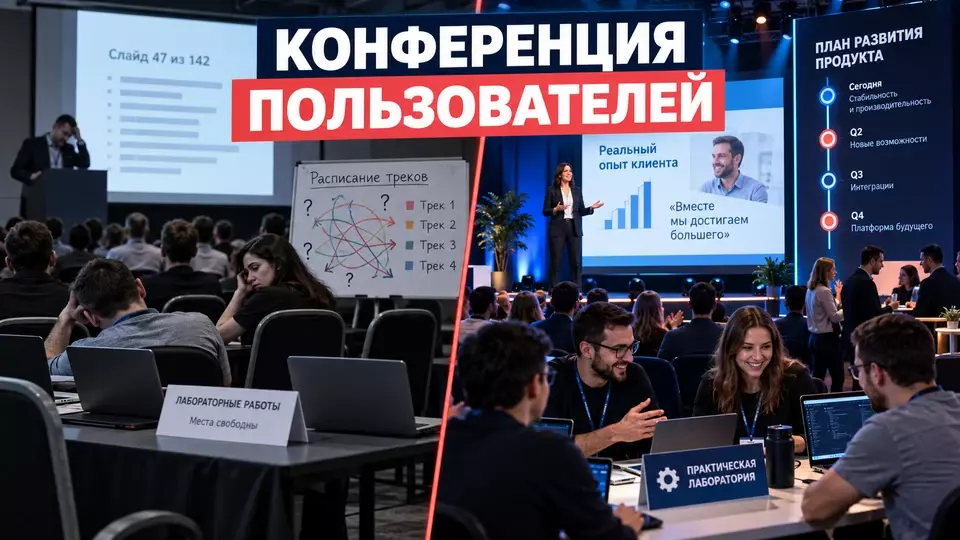
How to organize a product user conference: tracks, case studies, hands-on practice, a roadmap, Q&A and post-event materials.
A product user conference is needed when a company wants to build an external community around real work with the solution. Announcing a new feature alone is not enough. Participants need peer case studies, hands-on practice, a conversation with the product team, experience sharing and a clear follow-up after the event.
At Aventura, we start with user tracks: what each group should understand, try and take back to work. We build the stage, hands-on practice and consultations around these outcomes. Product facts and roadmap are confirmed by the client's team.
If a product user conference is already in your plan, request a quote and discuss the format. For an initial conversation, it is enough to name the product, the main user roles, program objectives, city and the expected participation format.
What Is a Product User Conference?
A product user conference is an external event for those who choose, implement, or use a specific solution daily. The program combines product context, user experience, and practice.
This format is often called a user conference. The English name is convenient within the product team, but for an invited person a clear promise matters more: what tasks they will be able to work through, what they will try themselves, and with whom they will discuss their case.
Atlassian Team Europe and Salesforce Dreamforce programs combine product announcements with customer stories, hands-on sessions, consultations, and community networking. Recordings and materials continue the work after the in-person part. This is a useful reference for architecture, although someone else's schedule cannot be copied as a universal norm.
A conference has four outcomes:
- the user understands which capabilities relate to their role and task;
- the participant tests at least one scenario through a case study, demo, or hands-on session;
- questions get context, an owner, and a status;
- after the event, materials and a next step related to the attended track remain.
We are responsible for the program and event production: from registration to venue operations. The client's team confirms product statements, disclosure rules, and answers to users.
The boundary with five adjacent formats
The main difference is the audience composition and the expected outcome. A user conference is built around the application of a single product; partner, internal and research formats serve different purposes.
The table summarizes the key points of the section: Format, Who takes part, Program focus. Use it as a quick reference when preparing the event.
| Format | Who takes part | Program focus | Main outcome |
|---|---|---|---|
| Product user conference | current and future users in various roles and at various levels | case studies, practical roadmaps, product updates, Q&A, experience sharing | product adoption, community connections, a register of signals and follow-up |
| General client event | clients, prospective clients, partners and other guests | relationships, brand, portfolio, negotiations, guest program | contacts and agreed business follow-ups |
| Technical seminar | a narrow professional audience focused on a single engineering topic | training, operation, demo stand, diagnostics, Q&A with specialists | understanding of the technical scenario and the next engineering step |
| Internal product day | employees of product, engineering and related teams | portfolio, dependencies, internal decisions and cross-team exchange | agreed internal decisions and action owners |
| Customer advisory board, CAB | a small, closed, recurring group of client representatives | research agenda, strategy and feedback | context for decisions and a closed loop of response to participants |
| Dealer conference | partners, dealers, distributors and the commercial channel | sales, channel plans, partner training, terms of cooperation | readiness of the partner network and commercial agreements |
Defining the boundary is necessary before working on the agenda. If the audience is broader than users of a specific solution, start with the guide to client B2B events. If participants need in-depth training on a single engineering task, a technical seminar for clients is more useful.
An internal product day discusses the company's work from the inside: the portfolio, dependencies, research and decisions of product teams. A product user conference is outward-facing. Users may discuss the same development directions, but they do not make internal portfolio decisions and do not get access to all the inner workings of the product.
A CAB can be integrated into a conference as a separate closed session. The composition of such a meeting is determined in advance, the topic is formulated as a research task, and the signals receive owners and statuses. An ordinary VIP dinner or round table without a recurring composition should not be called a CAB. The detailed boundary is discussed in the article about customer advisory boards.
A dealer conference works with the channel. A user conference works with product adoption by the end audience. Mixing them leads to a vague program: some guests expect commercial terms, while others want to work through a practical scenario. For the partner format, there is a separate piece on the dealer conference program.
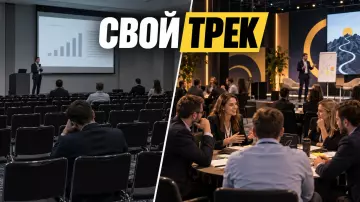
How to divide the audience into routes?
A route depends on the participant's role, experience and work objective. These three factors influence the depth of the content and the format of the session.
Start with the segments that change the programme. A job title alone says little about a person's needs. The head of a small implementation and the head of a mature product programme may choose different tracks. An administrator of one version of a solution is not always suited to a lab for another environment.
Practical segmentation uses four axes:
The table summarises the key points of this section: Axis, Examples, How it changes the programme. Use it as a quick guide when preparing your event.
| Axis | Examples | How it changes the programme |
|---|---|---|
| Role | manager, business user, administrator, developer | determines the language, depth and type of the next step |
| Maturity | introduction, implementation, scaling, optimisation | sets the starting point and complexity of the content |
| Objective | launch, migration, automation, analytics, security | links the session to the work context |
| Format | overview, case study, lab, consultation, experience exchange | determines the mode of participation and capacity |
From this matrix, build several curated routes. For example: 'first implementation', 'managing a mature environment', 'integrations and expansion', 'product manager at the client'. Participants can change individual sessions but see a ready-made framework.
Registration collects only data that changes the route: role, experience, scenario of interest and accessibility requirements. Technical details are requested only for a predefined task and passed to a designated owner. The full process for the form and check-in is covered in the article on event registration.
If you need to bring segments, streams, the venue and technical constraints together into a single project, request a quote. We will help build the programme and production around user actions, not around a random list of talks.
For a large plenary part and parallel streams, we use our approach to organising conferences: a single timetable, session moderators, clear transitions, a technical plan and collection of results for each block. This way participants do not lose their route between the stage, hands-on practice and consultations.
Program matrix and rhythm of the day
The program should alternate between explanation and action. After the main stage, the participant moves on to a case study, hands-on practice, or a conversation with a specialist.
Start by defining the changes the user needs after the conference. "Learned about new features" is too vague. More useful: selected a suitable scenario, tested the setup in a training environment, compared the process with colleagues, formulated a question for the product team, or prepared a pilot plan.
The program matrix may look like this:
The table summarizes the key points of the section: Role and task, Context, Evidence. Use it as a quick guide when preparing the event.
| Role and task | Context | Evidence | Action | Next step |
|---|---|---|---|---|
| Manager assesses scaling | product update and limitations | case study from another organization | review of risks and dependencies | meeting on the implementation plan |
| Business user improves a process | scenario overview | case study with the initial task | workshop on a working template | materials and a follow-up task |
| Administrator manages the environment | architecture review | configuration demo | step-by-step lab | consultation by appointment |
| Developer builds an integration | technical framework | solution review | self-guided lab | documentation and a Q&A channel |
| New user gets started | product map | basic case study | step-by-step lab | learning path after the event |
Do not schedule several long presentations in a row. After a block where participants listen, give them an opportunity to compare, try things out, or ask a question.
A workable sequence might be:
- Provide an overall map of the product, topics, and tracks.
- Show the update alongside a real-world use case.
- Split the audience by case study and maturity level.
- Run labs or clinics with an observable outcome.
- Assemble experience-sharing groups by role or task.
- Outline development directions and the degree of certainty.
- Close questions with an answer, status, or verification path.
- Have each person record their personal next step.
Buffers between blocks are needed for transitions, questions, and consultations. They should not be considered empty time. If a lab ends at the same time as the next mandatory talk begins, the participant abandons their work or arrives late to the hall. The program must account for the physical distance between the stage, the hands-on area, and the meeting rooms.
User case studies without a promotional talk
A good user case study shows the task, constraints, and confirmed result. Without the initial conditions, the story quickly turns into advertising.
When selecting a case, ask a simple question: will another user be able to understand what they need to test in their own conditions? A well-known logo does not compensate for an empty story. A small project with an honest breakdown of constraints can be more useful than a large-scale talk that only leaves general achievements.
Session framework:
- Name the user and the process within the permitted scope.
- Describe the initial problem before the project.
- Show the constraints: data, integrations, timelines, competencies, or regulation.
- Explain which options were considered.
- Break down the chosen path step by step.
- Indicate what had to be changed along the way.
- Show the confirmed result and the method of measurement.
- Separate the repeatable practice from the details of the specific context.
- Finish with the team's next step.
AWS customer stories often follow a simple framework: initial challenge, solution, result. To work on stage, it needs constraints and setbacks, otherwise the cause-and-effect relationship comes out too smooth.
We prepare the talk in advance together with the speaker. We check the title as a user task, the three main takeaways, the process diagram, and the permitted artifacts. Rehearsal is not for staging identical gestures. It shows whether the logic of the decisions is clear to someone who was not involved in the project.
If the result cannot be disclosed, the case is anonymized or replaced with a training scenario. You cannot invent a number for persuasiveness. The words "reduced," "accelerated," or "increased" also require a clear basis for comparison and confirmation from the client.
How to run hands-on sessions?
A practical session is built around one action and a verifiable result. If a participant only watches the facilitator, that is a demonstration.
The principle of active learning here is simple: the participant takes a step themselves and gets feedback. Cornell classifies discussion, inquiry, creation, and problem-solving as such learning.
For each lab we prepare a passport:
The table summarizes the key points of the section: Field, What to record. Use it as a quick reference when preparing the event.
| Field | What to record |
|---|---|
| Result | what the participant will create, configure, check, or diagnose |
| Input | role, knowledge level, device, account, pre-work |
| Environment | training version, test data, template, stand, or local kit |
| Scenario | action, checkpoints, and completion criterion |
| Team | lead, facilitators, technical owner, and access support |
| Capacity | number of workstations, slots, queue, and substitution rule |
| Backup | step recording, screenshots, backup environment, or static route |
| Follow-up | materials, homework, consultation, or next level |
The format depends on maturity. A step-by-step lab guides the group through a single scenario. A self-paced lab sets the task and criteria, while the participant chooses the path themselves.
A private problem review is structured as a clinic. A collaborative review of an existing process helps to see the structure of the solution, and short consultations are held in pre-assigned slots.
Hands-on practice cannot be put together after choosing a venue. The number of workstations, power supply, network, acoustics, furniture, and safe walkways affect capacity and rotation. When searching, you can start with the venue catalog, but final suitability is confirmed by a site visit with a technical plan.
We check the lab's handover points at a rehearsal: access issuance, environment launch, briefing, helping a participant who is lagging behind, recovery after a failure, and transition to the next session. The general procedure for an end-to-end technical run-through is described in the guide on technical rehearsal of an event.
Product roadmap and feedback without promises
A roadmap shows the product's direction and the team's level of confidence. An idea under validation must not be presented as a promised release.
GOV.UK describes a roadmap as the likely direction of the product, which changes along with priorities. The document helps show future work and what the team is deliberately not doing right now. For a presentation, this is more useful than a calendar where every date looks like a commitment.
Convenient labels:
- Released: the feature is available, can be demonstrated, and is supported by documentation.
- Now: the work has a high degree of confidence, but no unconfirmed date is given.
- Next: a priority problem or expected outcome; the solution is still being defined.
- Testing a hypothesis: the team is gathering data and feedback.
- Not in the plan right now: the boundary of expectations is stated directly.
For each direction, show the user problem, target audience, expected outcome, dependencies, risks, and triggers for revision. A prototype must have a clear status label. It must not be presented in the same way as a released feature.
First, collect short individual responses or a criteria-based vote. Then move on to a group discussion and clarify the value conditions, implementation risk, and must-have elements. A request to "add a feature" without a role, scenario, or consequence remains too weak a signal.
A signal card records the role, problem, context, and validation owner. Possible statuses: accepted, needs data, passed to the owner, or closed with an answer.
Demos, questions and exchange between users
Demos, questions and experience exchange are best kept in separate blocks. Otherwise, individual issues crowd out the program, and questions lose their context and owner.
A demo needs a thesis, a script and an owner for the launch. Separately, we prepare safe data on screen and a backup that confirms the same thesis.
A question is recorded together with its context:
- the user's role and task;
- the version or environment, if needed;
- actions already taken;
- the expected result;
- the acceptable response mode;
- the owner and status.
A general mailing does not replace a promised personal response. If a question requires customer data, the discussion moves to a private consultation. On stage, the moderator can give a safe general principle and explain the path forward.
An experience exchange session requires a topic and facilitation. Cornell links collaborative learning to work in small groups, discussion and joint problem-solving. For a professional audience, the group is assembled by role, industry, scale, stage of implementation or scenario. Participants are given a context template and the right not to disclose sensitive details.
The working order of such a meeting:
- Each participant names their role and one task.
- People record the context separately using a short template.
- The group discusses several situations.
- The facilitator notes recurring barriers without unnecessary personal data.
- Contacts are exchanged only by voluntary consent.
Free networking can be left as an additional layer. It does not replace thematic exchange, especially when the audience is large and people do not yet know each other.
Hybrid, accessibility and data
A hybrid format is two connected tracks — not a broadcast from the room. Online participants need access to the demonstration, questions, group work and materials.
We build accessibility into the venue, platform and materials from the start of planning. W3C recommends taking in-person, remote and hybrid participants into account in advance. Section508.gov also highlights accessibility of documents, websites and a way to request special accommodations in the invitation.
The minimum hybrid layer includes:
- a single catalogue and materials for all participants;
- an online moderator who presents questions from the remote audience;
- microphones for questions from the room;
- a shared Q&A channel;
- accessible slides and links at the moment of the presentation;
- subtitles and a verified recording in the chosen format;
- separate online rooms for networking if such a block exists in person;
- a backup connection, local recording and an alternative provision of materials.
For an event with a full-fledged remote audience, we build a hybrid event as two connected tracks. A camera at the back of the room does not provide equal access to the interface, questions and group discussion.
For the in-person part, the path from the entrance to the participant's seat is checked: aisles, seating, acoustics, lighting and a help point. For materials, structure, contrast, text size and alternative descriptions are checked.
The NIST guide on federated digital identity sets out the principle of minimisation: request only the information needed for a specific function and clearly explain how it will be processed. For conference registration, this is a general guideline for careful data handling. Required fields are separate from optional personalisation, and marketing consent is separate from access to the core programme. The retention period for questions, consultation records and behavioural data is set in advance.
What to leave behind after a conference?
After the conference, attendees need materials along their route and a clear next step. The team is left with a register of questions, product signals and owners of follow-ups.
The materials matrix is assembled before the event:
material → audience → source → owner → reviewer → rights → version → channel → readiness criterion → backup
After the conference, a summary, approved photos and recordings, lab materials and answers to questions are released. Each route gets its own follow-up; a closed session gets a separate safe summary.
The detailed production process for release is covered in the article about content after the conference. If a project needs recordings, interviews and a set of materials by track, we include photo and video production, rights, on-screen interface checks and the approval route in the plan in advance.
It is better to build metrics as a ladder:
The table brings together the key points of the section: Level, What to look at, Which question it answers. Use it as a quick reference when preparing an event.
| Level | What to look at | Which question it answers |
|---|---|---|
| Access | registration, login errors, requests for terms | could the person take part |
| Participation | tracks attended, hands-on work, questions, group work | what the person did |
| Quality | relevance to the role, usefulness of the case, facilitator's work | how the experience was rated |
| Learning | completed task or assessment scenario | what the person mastered |
| Application | continued work with the material or target scenario | did the participant transfer the experience to their work |
| Product signal | recurring barriers, questions and requests | what the team needs to check |
GOV.UK advises defining the user problem first and treating the expected benefit as a hypothesis that still needs to be tested with data. Therefore, growth in product usage after the event date cannot be automatically attributed to the conference. A baseline, a selected group, an observation window and consideration of other factors are needed.
FAQ
This format is often called a user conference. The English name is convenient within the product team, but for an invited guest a clear promise matters more: which tasks they will be able to work through, what they will try themselves, and with whom they will discuss their case.
The main difference is the audience composition and the expected outcome. A user conference is built around the use of a single product; partner, internal and research formats solve different tasks.
The track depends on the participant's role, experience and work task. These three characteristics affect the depth of the material and the format of the session.
The program should alternate between explanation and action. After the general stage, the participant moves on to a case study, hands-on practice or a conversation with a specialist.
A good user case study shows the task, constraints and proven result. Without the initial conditions, the story quickly turns into advertising.
A hands-on session is built around one action and a measurable result. If the participant only watches the facilitator, that is a demonstration.
The final internal debrief links the program to what comes next. The team closes out quick questions, assigns owners for complex topics, prepares materials by track and informs participants of the next checkpoint. We can bring together the content, venue, technical equipment, streams and the release of materials into a single plan. Request a quote for a product user conference.
Sources
- Atlassian Team Europe FAQ
- Salesforce Dreamforce FAQ
- W3C WAI: Making Events Accessible
- Section508.gov: Accessible Meetings
- GOV.UK Service Manual: Developing a roadmap
- GOV.UK Service Manual: Measuring service benefits
- NIST: Privacy guidance
- Cornell University: Active Learning
- Cornell University: Collaborative Learning
- AWS Customer Success Stories
Contents
Was this article helpful?