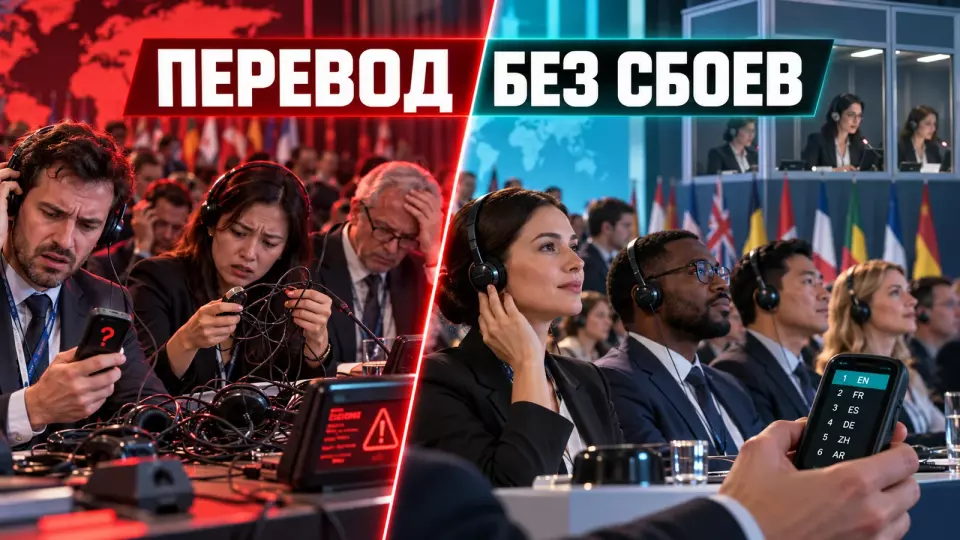
The language matrix of a conference, interpretation channels, materials for interpreters, a full run-through and a backup scenario without false benchmarks.
A multilingual conference with simultaneous interpretation can go wrong long before the interpreter makes the first mistake. The list of countries is already there, but the language scheme is not. In one room a speaker talks in English, questions are taken in Russian, some guests listen to the French channel, a remote expert joins from a laptop, and the recording has to come out with clear tracks. A single line saying “provide simultaneous interpretation” does not describe such a system.
At Aventura we treat language as a separate production track. It runs through the programme, registration, the stage, the technical brief, the platform, navigation, the moderator's work and the release of the recording. First we establish who speaks and who listens to each language. Then we build the channels, and only after that do we calculate the team and the equipment.
If you are preparing an international business event, request a conference quote. We will clarify the programme, languages, participation formats and recording requirements, and then propose a workable configuration.
Where to start with the language architecture of a conference?
A multilingual conference with simultaneous interpretation starts with a language brief for each session. Booths and receivers are selected once the language scheme becomes clear. The brief records the language of the presentation, the listening languages, the audience composition, the format of questions, how speakers participate, and recording requirements. This way the team sees the scope of the task and doesn't price the entire conference based on a single list of countries.
The first list usually looks simple: Russian, English, Chinese. For production, that's not enough. You need to understand whether a participant can present in each of these languages or only listen to it. The European Commission calls the language a interpreter works into the active language, and the language of the source speech the passive language. This distinction is worth carrying over into the project spreadsheet.
For example, Russian-speaking speakers may present only in Russian, while international guests listen to English and Chinese. This scheme differs from a meeting where a delegate is entitled to speak in any of the three languages and hear interpretation into the other two. In the second case, there are more language pairs, transitions and decisions for the moderator.
We collect the source data in the following order:
- We list all sessions, including the opening, parallel tracks, Q&A, interviews and closed meetings.
- For each session, we note the possible presentation languages.
- We divide the audience by listening language, not just by citizenship.
- We clarify who is attending in person, who is joining remotely, and where the interpreter is located.
- We record whether separate language versions of presentations, subtitles and recording tracks are needed.
- We appoint a person who approves the language scheme and accepts programme changes.
It's better to collect language data already at participant registration. The form can ask for the preferred language, the format of participation and the need for accessible communication tools. The answer doesn't replace a personal follow-up for speakers and delegations, but it shows the audience distribution before equipment is ordered.
Matrix of languages, sessions and channels
The main project document is a single matrix that links the programme to languages and channels. It is needed by the producer, interpreters, technical team, registration, moderator and the client's responsible person. If these groups work from different spreadsheets, changes quickly diverge: the programme already has a new speaker, while the language plan still shows the old scheme.
A working row of the matrix describes the session, the languages of speech and listening, the participant's channel, the responsible person and the fallback in case of failure. Channel names must match across the technical scheme, the platform interface, the participant instructions and the signage at the venue.
The table brings together the key points of the section: Field, What we specify, Why the team needs it. Use it as a quick reference when preparing the event.
| Field | What we specify | Why the team needs it |
|---|---|---|
| Session and hall | stable name, time, stream | link the language to the current programme |
| Language of the source speech | one or several permitted languages | set up the interpreter's input and the moderator's work |
| Listening languages | what the audience actually needs | create only the necessary channels |
| Translation direction | from which language into which | check coverage of every utterance |
| Format of participation | hall, remote, mixed | choose the technical signal route |
| Audience questions | languages and method of submission | do not lose unplanned speech |
| Recording | original, separate tracks, subtitles | check the system's capabilities in advance |
| Responsible person | owner of the decision and contact | close changes quickly |
| Fallback | simplified mode in case of failure | preserve priority communication |
The matrix must not turn into a reference book with a hundred columns. For a large project it is convenient to keep a main sheet with decisions and separate technical sheets by hall. A change in the programme gets a date, an author and confirmation from the language coordinator. A verbal message in a chat does not count as a new version.
The European Commission distinguishes between a symmetrical mode, when the set of languages for speaking and listening coincides, and an asymmetrical mode, when one can speak in more languages than one can listen to the interpretation. Interpretation via a relay language is also possible. These terms are useful for the team, but the participant needs simple instructions: which channel to choose and where to get help.
In the project of organising a conference we link the language matrix to the master programme, the list of speakers and the technical specification. Then a change in timing or panel composition immediately shows which channels, materials and specialists are affected.
How to choose the interpretation format for each session?
The format is chosen based on the communication method, duration and objective of the session. Simultaneous interpretation is suitable for a continuous programme where the participant must hear the speech with almost no pauses. Consecutive interpretation changes the rhythm, because the interpreter speaks after a segment of the speech. Whispered interpretation is designed for a specific situation and does not replace a shared channel for a large audience.
Different modes can coexist at a single conference. The plenary part runs simultaneously, a short delegation greeting is consecutive, and a working meeting of a small group gets a separate solution. One should not automatically transfer the configuration of the main hall to a meeting room or interview zone.
We check the number of listeners, the permissible pauses in the programme, the number of language directions and the need for interpretation for remote participants and recording.
Relay interpretation through a pivot language is needed when there is no direct direction between two languages in the scheme. Such a route depends on the first interpretation, so we explicitly state it in the matrix. The general phrase "the channel works" hides a risk: a delay or loss of the source audio will affect several directions at once.
The format also depends on the content. A panel with rapid exchanges, a product demonstration, a ceremonial speech and a closed meeting impose different requirements on pace, terminology and access mode. The professional configuration of interpreters and equipment is calculated by a specialised team after reviewing the programme. A universal number of specialists or booths here would be false precision.
For a separate calculation of language directions and a professional team, use the interpreter for an event service. It makes sense to engage it before the final approval of the programme, not after sending out invitations.
If you want to check the language scheme before participants enter the hall, submit a request for conference preparation. We will put together a test programme together with the technical team and interpreters.
The attendee journey from registration to the right channel
A multilingual conference with simultaneous interpretation requires a clear attendee journey. Before the event, the guest receives information about the available languages and how to connect. On site, they see signage and quickly receive a device or open the right channel. In the room, they know where to turn if the audio drops, and after the session they know which language the recording is available in.
The language experience begins with the invitation. The wording "interpretation is provided" does not answer practical questions. It is better to name the languages, state whether advance selection is required, explain how to get a receiver, and describe online access separately. If some sessions run in a different mode, this should be visible in the programme.
At registration, we separate the usual badge collection from language assistance, but we link the data. The staff member sees the attendee's preference and directs them to the right point. The receiver, headset or app access is clearly labelled. The team decides in advance how to track issuance, replacement, charging and return of equipment, without publishing arbitrary quotas like "one per person plus a percentage".
We test the journey through the eyes of a first-time guest:
- Open the email and find the list of available languages.
- Complete registration and receive clear instructions.
- Find the pickup point or the channel selection button.
- Enter the right room and check the session signage.
- Select a channel and adjust the balance between the original and the interpretation, if the system allows it.
- Ask a question in their own language according to the announced format.
- Report a problem to a staff member who knows the escalation path.
- Return the device or get a link to the recording they need.
Instructions must use consistent names. If the email says "English", the desk says "channel two", and the app says "Interpreter B", the attendee starts trying to work out the options during the talk. We choose one naming system and repeat it in the email, signage, the slide before the start and the moderator's remarks.
We also check separately how staff in the room operate. The host first checks the device and the selected channel. If the problem is technical, they pass the point number to a specialist and briefly describe the fault; questions about the programme and interpretation directions go to the language coordinator. This division reduces chaotic calls and helps the guest get back to the content of the session faster.
After the first session, it is useful to compare the actual channel distribution with the registration forecast. This is not a reason to immediately cut the configuration. The data helps to spot a queue at pickup, unclear signage or a language that attendees choose differently from what they indicated in the form. The decision to change anything is made by the owner of the language scheme together with the technical team.
What should be handed over to interpreters before the conference?
Interpreters need an up-to-date preparation package: the programme, presentations, names, terminology and the context of the talks. The team hands it over in advance through an agreed secure channel, marks confidential materials and makes changes only to the current version. The more accurate the package, the less time is spent reconstructing meaning live on air.
The basic set includes the programme and speakers' materials, presentations and speech texts, scripts and video transcripts. Separately we include a glossary, name pronunciations and a list of translations to avoid. For a product, interface images and links between terms and a specific screen are useful.
AIIC Germany points to the advance handover of working materials and texts, and, where necessary, a briefing meeting. Professional ethics also require keeping working information confidential. For a project this means a clear access regime: who receives the documents, where the current version is stored, what must not be saved outside the project, and whom to ask substantive questions.
We structure preparation as follows:
- We appoint an owner of the package and a single folder for current materials.
- We check the spelling of names, brands, job titles and place names.
- We collect terms with context, not just word pairs.
- We mark drafts and materials that must not be shown to participants.
- We hand over updates with a brief description of the changes.
- We hold a briefing meeting on the conference goals, audience, sensitive topics and challenging sessions.
- Before the start we confirm that the interpreters can open the necessary files and see the stage content.
We also prepare the speakers: we ask them to speak into the microphone, keep their usual pace, explain rare abbreviations and report changes in advance. A question from the floor without a microphone should not become a test of the interpreter's hearing. The moderator repeats the question into a working microphone or asks the audience to wait for a member of staff with a microphone.
If the programme changes at the last moment, the team does not send out several "final" files. The producer records the change in the master version, the language coordinator assesses the impact, and the interpreters receive a short notification with the new session, speaker and terminology.
Technical setup: stage, booths, platform and recording
The technical setup is built as a signal chain: speech goes into the right microphone, the interpreter receives a clean original and can see what is happening, their voice goes to the assigned channel, the participant selects that channel, and the team monitors the result. For a hybrid event, remote speakers, the internet, the platform and feedback between the venue and the online audience are added to the chain.
Synchronous interpreting in a shared conference room usually requires a separate technical setup. The exact configuration depends on the venue, the number of rooms, languages, interpreter location and recording requirements. This article does not specify a set number of booths or receivers: these parameters emerge after layout planning, the language matrix and a check of the radio environment or network infrastructure.
The interpreter must have clear source audio and sufficient visibility of the speaker, the presentation and what is happening in the room. AIIC Germany considers direct line of sight an important condition for on-site work and separately requires materials in advance. For a remote format, visibility is replaced by well-planned video feeds: the active speaker, the demonstration and the context should not compete in one small window.
The UN emphasises the quality of the source audio. For a remote presentation, the organisation recommends a wired Ethernet connection, a good external USB microphone, a quiet room, disabled notifications and a moderate pace. We include these requirements in the remote speaker instructions and check them during the connection test before the event.
Zoom, Teams and Webex support language interpretation, but their interfaces and limitations differ. The organiser enables the feature, creates languages, assigns interpreters and explains channel selection to participants. Teams warns about spatial audio specifics. Webex describes how interpreters hand over to each other and states that recording may capture only the original audio. That is why we check recording separately: the live stream alone does not confirm that the required tracks were saved.
If a conference combines a room and a remote audience, we build it as a hybrid event: we count room signals, the remote speaker's return feed, language channels, questions and monitoring separately. You cannot simply send the room audio into a video call and expect all directions to work.
How to run an end-to-end rehearsal
A multilingual conference with simultaneous interpretation requires an end-to-end rehearsal of the real user journey, not just checking a green light on the sound engineer's console. The test involves the speaker, moderator, interpreter, technical team and a person with an ordinary receiver or guest account. The team must listen to every channel, ask a question from the room and online, record a segment and play back the result.
A standard "the microphone works" check covers only the start of the chain. A fault can appear in the routing of the original audio, interpreter assignment, a participant's channel selection, a remote speaker's return feed or the recording. That is why the rehearsal scenario is built around sessions and language directions, not a list of devices.
We run the test step by step:
- We upload the final language setup and assign roles in the platform or system.
- We connect the speaker in the same way that will be used at the conference.
- We check every stage and room microphone in the interpreter's source channel.
- We ask the interpreter to deliver a short test into each assigned channel.
- We listen to the channels from a real receiver, the app and a remote guest account.
- We check whether the participant can hear the original and adjust its level if the feature is available.
- We play the presentation, video and remote speaker to check the visibility and sound of the content.
- We ask a question from the room in one language and a remote question in another.
- We hand over between interpreters according to the agreed scenario.
- We simulate a failure of one channel and trigger the backup message.
- We record a test segment, export it and check the actual audio tracks.
- We log the defects, owners, fix deadlines and a repeat test.
This kind of check is convenient to include in the overall technical rehearsal of the event, but the language scenario needs to be separate. The stage may be ready, yet selecting a channel on a phone may still be unclear. An online guest may hear the interpretation but not the moderator's voice after a video. These defects only become visible on the full journey.
After the rehearsal, a protocol remains. It lists the sessions, devices, accounts, channels, recording and unresolved limitations that were tested. The phrase "everything is fine" is useless. You need observable results: the channel is selected, the source speech is audible, the presentation is visible, and the recording contains the expected track.
Backup scenario for the language channel
The backup should preserve priority communication rather than promise a full replica of the main setup in any failure. For each critical session, the team determines in advance which language and which stream to protect first, who makes the decision, what the moderator announces, and how a participant receives new instructions. This sequence is rehearsed alongside the main chain.
Failures have different causes: the source microphone is lost, the interpreter loses connection, the platform revokes a role, a receiver runs out of battery, interference occurs, a remote speaker connects the wrong way, or the recording does not capture the channels. A single universal "plan B" does not cover these cases.
The table summarises the key points of this section: Failure, First action, Communication to the participant. Use it as a quick reference when preparing an event.
| Failure | First action | Communication to the participant | What to check afterwards |
|---|---|---|---|
| No source audio for the interpreter | return speech to the working microphone, stop the unprepared remark | the moderator asks for a short pause | whether all channels are receiving the original again |
| One language channel is lost | switch to the agreed backup or simplify the mode | name the available channel and the help point | whether relayed languages are affected |
| Receiver not working | replace the device or direct the person to the digital channel | show the exchange point | battery level, labelling, return tracking |
| Remote interpreter disconnected | connect a backup specialist or change the session mode | announce the temporary arrangement | roles, access to materials, connection quality |
| Recording does not see the tracks | save the sources with available tools and record the limitation | do not publicly promise an unconfirmed version | the actual set of files after the session |
We link decisions to the overall event crisis plan. The language coordinator has the contact details of the technical lead, the producer, the senior interpreter and the client's responsible person. The moderator receives short wordings for a pause and a mode change. Support staff know where to direct people instead of trying to rebuild the system on the spot.
Relay interpreting requires special attention. If the intermediate channel is lost, the dependent languages also lose their source. In the matrix we mark such links and assign a recovery order. During the rehearsal, the team checks the main channel and the consequences of losing it.
How do you connect translation with accessibility and content?
Language translation, subtitles, sign language and accessible materials serve different purposes. They can be combined at a single conference, but they should not be treated as interchangeable. The team separately clarifies the audience's needs, chooses communication tools, provides microphones and visibility, and then checks how each channel works in the room, online and in the recording.
The W3C recommends clarifying accessibility requirements in advance, providing microphones and good visibility for interpreters, preparing accessible materials, and sharing presentations with interpreters and subtitle specialists before the event. These steps benefit the entire multilingual audience: clear sound and understandable slides help not only people with disabilities.
ADA.gov suggests choosing a communication method based on the length, complexity and context of the conversation, as well as the format the person is used to. This is a US legal framework, so we do not treat it as a Russian standard. The practical takeaway is universal: the communication method is chosen after clarifying the audience's task.
Subtitles convey speech as text and require their own editing of terminology. Simultaneous interpretation conveys the content in another language. Sign language works between spoken and sign language and requires a visible interpreter. If all three channels are needed, they get separate roles, technical inputs and a place in the rehearsal.
After the event, the language architecture continues in the materials. The team decides in advance which tracks are kept, whether translated subtitles are needed and how the versions will be named. We covered the practice of releasing recordings in the article on content after the conference, and the requirements for subtitles and sound in the guide to accessible event streaming.
Before publishing the recording, the editor checks that the language of the title matches the language of the track. They check the speaker labels and session names. A separate version gets a clear label. The user should not have to launch several identical files to find the language they need. If the platform has saved only the original, the team states this directly in the material card and does not promise a translation after the fact.
A similar rule applies to presentations. The on-screen version helps the audience in the room, but the source file is needed by interpreters and participants with special access requirements. Slides are shared before the event in a shared folder with version control. After an edit, the version number is changed. During the rehearsal, the speaker opens the same file that the room will see. This way the terms on screen match the glossary and the speech.
The moderator announces the language of the next talk and reminds everyone about the microphone before questions. If the mode changes, they pause so the technical team can switch channels. The moderator stops a remark made without a microphone and brings it back to the working channel. This discipline sounds mundane, but it preserves meaning for all audiences.
After the conference we hold a short debrief. The team notes unclear instructions, late materials, naming errors and failures in passing questions. They also record the solutions that worked. These observations go into the template for the next event. The language matrix becomes an accumulated working tool rather than a one-off file in the archive.
Budget and team responsibilities
The budget is determined by the specific language setup. The word "international" alone says nothing about the scope of work. The calculation is influenced by sessions and simultaneous streams, translation directions, duration, placement of specialists, format of participation, equipment, registration, recording, materials and contingency. Therefore, a correct calculation begins after the language brief and a preliminary programme.
The project requires all functions, although one specialist can combine several. The producer is responsible for the master programme, the language coordinator for the matrix and changes, the interpreters for the agreed directions, and the technical director for the signal. Registration and support guide the participant, the moderator follows the question script, and the client approves the languages, priorities and recording mode.
When comparing proposals, it is useful to ask not only about the total amount:
- Which sessions and directions are included in the calculation.
- Where the interpreters are located and what source signal they receive.
- How the participant selects a channel in the room and online.
- Which materials and the briefing meeting are included in the preparation.
- Who sets up the platform and conducts the end-to-end rehearsal.
- What is recorded and how the tracks are checked.
- How the issue, replacement and return of equipment are organised.
- What contingency is provided and who makes the decision in case of failure.
- What platform or venue limitations are already known.
This public article does not provide a universal standard for the number of interpreters, booths or receivers. The format, duration and language directions set the working conditions for interpreters. The equipment composition depends on the venue, audience and technical setup. An exact figure before this data creates an appearance of certainty and often changes after the very first programme revision.
Frequently asked questions
A multilingual conference with simultaneous interpreting starts with a language brief for each session. Booths and receivers are selected once the language scheme becomes clear. The brief records the language of the presentation, the listening languages, the audience composition, the Q&A format, how speakers take part and the recording requirements. This way the team can see the scope of the task and does not estimate the entire conference from a single list of countries.
The key document of the project is a single matrix that links the programme to languages and channels. It is needed by the producer, the interpreters, the technical team, registration, the moderator and the client's responsible person. If these groups work from different spreadsheets, changes quickly diverge: the programme already lists a new speaker, while the language plan still shows the old scheme.
The format is chosen based on the way people communicate, the duration and the purpose of the session. Simultaneous interpreting suits a continuous programme where the participant needs to hear the speech with almost no pauses. Consecutive interpreting changes the rhythm, because the interpreter speaks after a segment of the presentation. Whispered interpreting is designed for a specific situation and does not replace a shared channel for a large audience.
A multilingual conference with simultaneous interpreting requires a clear participant journey. Before the event, the guest receives information about the available languages and how to connect. On site, they see the signage, quickly receive a device or open the right channel. In the hall, they know where to turn if the sound drops out, and after the session they know in which language the recording is available.
Interpreters need an up-to-date preparation package: the programme, presentations, names, terminology and the context of the presentations. The team sends it in advance through an agreed secure channel, marks confidential materials and makes changes only to the current version. The more accurate the package, the less time is spent reconstructing the meaning live on air.
The technical setup is built as a signal chain: the speech goes into the right microphone, the interpreter receives a clean original and can see what is happening, their voice goes to the designated channel, the participant selects that channel, and the team monitors the result. For a hybrid event, remote speakers, the internet, the platform and feedback between the venue and the online audience are added to the chain.
If you need a multilingual conference with simultaneous interpreting, we will put together a single plan for the programme, language channels, participation and recording. Request a project quote to discuss languages, sessions and the format of participation.
Sources
- European Commission: Conference interpreting - types and terminology
- ITU: Remote Participation Services
- W3C WAI: Making Events Accessible
- ADA.gov: Effective Communication
- Zoom Support: Using Language Interpretation
- Microsoft Support: Use language interpretation in Teams meetings
- Webex Help: Simultaneous interpretation in meetings and webinars
- AIIC Deutschland: Berufsethik
- United Nations DGACM: Remote participation requirements for multilingual meetings
Contents
Was this article helpful?