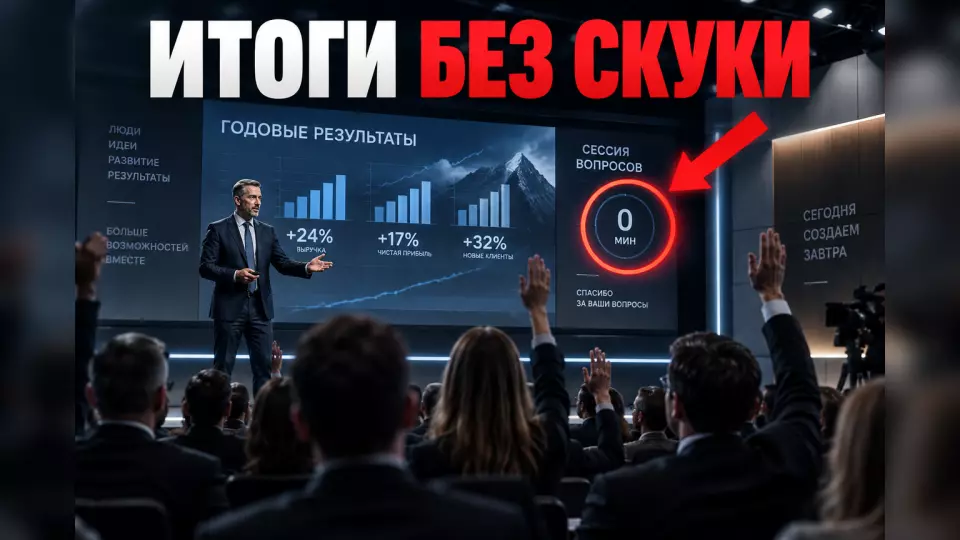
A practical scenario for a year-end results presentation to employees: how to select data, link the reports, run a Q&A and lock in next steps.
A year-end meeting helps give employees the big picture: what happened, why it matters, what the company decided and what will change in the way teams work. This format calls for the direction of a business event, where content, speeches and feedback work as a single programme.
Subscribe to the Aventura Telegram channel: there we break down the mechanics of business and corporate events without advertising noise.
What should employees take away from the meeting?
In short: each participant should leave with three answers: where the company stands, why the results turned out this way, and what needs to happen next.
Before we start working on the script, at Aventura we ask the client to formulate a few takeaways in plain language. A list of metrics is not enough here: you need meaning. For example: two business lines grew, one needs to be rebuilt; this year's investments create the foundation for the next; the team's priority is shifting from volume to quality.
Then we test each takeaway with the question "What does this change for the employee?". If there is no answer, the block remains a report for management rather than part of the all-hands meeting.
It helps to divide the content into three layers:
- data - verified metrics, the period and the basis for comparison;
- explanation - the reasons, constraints and decisions made;
- action - the next step for the unit or role.
This approach does not require disclosing confidential information. It helps to honestly set the boundary: what can be shown, what cannot be commented on, and why. If the meeting is to be repeated during the year, use a separate framework for a company town hall.
A single storyline instead of a parade of departments
In short: managers' reports should continue one story rather than compete for time and attention.
A weak programme looks familiar. Finance talks about plan and actuals. Sales repeats some of the same figures. The HR team lists projects. Production shows a separate presentation. At the end, the CEO tries to pull a common conclusion out of the scattered reports.
We start with a scenario map. In it, each speaker is assigned a function:
- The top manager sets the context and names the main results.
- Business line owners explain the reasons rather than reread the tables.
- Teams show their contribution through short examples without internal competition.
- Management sets out the decisions and priorities for the next period.
- The moderator runs the Q&A and records the topics that require an answer after the meeting.
We remove repetitions before assembling the slides. If two speakers need the same metric, we keep it in one place and give the second speaker a reference to the conclusion already made.
For a large line-up of speakers, conference organisation is useful: a single direction keeps up the pace, and the technical team consolidates presentations, videos and live feeds in advance.
How to build the programme for a year-end presentation
In short: the programme is built around the audience's questions, not around the number of ready-made reports.
A workable sequence might look like this:
The table brings together the key points of this section: Block, Objective, What the employee gets. Use it as a quick reference when preparing your event.
| Block | Objective | What the employee gets |
|---|---|---|
| Opening | Explain the purpose of the meeting and the rules of the dialogue | An understanding of why they are there |
| The year in review | Show the key results and the context | A big-picture view without overload |
| Causes and decisions | Examine why the results turned out the way they did | A link between the numbers and management actions |
| Team contributions | Show how departments depend on one another | Recognition and an understanding of the shared effort |
| The next period | Set out priorities and the boundaries of decisions | A reference point for their own role |
| Q&A | Answer collected and live questions | A chance to influence the agenda |
| Closing | Repeat the decisions, owners and deadlines | A clear next step |
The length of each block depends on the scale, the number of locations and the complexity of the topic. We do not use a one-size-fits-all rule of "so many minutes per speaker". First we count the essential messages and the real time available for dialogue. Then we cut the reports down to fit the programme.
Leave a request — let's discuss your task
We'll clarify the format of your event and suggest the next step.
Slides that explain, not decorate
One slide should convey one management takeaway that is clear without deciphering fine print.
The label "Sales" says nothing. The phrase "Growth came from two segments, but margin declined" already sets the meaning. Then all that remains is to show the evidence: the period, the comparison base, the source and an important caveat.
We check the final materials against a simple checklist:
- the takeaway is written in the headline;
- plan, actual and prior period are distinguishable;
- any change in methodology is labelled;
- colour is not the only way to distinguish data;
- the text is readable from the back row;
- the speaker talks through the meaning of the chart;
- significant figures are available after the event in text form.
A beautiful screen will not fix questionable data. Before the rehearsal, there needs to be a single owner of the final figures. They reconcile file versions and confirm that speakers are using the same base. For a complex line-up of presentations, a separate presentation freeze policy before a conference is useful.
We calculate the screen and viewing points for the room in advance. For complex infographics, LED screens help, but screen size does not remove the need to edit the slides.
Why can't Q&A be left to the remaining time?
In short: Q&A (question and answer session) is a separate product of the programme with its own owner, collection channels and a log of open topics.
The phrase "any questions?" after a long monologue rarely sparks an honest conversation. People need time to formulate a topic. Some employees do not want to be the first to raise a hand. Branches and shifts may not be present on the stream at all.
We open collection in advance. Depending on corporate policy, this may be a named form, an anonymous channel or both. Before the event, the editor merges duplicates but does not soften an inconvenient meaning. Managers see the topics and prepare the factual part of the answer.
During the meeting, the moderator sorts questions into four statuses:
- Answered on air.
- Data needs verification.
- The information cannot be disclosed - we explain the boundary.
- The topic requires a separate process or decision.
An unanswered question must not disappear. After the event, the company publishes the answer, the owner and the expected date of the next update. If a decision has not yet been made, it is better to say so directly.
A professional business event host helps keep the conversation on topic, clarifies vague answers and makes sure difficult questions are not lost behind convenient ones.
How do you present complex results?
Difficult topics don't need to be dramatised. At the same time, you can't cut from the agenda what employees already see in their day-to-day work.
Only victories breed distrust. At the same time, the final meeting shouldn't turn into a public naming of the guilty. We offer managers a structure for their response:
- Fact: what happened and what we're comparing it with.
- Context: which external and internal factors had an impact.
- Action: what the company has already changed.
- Uncertainty: what we don't know yet.
- Next checkpoint: when we'll come back to the topic.
Personal judgement and hunting for someone to blame have no place in this structure. If a question involves personal data, a labour dispute or confidential commercial information, the moderator states the limitation and moves the topic to a suitable channel.
How do you include branches, shifts and remote employees?
In short: a broadcast from the main hall on its own doesn't create equal participation.
A distributed audience needs its own route. We find out where employees will watch the meeting, whether they have a device and sound, whether viewing counts as working time, who is responsible for the local venue and how to ask a question.
The minimum set for a hybrid format:
- a single agenda and materials before the event;
- a channel for questions before, during and after the broadcast;
- microphones that pick up not only the stage but also comments from the room;
- subtitles and checking of terminology, names and numbers;
- a recording with topic markers or a short written summary;
- a repeat viewing slot for shifts that can't join live;
- the same deadline for comments from all groups.
The table brings together the key points of this section: Format, When it fits, Main risk. Use it as a quick guide when preparing your event.
| Format | When it fits | Main risk |
|---|---|---|
| Single hall | Most employees are in one city and on one schedule | Questions from branches arrive too late |
| Hybrid | There are offices and remote teams with access to the broadcast | The online audience remains an observer |
| Multiple viewings | Shifts and time zones can't be brought together at the same time | Answers differ between groups |
At the technical rehearsal we check weak internet, mobile screens, backup connectivity, sound for questions from the room and switching to a backup file. This is part of organising online events, not an add-on for the last day.
What to check at the rehearsal
A full rehearsal tests the people, the content and how the team responds when something goes wrong.
The run-through brings together the director, the moderator, the presentation operator and the technical team. The question editor and the client's representative are responsible for the content and for verifying the figures.
We act out several scenarios: a wrong file, a speaker running late, a question with no prepared answer, and a loss of connection with a branch office. For each one we decide in advance who makes the call and what the audience hears.
The rehearsal also reveals what is unnecessary. A talk often runs longer than the speaker expected. A complex transition between presentations may need its own lead-in. Questions may expose a gap in management's overall position. Better to see that without an audience.
Actions after the meeting
In short: the value of the final presentation shows in whether employees get answers, materials and clear next steps.
After the broadcast, we recommend releasing a short package along with the recording. If the recording or photos are available to a wide group, notify participants in advance, determine the legal basis for processing, the retention period and who has access. Before publishing, check whether personal data, restricted screens or questions that require separate approval have ended up on camera.
- key takeaways and decisions;
- materials in an accessible format;
- answers to questions that did not make it into the broadcast;
- owners and deadlines for promised actions;
- a channel for follow-up questions;
- the date of the next update on open topics.
It is worth measuring beyond the applause: what matters is whether the message got through. Did all target groups receive the materials? Can employees name the main takeaways and priorities? How many topics were left without a substantive answer? Do the teams understand what they need to do?
You cannot claim a direct link between a single meeting and revenue or retention without a separate methodology. But you can measure access, understanding, the quality of the dialogue and whether the promised follow-up happened. We covered a practical framework for releasing the recording, key points and short materials in the article on content after a conference.
Take a look at the Aventura portfolio to see our approach to business and corporate events.
Brief for preparation
A good brief eliminates debate about the format and helps you get to the content quickly.
Before you start, lock in:
- The solutions and results available to employees.
- Three to five takeaways that should stick.
- Audience groups and the conditions for their participation.
- The tough questions already being discussed internally.
- The person responsible for confirming figures and final wording.
- The owner of the answers after the broadcast.
- Materials and adaptations for participants.
- The next step after the event.
At Aventura, we can deliver the project turnkey: from the scenario map and slide editing to the venue, broadcast, moderation and the release of materials after the meeting.
Frequently asked questions
Before we start working on the script, at Aventura we ask the client to formulate a few takeaways in plain words. A list of metrics is not enough here: you need meaning. For example: two business lines have grown, one needs rebuilding; this year's investments create the foundation for the next; the team's priority is shifting from volume to quality.
A weak programme looks familiar. Finance talks about the plan and actuals. Sales repeat some of the same figures. The HR team lists projects. Production shows a separate presentation. At the end, the CEO tries to pull a common conclusion out of the scattered reports.
A workable sequence might look like this:
One slide should convey one management takeaway that is clear without deciphering small print.
The phrase "any questions?" after a long monologue rarely sparks an honest conversation. People need time to formulate a topic. Some employees don't want to be the first to raise a hand. Branches and shifts may not be present on the broadcast at all.
Difficult topics don't need to be dramatised. At the same time, you can't cut from the programme what employees already see in their day-to-day work.
Leave a request - let's discuss your task
We'll clarify the event format and suggest the next step.
Sources
Contents
Was this article helpful?