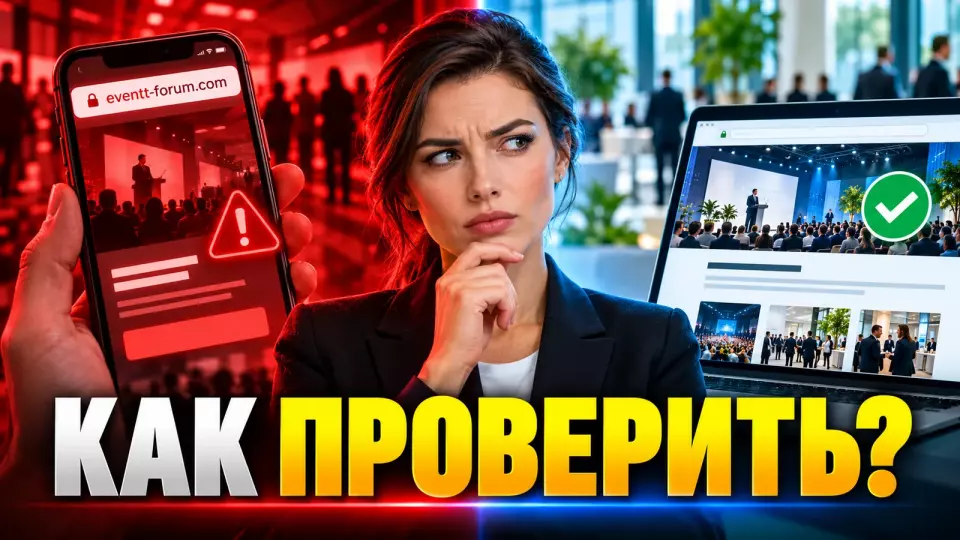
How to connect the website, invitations, registration and support so that attendees can quickly find the official source and report a fake.
A fake invitation can replicate the date, programme and venue of a real event exactly. That is why, before the first mailing, we give attendees a simple verification path: open the official website themselves, check the sender and pass any doubtful message to the team.
Leave a request - let's discuss your task
We'll clarify the event format and suggest the next step.
Why don't genuine details confirm an invitation?
Exact dates, venue and programme do not prove that the email was sent by the event team. This information is often already public and easy to copy. Attendees need an independent way to verify, and organisers need a simple rule: which website, sender and channel are considered official, and where to look for confirmation when in doubt.
On 8 October 2026, Cisco Talos described a targeted campaign against people connected with scientific organisations in Taiwan. The invitations used the names of real organisations and public information about events. In one scenario, the attackers copied a poster and replaced the QR code displayed on it.
This changes the usual verification. Well-written text, a familiar logo and a matching programme can no longer be considered sufficient signs. What needs protecting is not a single email but the attendee's entire journey: from the first invitation to registration, payment, updates and entry to the venue.
At Aventura, we start with a simple question: where can a person confirm the information if they do not trust the message they received? The answer must not depend on a manager's personal phone or an address from the same email. There needs to be a point that the attendee opens independently.
Verification starts with one official address
An event must have one primary address, published consistently across all materials. There, attendees find the programme, registration, contacts and an invitation verification page. External services are acceptable, but the team adds their domains to a single list in advance and confirms the link on the main website.
One official address reduces the number of decisions a guest has to make by eye. They are not comparing several similar landing pages or guessing which registration form is current. The team gets one place where every change is published first.
In the single list of official addresses and owners, we record:
- the primary domain and permitted subdomains;
- the official address of the registration form;
- streaming, personal account and payment platforms;
- email domains and sender mailboxes;
- official messenger and social media accounts;
- the owner of each point of contact;
- a backup communication channel;
- the date of the last check.
If the project uses external registration, the link to it first appears on the main website. A direct link can be sent in the email, but the attendee must be able to open the website independently and find the same route.
When organising business events, we connect the website, registration, programme and guest management into a single production plan. This way, communication does not exist separately from the venue and the scenario.
How does a participant verify an invitation?
Verification should involve a few clear steps and require no technical knowledge. Participants open the official website themselves, find the permanent verification page, and check the registration domain and sender address. If in doubt, they write via the contact on the website rather than replying to a suspicious address or a new person in a messenger.
A permanent "How to verify an invitation" page on the main domain is useful. It stays at the same address before, during and after the event. The content changes, but not the route to it.
The page includes:
- The exact official event address.
- Permitted registration and streaming domains.
- Addresses from which emails may come.
- Names of official accounts and bots.
- Information the team does not request by email or chat.
- A channel for reporting a suspicious email, website or QR code.
- The date and time of the last update.
- Brief warnings about known fakes.
Verification should not reveal the internal structure of codes or the guest list. If an invitation is personal, the form returns a neutral result: the status is confirmed or you need to contact support. No extra information about another participant, their job title or the reason for refusal is shown.
It is best to design work with fields and consents separately. There is a detailed breakdown in the article on event registration under Federal Law No. 152-FZ.
If you find short practical breakdowns of event preparation useful, subscribe to the Aventura Telegram channel.
Approved senders and external platforms
The team decides in advance who may write to participants, from which domain and on which matters. The list stays short and easy for guests to understand. A contractor does not automatically become a trusted sender: their address, role, access period and type of messages are agreed before the first mailing, and access is closed after the project.
Personal mailboxes are fine for work discussions. We send bulk changes from a shared address: it will keep working if the coordinator falls ill or leaves the project, and a new employee will see previous communications.
The table summarises the key points of this section: Element, Workable option, Risky option. Use it as a quick reference when preparing your event.
| Element | Workable option | Risky option | What we record |
|---|---|---|---|
| Website | one main address | several similar landing pages | domain, owner, backup |
| Registration | link from the official page | form only from an email | platform and permitted domain |
| approved mailboxes on the domain | personal or random email | purpose and responsible person | |
| Messenger | account listed on the website | message from a new contact | link and type of messages |
| Programme change | website plus notification | chat or phone call only | who approves and publishes |
| Payment details | confirmation via a known channel | new bank details in an urgent email | double check |
A separate register is needed for speaker, partner and contractor pages. The real name of a well-known person or company is easy to copy. The team confirms such a page with a link from the official website and appoints an employee responsible for keeping it up to date.
The same principle applies to QR codes, but printed materials carry additional risks. We covered these in the article on safe QR codes at events.
Why isn't email authentication enough?
In short: SPF checks whether the sending server is authorised for the email's technical domain. DKIM adds a digital signature and helps detect changes to signed parts. DMARC matches the domain in the visible sender field with the domain that passed one of these checks. These mechanisms make direct spoofing of your domain harder, but they do not block a lookalike address, a compromised mailbox or a fake website.
The client doesn't have to edit DNS records themselves. Their job is to demand a verifiable result from the domain owner and the email service provider.
Before a mass send, we ask you to confirm:
- the list of all services that send emails on behalf of the event;
- that each service is accounted for in the authentication scheme;
- a valid DKIM signature with a domain that matches the visible sender;
- DMARC passing and the chosen rule for handling emails that fail the check;
- a test delivery to the main email systems;
- who owns the reports and errors;
- how to quickly disable an old or compromised service.
Even a successfully verified email can contain incorrect information if the real account is compromised or an employee sent an unchecked link. The opposite is also possible: a legitimate email lands in spam because of a configuration error. That's why we test the technology, the content and the verification path for the guest.
Rule of changes: official website first
A change of date, venue, entry procedure, registration link or details first appears on the official website. Then participants receive a notification with a link to that page. This route preserves speed but does not allow an email, call or chat to become the sole evidence of a critical change.
The team uses one procedure both on a normal day and on the evening before the event.
- The person responsible for the area formulates what has changed and who it affects.
- An authorized manager confirms the decision and the text.
- The editor updates the official website.
- A second employee checks the address, date, time and actions for the guest.
- The team sends notifications with a link to the published version.
- Support receives a ready answer and a list of affected groups.
- The change is recorded in a log with the author, time and previous value.
An urgent wording such as "information is being clarified" is acceptable if a decision has not yet been made. An assumption must not be presented as a final status just for the sake of speed.
The same principle applies to SMS: a short message leads to a confirmed page rather than trying to contain all the details. We described the channel practice in the article on SMS notifications to participants without spam.
What to do with a suspicious message?
In short: a participant needs one simple route for reporting a suspicion. They do not continue the correspondence, independently open the official website, verify the data and pass the email or link through the specified contact. The team confirms receipt and explains which official address to use while the check is underway.
Public instructions can consist of four steps:
- Do not follow additional links and do not send the requested data.
- Open the official website by typing the address yourself.
- Compare the message with the verification page.
- Forward the material to the general support queue or fill out the form.
We do not ask a person to investigate the source themselves. For an initial check, it is enough to provide the time received, the address of the suspicious page and a copy of the message passed through an approved secure channel. Before sending, unnecessary personal data of other people must be hidden. We request a contact for reply only to the extent necessary. Passwords, confirmation codes and full payment documents must not be collected.
If a person has already entered a password or payment data, the standard response changes. The team asks them to contact the corporate IT service or the bank via the official contact. This article itself does not replace the company's internal information security procedure.
How the team responds to a confirmed fake
In short: once a fake is confirmed, the team stops the spread of incorrect information, gives participants one reliable point of reference again, and preserves materials for internal and legal review. In the public message, the team separates established fact from what is still being verified. Technical details that would help someone replicate the fake are not published.
A suspicious message arrives at the general address, and the coordinator appoints someone to check it. The communications staff member prepares a response for participants, the technical specialist checks the website and the mailing, and the manager decides who else to bring in. On a small project, roles can be combined, but the team records backups and decision limits in advance.
The team proceeds step by step:
- Record the report, the time and the available materials.
- Verify the fact through internal sources, without using the disputed channel as evidence.
- Restrict the affected access or stop the mailing if this falls within the team's authority.
- Check the official website, registration and active invitations.
- Publish a warning on a permanent verification page.
- Notify participants through approved senders.
- Give support one single wording for the response.
- Bring in the platform owner, the corporate information security service and a lawyer if the situation requires it.
- Keep a log of decisions and updates.
The first message answers practical questions: which emails or pages should be considered suspicious, what participants should temporarily avoid doing, where the current address is, and when to expect the next update. Instead of an absolute assurance, the team states the verified status, for example: "The identified channel has been blocked. Checks of other possible channels are continuing."
The overall logic of roles and escalation is covered in more detail in the article on the event crisis plan.
After the incident: how to rebuild trust
After the fake has been dealt with, the team reviews the technical cause and works out why participants might have believed the message. It then updates the single list of addresses and responsible people, the verification page, access rights and templates. Participants are told which instructions remain in force, where the final version of the information is, and which channel to use going forward.
The review answers specific questions:
- affected channels and groups;
- the time of the first signal;
- where the report was delayed;
- confirmed facts;
- messages that helped or added to the confusion;
- access rights and roles that need to be changed;
- who will check that the decisions are carried out;
- when to repeat the participant's journey in full.
Before the next wave of invitations, the team opens the main address, finds the verification page, checks the senders, goes through registration and sends a test message. This is a short rehearsal of the entire verification process.
When organising conferences, we include the website, the mailing and support in a single plan: the website, programme, registration, speakers, technical team and on-site work must all use one version of the information.
Frequently asked questions
Exact dates, venue and programme do not prove that the email was sent by the event team. This information is often already published and easy to copy. Attendees need an independent way to verify, and organisers need a simple rule: which website, sender and channel are considered official, and where to look for confirmation if in doubt.
An event should have one primary address, published consistently across all materials. There, attendees find the programme, registration, contacts and the invitation verification page. External services are acceptable, but the team adds their domains to a single list in advance and confirms the link on the main website.
Verification should take a few clear steps and require no technical knowledge. Attendees open the official website themselves, find the permanent verification page, and check the registration domain and the sender's address. If in doubt, they write via the contact on the website rather than replying to a suspicious address or a new person in a messenger.
The team determines in advance who may write to attendees, from which domain and on which matters. The list stays short and clear for guests. A contractor does not automatically become a trusted sender: their address, role, access period and type of messages are agreed before the first mailing, and access is closed after the project.
The client does not have to edit DNS records themselves. Their task is to require a verifiable result from the domain owner and the mailing service.
A change of date, venue, entry procedure, registration link or details first appears on the official website. Attendees then receive a notification with a link to that page. This route keeps things fast but prevents an email, call or chat from becoming the only proof of a critical change.
Leave a request — let's discuss your task
We'll clarify the event format and suggest the next step.
Sources
- Cisco Talos: fake event invitations and swapped QR codes
- European Union Centre in Taiwan: official warning about fake emails
- NCSC: how to check a suspicious message
- What to do after clicking a suspicious link or sharing data
- ICANN Lookup: public domain registration data
- Protecting your registrar account and domain name per ICANN recommendations
- Microsoft Learn: SPF, DKIM and DMARC
- Google: email sender requirements
- IETF RFC 9989: the current DMARC specification
- NIST SP 800-61r3: guidance on managing cybersecurity incident response
- Cloudflare: an example of monitoring lookalike domains
Contents
Was this article helpful?