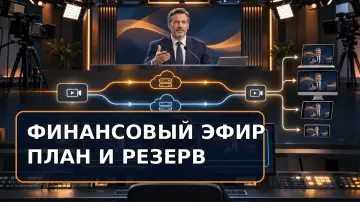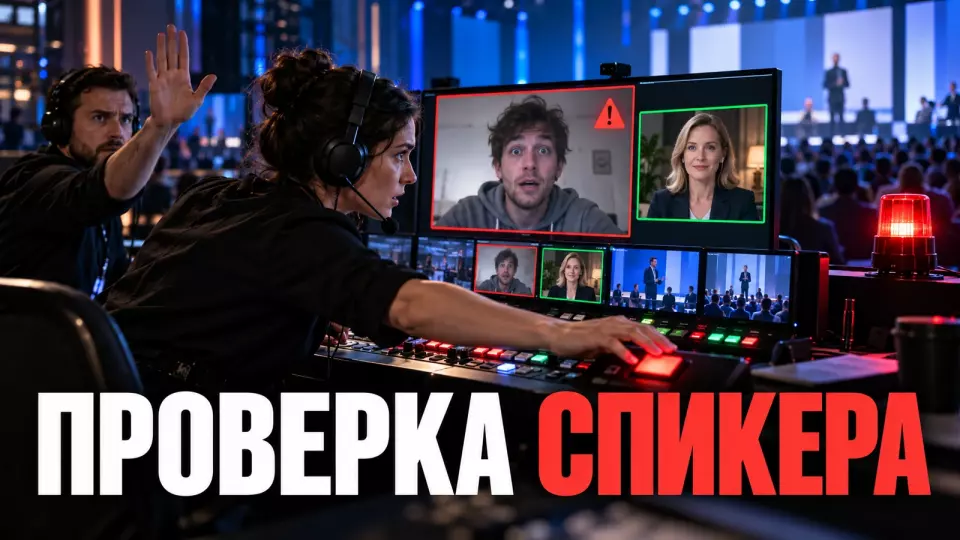
A practical protocol for vetting a remote speaker: the register, the second channel, the green room, roles, what to do when something looks suspicious, and the broadcast backup.
To understand how to vet a remote speaker before going live, don't try to identify the person by name, face or voice alone. We verify clearance, account and authority through a pre-agreed chain. An account could have been compromised. A link could have been forwarded, and a replacement presented as a management decision. This process reduces the risk. It does not prove identity with absolute certainty.
For a closed conference, this procedure is best agreed before the links go out. That way, a minute before the talk the producer acts on a short protocol and does not get into an argument with an unknown participant. The client knows in advance who is authorised to confirm a replacement, how long the team waits for an answer, and which segment is played instead of an unconfirmed presentation.
How do you verify a remote speaker when there is a risk of impersonation?
The risk appears before the presentation itself. An attacker may obtain the link, use a hijacked account, send a fake invitation, or announce an urgent replacement through a new contact. Visual similarity and confident speech do not cover these scenarios. It is safer to verify the origin of the request, the known account, an independent channel, and the authority of the person granting access.
An incident officially described by the Hong Kong authorities in 2024 showed that the familiar picture of a meeting can be fake. An employee received a phishing email in the name of the CFO, joined a group video conference with his fake video, and followed financial instructions. For an event organiser the takeaway is simple: a familiar face on screen does not replace independent verification of the request and authority.
Another scenario starts with genuine email or calendar. If the speaker's account or their assistant's account is hijacked, the message comes from the expected correspondence. It may ask you to follow a new link, change the login time, or urgently grant an elevated role. These are examples of possible manipulations, not signs that by themselves prove an attack.
A third risk involves stream substitution inside a device or platform. ENISA distinguishes attacks that show a fake to the camera from attacks in which altered data is fed directly into the remote verification process. So asking someone to turn their head, state the date, or wave a hand does not give absolute certainty. Such a gesture can remain an additional signal, but the entire access decision cannot be built on it.
A combination of organisational discrepancies becomes grounds for re-verification. For example, the person joined from a different domain, asks for a new role, refuses a call-back, and presses for urgency. A strange pixel or audio delay on its own decides nothing. Poor lighting, an accent, an unstable connection, or speech characteristics do not prove impersonation.
The invitation chain should be protected as carefully as the broadcast room. In the article on how to verify an event website and invitation, we cover a single official address, approved senders, and the procedure for urgent changes. For speakers, a personal access register is added to this scheme.
The chain of trust up to event day
Before the rehearsal, we link the speaker's name to a work account, a backup contact that the client has confirmed in advance, and the person responsible for access approval. This data is stored in a single record. A new message on event day does not change it automatically. First, the responsible person verifies authority and any replacement through an independent channel, then the team updates the working list.
The speaker record is not about collecting unnecessary personal data. We record the name for captions, the organisation, the expected account and the agreed communication channel. Separately, we note the talk, the backup way to connect and the authorised employee on the client side. A passport, a selfie and a voice sample are not required for a standard event procedure.
We build the chain step by step:
- The client provides the list of main speakers and permitted replacements through the agreed work channel.
- For each person, the team records the expected account and a backup contact from the client's list.
- The client names the employee who is entitled to confirm a replacement and an account change. This person also approves the new connection method.
- At the technical rehearsal, the speaker connects the same way they will on event day.
- The producer records the result of the check separately from signal and presentation quality.
- After the rehearsal, changes are made only through the designated decision owner.
- Before going live, the team re-checks the connection against the record, not against the last message in the chat.
It is convenient to keep such a register together with the speaker office. In a separate article, we looked at how to organise working with conference speakers: collecting materials, keeping statuses and not losing decisions between the programme, editorial and technical teams.
For a hybrid event, the chain is especially useful. One team may work in the hall, another handles remote connections, while decisions about the programme remain with the client. A single record prevents each group from creating its own version of the access list.
How do you confirm an urgent replacement?
In short: an urgent replacement is not confirmed by the same new contact who reported it. We contact a pre-designated employee of the client using the number, corporate account or channel recorded in the project card. Until confirmation is received, the new participant stays in the preparation room without broadcast rights. The programme continues on the backup scenario, and the team does not negotiate the verification deadline.
The phrase "the manager has already approved it, just let them on" confirms nothing. A new person may know the topic, colleagues' names and the content of the presentation from correspondence or public materials. Convincing speech is not a criterion here. The team needs a decision from the employee whom the client has pre-authorised to grant access.
The workflow looks like this:
- The producer keeps the participant in the preparation room and does not assign the speaker or co-organiser role.
- The coordinator checks the organisation name, account and source of the request against the speaker card.
- The responsible person contacts the authorised client employee using the previously recorded contact.
- In the message, they state the requested change: who is replacing whom, which account they are joining from and which segment they are to run.
- Once confirmed, the coordinator updates the card and the captions. Then they amend the script, the room list and the status for the command centre.
- If confirmation is not received by the set deadline, the director starts the backup programme.
You must not call the number from the disputed email or ask the new participant to add "that very manager" to the chat. That leaves the verification inside a single unknown chain. For the same reason, a screenshot of correspondence should not be accepted as final authorisation: it does not confirm the source or whether the decision is current.
We set the waiting limit in advance. It depends on the programme timing, but it is set before the event, not under pressure while on air. When the limit is reached, the command centre receives one status: the replacement is not confirmed, we are switching to the backup. If confirmation arrives later, the participant can be returned to the plan through the standard access procedure.
Two statuses: clearance verified and equipment ready
In short: a familiar face and good sound do not prove identity. We maintain two separate statuses: "clearance verified" and "equipment ready". The first means that the account, the independent channel and the authority have been checked against the client's procedure. The second relates only to the signal and materials. A participant goes on air only after both statuses are closed.
The clearance status answers the question of whether the connection matches the agreed chain. We verify the expected account, the independent channel, the right to substitute and the decision of the authorised employee. Here we do not assess the beauty of the shot or the quality of the microphone.
The technical status is responsible for connection stability, sound, video and presentation. It also includes the method of demonstration, the backup channel and the director's readiness to receive the signal. Equipment can be checked before clearance is completed, but this does not give the right to put the participant on air.
The table summarises the key points of this section: Situation, Clearance verified, Equipment ready. Use it as a quick reference when preparing an event.
| Situation | Clearance verified | Equipment ready | Team decision |
|---|---|---|---|
| The declared speaker has passed the control check, the signal has been tested | yes | yes | put on air according to the script |
| The declared speaker's clearance is verified, but the connection is unstable | yes | no | keep in preparation, switch to the technical backup |
| A new participant shows a working presentation | no | yes | do not put on air until the substitution is confirmed |
| The account is the expected one, but the second channel does not respond | no | possibly | hold in preparation, escalate to the decision owner |
| Confirmation is received after the backup block has started | yes | recheck | assign a new entry point into the programme |
In the working table, the statuses should be updated by different people or by one employee using different criteria. The wording "speaker is ready" is too broad. It hides what exactly has been checked, who did it and what action the director is permitted to take.
The technical part cannot be reduced to a microphone test. In the article on the technical rehearsal of an event we cover the run-through script, decision points and backup. For a remote speaker, the account, the independent channel and a recheck before the block are added to this checklist.
Virtual Preparation Room
A link should not take a remote speaker straight on air. First, the participant enters a waiting room or a separate preparation room. There, the producer verifies the profile, checks the independent channel, and closes the technical status. The demonstration role is granted before the presentation and revoked after it. This route gives the team time without publicly interrogating the person.
The preparation room works as a digital backstage corridor. Here the speaker meets the coordinator, not the audience. The coordinator sees the account name, explains the procedure, checks the connection, and reports the ready status to the director. The participant cannot independently enable demonstration in the main broadcast or start recording just because they received the link.
For conference organization, we incorporate this route into the overall scenario. Each remote block has a check-in time, a responsible coordinator, the moment the role is granted, and the method for returning to preparation. If there are multiple sessions, the rooms and links receive clear names, and the team does not forward them manually at the last moment.
Before the block starts, the producer checks:
- The participant has logged in from the expected account or the change has been confirmed according to the regulations.
- The second channel is available and belongs to the contact in the profile.
- The presentation matches the approved version or the file replacement has been authorized.
- The participant knows the moderator's name and the entry point in the scenario.
- The director has received two statuses and confirmed readiness to accept the connection.
- The speaker role has been granted only for the required block.
- After the presentation, demonstration and recording rights have been revoked.
The preparation room should not turn into a general conversation with all future speakers. The more people who see the participant list, links, and service messages, the harder it is to control access. For each project, we choose the minimal composition: speaker, coordinator, technical specialist, and, if necessary, a client representative.
If the platform does not support a separate room, we use the waiting room and a closed team channel. It is important to maintain the gap between receiving the link and appearing on air. The director must have explicit permission to go live, not an assumption that anyone who has entered has already passed the access check.
Who makes the admission decision?
In short: the decision must not get lost between the client, the moderator and the technical team. The client appoints an admission owner and a backup. The producer gathers the facts, the technical specialist manages permissions, and the director puts the participant on air only after a single status has been set. If the check is not complete, no one on the team can bypass the process with a personal request or a message in the general chat.
It is worth separating the roles before the rehearsal. The client's responsible person confirms the right of the main speaker or a replacement to go on air. Our coordinator maintains the profile card and an independent communication channel, while the technical producer manages the waiting room, roles and screen sharing. The director chooses the moment to bring the participant on. The moderator receives a short command and does not take part in the check while talking to the audience.
The table summarises the key points of this section: Role, What they decide, What they do not decide alone. Use it as a quick reference when preparing your event.
| Role | What they decide | What they do not decide alone |
|---|---|---|
| Client's admission owner | confirms admission, replacement and account changes | technical readiness of the signal |
| Speaker coordinator | checks the profile card, the backup channel and materials | does not grant on-air rights without a shared status |
| Technical producer | manages the waiting room, roles, screen sharing and recording | does not recognise an unknown person as an official replacement |
| Broadcast director | chooses the moment to bring the participant on or switch to backup | does not cancel the check for the sake of timing |
| Moderator | keeps the audience engaged and announces a pause | does not publicly interrogate the participant |
This scheme can be formalised in the event responsibility matrix. For each decision it needs one owner, executors and a clear escalation path. If five managers have the right to confirm a replacement, the team risks getting five different answers.
While the owner is unavailable, we appoint a deputy in advance. They cannot be chosen at the moment of an incident by a vote in the chat. The deputy's contact details go through the same advance confirmation. The team knows after how long without a response to switch to the deputy and who announces the final status.
On the day of the event, the control room uses three commands: "admit", "await confirmation" and "switch to backup". These wordings do not require retelling the entire correspondence in the director's channel. The details stay with the coordinator and the decision owner, while the broadcast team receives an unambiguous action.
Platform settings as a second layer
An organizational policy works better when the platform restricts unauthorized actions. For a closed event, we enable the waiting room, assign roles by name, and configure screen sharing, recording, chat and files according to the task. The specific capabilities depend on the platform, license and company policy. That is why we check the configuration in the client's account before the rehearsal.
Settings do not replace access verification. They reduce the damage if a link leaks or an unknown person enters the room. A participant without a role stays in the waiting room, cannot show their screen to the audience and cannot start the standard recording. The producer gets time to contact the person responsible for access without stopping the entire program.
The table summarizes the key points of this section: Platform, Access control, Restriction of roles and screen sharing. Use it as a quick reference when preparing an event.
| Platform | Access control | Restriction of roles and screen sharing | Quick response |
|---|---|---|---|
| Zoom | Waiting Room and meeting lock | the host and co-host manage screen sharing and participant actions | removing a participant, locking the meeting and stopping participant activity |
| Microsoft Teams | waiting room; stricter restrictions depend on policy and license | the organizer can reserve screen sharing rights for organizers and co-organizers only | changing meeting settings and removing a participant |
Before the event, we check the actual setting value in the specific room. A mention of the feature in the help center is not enough. A corporate administrator may prohibit some options. A meeting template can override them, and a license may not include the enhanced mode. A screenshot from a past conference does not confirm the current configuration either.
The baseline profile of a closed room includes:
- A unique link that is not published publicly.
- A waiting room for external participants, if the platform and company policy allow it.
- A ban on automatic assignment of extended roles.
- A minimum number of organizers and co-organizers with multi-factor account authentication.
- Screen sharing only for the designated speaker.
- Recording only by an authorized organizer after an agreed notification.
- Restrictions on renaming and file sharing, as well as annotations and chat, according to the event task.
- The ability to quickly revoke a role and return a participant to the waiting room. If necessary, they are removed or the meeting is locked.
Multi-factor authentication protects an account better than a single password, but it does not prove who is physically at the device right now. That is why access must be re-verified through an independent communication channel before the broadcast. A successful login yesterday cannot be treated as a permanent permission for today's presentation.
What to do if you suspect impersonation?
In short: if we suspect impersonation, we first contain the risk, then re-verify access through a previously known channel. The producer revokes extended permissions, stops the screen share and keeps the person off air. The moderator announces a technical pause or switches to the backup without public accusations. The team records the facts and restores the speaker once the account and permissions have been re-verified.
Suspicion is triggered by observable discrepancies: a different account, a new phone number on the day of the event, refusal to use an independent channel, a request to be given a co-organiser role, or an unapproved presentation. Pressure for urgency increases the risk. A video artefact or an unfamiliar voice is taken into account only together with other signals. We do not declare someone a fraudster based on poor connection quality.
The response procedure should fit on a short card:
- Do not grant new permissions, or immediately revoke the speaker and co-organiser roles.
- Stop screen sharing and recording. If necessary, disable file transfers.
- Move the participant to the waiting room or the prep room. If the risk is high, remove them.
- Contact the access owner and the declared speaker using the contacts from the card.
- Give the director the status "wait" or "activate backup".
- Record the time and the display name. Save the account, messages, role changes and team actions.
- If a corporate account or data is involved, bring in the information security service and the client's lawyer.
- Once confirmed, create a safe point of return: a new room or a re-entry. If necessary, choose a different slot in the programme.
A public interrogation hinders both the verification and the programme. The person may turn out to be the real speaker with a new device or an emergency connection. A neutral phrase from the moderator about verifying the channel is enough. Meanwhile, the coordinator works in a closed loop and does not ask the participant to share passwords, multi-factor authentication codes or unnecessary documents.
If the platform allows you to stop the activity of all participants, we use this function in the event of a mass or rapidly developing incident. But after pressing it, a recovery plan is still needed: who creates a new link, who sends it to the confirmed speaker, who checks the room and from what point the programme continues.
It is useful to link the general procedure for escalating a disputed issue to the manager with the event crisis plan. Impersonation of a remote participant is part of the overall incident list. The same principles apply to it: a decision owner, a single command centre channel, facts instead of guesses, and a pre-agreed way to continue the event.
Programme backup and incident rehearsal
A backup plan removes the pressure of the phrase "launch now or there will be a pause". For each removed block we prepare a local presentation, a short moderator transition and the next permissible element of the programme. In a separate drill, the team acts out an unconfirmed replacement: an unknown account asks for broadcast rights, the person responsible for access does not respond, and the director activates the backup and keeps control of the event.
The backup depends on the content of the block. Sometimes the moderator can run questions from the audience, sometimes the director reorders the next presentation, and sometimes the client allows pre-prepared material to be shown. We use recorded video only when the rights and the specific playback option have been agreed. There is no universal filler for all events.
The minimum package includes:
- A local, verified copy of the presentation held by the director.
- A short moderator script that does not accuse the participant.
- The next block, which can start earlier without disrupting the logic of the programme.
- The contact of a confirmed substitute expert, if such a role is provided for.
- A rule on who authorises returning to the postponed presentation.
- Updated titles and script notes for both the main and backup options.
It is best to freeze the presentation before the event and separately describe the procedure for late changes. This reduces the risk that an unknown participant persuades the team to open a new file presented as an urgent version. We covered this practice in detail in the material on freezing presentations before a conference.
An incident rehearsal needs a separate run-through outside the sound check. One employee plays the unconfirmed replacement and asks for extended rights. The team must notice the discrepancy, open the record, contact the original contact, give the director a status and switch to the backup. After the run-through we review the weak points in the process. The behaviour of the conditional "intruder" is secondary here.
When preparing a business event, this scenario is part of the overall production plan together with the programme, speakers, technical direction and the command centre. The check should not live in a separate memo that nobody opens on the day of the event.
We publish short breakdowns of regulations, rehearsals and command centre work in the Aventura Telegram channel.
Client checklist before a closed session
Before a closed session, the client needs to check the path of every remote speaker to air. The team needs contact cards, an access owner and an independent channel. At the rehearsal, it checks the green room, separate statuses and the backup. Shortly before the presentation, the speaker goes through a short control check, and the coordinator records any changes.
A few days before the event:
- Approve the list of main speakers and permitted replacements.
- Appoint an access owner and their deputy on the client side.
- Record the expected accounts and independent backup contacts.
- Create a separate closed link and check the waiting room, roles, screen sharing and recording.
- Run a rehearsal using the same connection method planned for the live broadcast.
- Agree the confirmation waiting limit and the backup for each remote block.
- Give the control team three statuses: “admit”, “wait”, “activate backup”.
Shortly before the presentation:
- Receive the speaker in the waiting room or green room.
- Match the account against the contact card and check for recent changes.
- Verify the participant's access via a pre-agreed independent channel.
- Separately confirm the technical status: connection, audio, video and presentation.
- Grant the minimum role only just before the block.
- Give the director a single status and the entry point in the programme.
- After the presentation, revoke temporary rights and mark the block as complete.
If a discrepancy is detected:
- Do not use a new contact from the disputed message to verify itself.
- Do not let the participant on air just to keep the original timing.
- Restrict rights and move communication to a closed channel.
- Contact the access owner via the previously recorded channel.
- Activate the backup after the agreed waiting limit.
- Record the facts and pass the incident to the client's responsible services.
- Bring the speaker back only after re-checking access and technical readiness.
This procedure does not prove identity with absolute certainty and does not promise protection against any impersonation. It makes access, account and authority checks consistent, reduces the number of judgement calls and prevents urgency from overriding the procedure. At Aventura, we build it into the scenario, the technical rehearsal and the control team's work.
Frequently asked questions
The risk appears before the talk itself. An attacker may obtain the link, use a hijacked account, send a fake invitation or announce an urgent replacement through a new contact. Visual similarity and confident speech do not close off these scenarios. It is safer to verify the origin of the request, the known account, an independent channel and the authority of the person who approves access.
Before the rehearsal, we link the speaker's name to a work account, a backup contact that the client has confirmed in advance, and the person responsible for access. This data is stored in a single record. A new message on the day of the event does not change it automatically. First, the responsible person verifies the authority and the replacement through an independent channel, then the team updates the working list.
The access status answers the question of whether the connection matches the agreed chain. We check the expected account, the independent channel, the right to replace and the decision of the authorised employee. Here we do not assess the look of the shot or the quality of the microphone.
The link should not take a remote speaker straight on air. First, the participant enters a waiting room or a separate preparation room. There the producer checks the record, verifies the independent channel and closes the technical status. The role for the demonstration is issued before the talk and removed afterwards. This route gives the team time without publicly interrogating the person.
It is useful to separate the roles before the rehearsal. The client's responsible person confirms the right of the main speaker or the replacement to go on air. Our coordinator keeps the record and the independent communication channel, while the technical producer manages the waiting room, roles and demonstration. The director chooses the moment to go live. The moderator receives a short command and does not take part in verification while talking to the audience.
Sources
- Hong Kong Government: official analysis of the deepfake video conference scam
- ENISA: attacks and countermeasures in remote verification
- NIST SP 800-63A-4: attribute verification and digital identity proofing
- NIST SP 800-63B-4: authentication and re-verification
- NCSC: securing online meetings
- Zoom: meeting security features and stopping participant activity
- Microsoft Teams: meeting settings with enhanced security requirements
Contents
Was this article helpful?