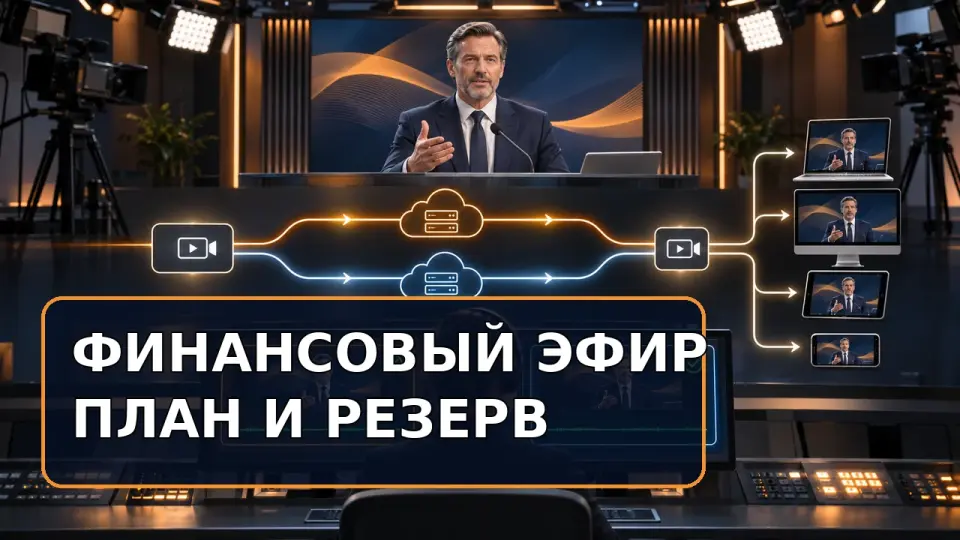
A practical production plan for a financial results webcast: material versions, roles, rehearsal, Q&A, accessibility, archive and backup.
A financial results webcast is a short broadcast in which the cost of an error is higher than its duration. Investors and analysts simultaneously see the presentation, hear management and cross-check the wording against the published materials. First, the team approves a single version of the figures, roles and release sequence. Cameras and the platform appear in the plan after that.
At Aventura, we treat such a webcast as a separate preparation and release process. The IR team is responsible for the content and permitted wording, the finance function confirms the figures, and executives prepare their remarks. The technical team produces the broadcast and recording and maintains the backup; the whole group works from one master version.
Leave a request - let's discuss your task
We'll clarify the event format and suggest the next step.
What does an IR financial results webcast include?
A results webcast combines a live stream, approved materials, audience questions and a public archive. It addresses a narrower task than an Investor Day: to release the package for a single reporting period accurately, keep the wording consistent and deliver the recording to viewers together with the documents approved by the investor relations team (IR team).
Typically, viewers get a registration or viewing page, a presentation, a management presentation and a Q&A session. After the broadcast, the recording, transcript and related documents may appear on the IR website. Microsoft and Outokumpu publish webcasts alongside their reporting period materials. That is why it is best to publish the recording together with the report, presentation and other materials for the period.
Here we focus on producing the broadcast. We do not determine the scope of mandatory disclosure and do not replace legal or financial review. The company's IR function approves the content, date, publication procedure and rules for handling questions itself.
Before the start, lock down five things:
- which document the team uses as the primary source of figures;
- who approves the slides, the speech and the answers;
- where viewers watch the broadcast and materials;
- which elements must appear in the archive;
- what the team does if the connection, video or speaker is lost.
A large Investor Day requires a long agenda and several content blocks. A results webcast is usually shorter. That makes precise pacing, clean transitions and the absence of unnecessary elements especially important here.
A single package of materials
Important: The press release, the presentation, the prepared speech and the on-screen captions must all refer to one approved version. A file name is not enough. You need an owner, a version number, a freeze time and a procedure for emergency edits. After a change, the owner updates all dependent materials and hands a single master copy to the technical team.
The same figures move from the press release into the presentation, the speech and the captions, but they look different in each format. The press release keeps the tables, the presentation keeps the key charts, the prepared speech keeps the spoken explanation, and the caption keeps a single line. When versions are edited in parallel and passed along different channels, discrepancies end up on air.
We assemble a single package in one register:
The table summarises the key points of this section: Item, Owner, What we check before going on air. Use it as a quick reference when preparing your event.
| Item | Owner | What we check before going on air | What goes into the archive |
|---|---|---|---|
| Press release and financial tables | finance function and IR | period, units, captions, totals | approved file or link |
| Presentation | IR and speakers | version number, control slides, running order | final version for publication |
| Prepared speech | speaker and IR | terms and numbers match the slides | final version per company rules |
| Captions and title cards | broadcast director | name, job title, period, on-screen text | graphics package |
| Broadcast script | producer and director | cues, transitions, duration, backup | final working version |
Before the rehearsal, the IR team sets the moment when materials are frozen. After that, edits go through a single owner. They change the master copy, flag the affected materials and send the new version to the technical team. Before going on air, the team cross-checks several control pages and values, not just the file name.
We covered the detailed material freeze process in the article on freezing presentations before a conference. For a webcast it is shorter, but the principle is the same: one master copy and a change log.
Leave a request and we'll discuss your task
We'll clarify the event format and suggest the next step.
Who is responsible for producing the webcast?
One owner makes the on-air decisions and triggers a pre-agreed escalation. The other roles are responsible for content, speakers, video, audio, questions and communications. Each participant knows their team for action and backup. If everyone manages everything, a delay of a few seconds turns into an argument in the group chat.
The minimum team depends on the platform and the company's requirements. Roles can be combined, but the functions must remain visible:
- the client-side owner confirms readiness for release;
- the IR editor is responsible for approved wording and materials;
- the producer manages the calendar, assembly and checkpoints;
- the director gives cues for going live, slides, video and wrap-up;
- the audio specialist monitors microphones and backup audio;
- the technical operator controls the platform, recording and stream;
- the Q&A moderator sorts questions and passes the queue to the host;
- the speaker coordinator stays in touch with the primary and backup connection points.
The minute-by-minute broadcast script answers the question "what happens over time." It includes the opening, the title card, the speaker's entrance, the slide change, the transition to questions and the finale. The failure instruction answers a different question: "what to do if a condition is violated." Mixing these documents is inconvenient. During a failure, the team must quickly see the trigger, the decision owner, the action and the recovery criterion.
In the event director's script, it is useful to keep the action cue and technical dependencies. For a webcast, add the status of the platform, recording, subtitles and communication with speakers.
Countdown calendar
Build the calendar backwards from the broadcast moment. First set the rehearsal, the content freeze and the technical acceptance. Then assign the dates for collecting content and access. After a late change, the calendar should show which slides, rights, captions, backups and scripted transitions the team re-checks before going live.
A working framework might look like this:
- 10-7 business days out. Approve the platform, roles, registration format, Q&A, subtitles, translation and the archive composition.
- 7-5 business days out. Assemble the first master version of the presentation, speech, captions and broadcast page. Check the team's rights.
- 4-3 business days out. Hold a content rehearsal. Lock in the pace, the tricky transitions and the expected questions.
- 2-1 business days out. Freeze the materials and hold a technical rehearsal on the final signal chain.
- On the broadcast day. Open the team's private room, run a check of all communication lines, confirm the recording and the backup.
- After the event. Check the recording file, access rights, subtitles, transcript and public links.
This is a working framework that lets the team see dependencies and the scope of re-checking after changes. If the company changes the presentation after the technical rehearsal, the team re-checks the affected slides, graphics, timing and backup.
We build the calendar from the critical artifacts. In conference planning projects, the platform must be ready before the audience link is sent out. The speaker lineup is needed before access rights are configured. The glossary is required before the subtitle test. The archive owner defines the recording route before the broadcast, otherwise the file ends up in the account without a clear owner.
Rehearsal: content and technology
Important: Content and technical rehearsals serve different purposes. In the first, speakers refine their wording, figures and pacing. In the second, the team checks devices, permissions, transitions, Q&A, recording and backup. At the end you need a test segment: watch it through the eyes of the audience and repeat the check after any substantial edit.
Private rehearsal sessions and speaker rooms are available in Zoom, Webex and Microsoft Teams. When preparing an online conference, use them as a control environment, not as an ordinary waiting room. The speaker connects from the device and network that will be used during the broadcast.
At the content rehearsal we check:
- the length of the introduction and of each content block;
- the pronunciation of terms, units and segment names;
- whether the speech matches the reference slides;
- the transition from the prepared part to questions;
- short answers to likely repeats and clarifications.
At the technical rehearsal we run through the opening, every handover of the floor or control, the most complex slide, enabling questions and the closing. Then we practise at least two failures: loss of connection with the speaker and unavailability of the main input or device. Reading the full script at this point only hides problems at the handover points.
We record a test segment and watch it as an audience member would. This reveals small fonts, noise, the wrong aspect ratio, subtitle lag and service windows that the operator does not notice in the control panel.
How do you manage Q&A?
Questions come in as a separate stream. The moderator removes duplicates, tags the topic and status, and the IR team decides what to pass to the host now and what to leave for a follow-up answer. Before the broadcast, the company determines which author details are visible to the team and to viewers. After the session ends, the queue owner closes the questions that require verification.
Platforms let you collect questions, answer in writing and manage their visibility. But the feature does not replace an editorial process. Before the webcast, agree on whether author identification is required, whether participants can see other people's questions, whether voting on questions is allowed, and whether the Q&A is part of the public recording.
A few statuses are enough for the queue: new, duplicate, to answer, answered, follow-up answer, not on air. The topic and the decision owner are noted alongside. The host receives a short, clean wording with no internal notes.
If a question requires verification, there is no need to improvise for the sake of pace. The host can say that the company will follow up with an answer via the established IR channel. After the broadcast, the queue owner reviews the unanswered questions and closes the follow-up answer in line with company rules.
A detailed role framework can be taken from the material on moderating questions at a conference. In an IR broadcast, it is supplemented by mandatory sign-off of wording by the authorised team.
Accessibility and the public archive
Live captions and the recording transcript are different artifacts. The first helps the viewer during the broadcast. The second makes the archive suitable for re-watching and searching. Before the start, the team checks the actual microphones and the glossary. Before publishing the archive, the editor verifies terms, names, units and financial designations.
The W3C classifies captions for live video with sound as a WCAG AA requirement. We test automatic captions on an actual segment of the broadcast. Before the start, we pass the glossary with financial terms, surnames and abbreviations to the operator or service, then manually verify the result.
Key numbers must not be conveyed by chart color alone: the speaker states the period, unit and conclusion, and the slide must be readable on a small screen. For a complex chart, it is useful to briefly explain what exactly changed.
We divide the archive into three levels:
- the source recording for internal technical review;
- the final version for publication after checking the beginning, end, sound and graphics;
- the public IR package with a page, recording, captions or transcript and related documents.
Each level has an owner and rights. The platform can create a file automatically, but it does not decide who will review the content and when the link will become public. In the article on accessible event broadcasting, we looked in more detail at captions, sound and the viewer's journey.
How to prepare a backup path?
A backup platform protects only one part of the broadcast. Failures can occur with a microphone, a speaker's device, the input signal, the local network, the provider, the encoder, recording or power. Every critical function needs a switchover path, a decision owner and a test on the working setup. The team accepts a backup only after testing.
AWS distinguishes between transmission path redundancy and automatic input failover. This is a useful model: a backup further down the chain will not save you if the single source is lost. A second internet channel also does not help until the team has verified the actual switchover and the outbound speed at the working bitrate.
Before the rehearsal we map out the primary and backup paths:
The table summarises the key points of this section: Function, Primary path, Backup. Use it as a quick reference when preparing an event.
| Function | Primary path | Backup | Switchover trigger | Who decides |
|---|---|---|---|---|
| Speaker | primary device and network | second device or phone audio | connection is not restored within the set window | coordinator and director |
| Presentation | master copy with the operator | local backup copy | the speaker's demo is lost | director |
| Internet | primary wired channel | independent channel | packet loss or stream drop | technical operator |
| Power | venue power supply | UPS for critical nodes | loss of mains power | technical lead |
| Platform | primary event and signal ingest point | pre-prepared backup route | platform or input unavailable | broadcast owner |
| Recording | platform recording | local programme recording | cloud recording did not start | recording operator |
We accept a backup after a switchover test. Sometimes it is more reliable to switch to a static frame, clean audio and a local presentation. It is worse than a full picture, but it is clear to the viewer and available to the team. A complex setup that no one has ever switched remains a decoration.
The technical lead selects a UPS for the actual load and the required runtime. There is no universal battery life. The backup should include not only the computer but also critical network devices, audio and the team's communication tool.
Security and registration data
Separate the public viewer path from the team's back-office access. Grant permissions by role, enable multi-factor authentication and keep registration fields to a minimum. Assign owners for the export, questions, recording and transcript. After the event, close temporary access and re-check who can download materials or edit the public page.
For high-profile conferences, the NCSC recommends verifying identities and using strong authentication, especially for speakers. For an IR broadcast, this means early verification of speakers' work accounts, the rights of the organizer and co-organizer, and back-office links.
The team's back-office link is not sent in a general mailing. Temporary rights are granted only to those who need them to produce the event. After the event, they are closed. Separately, check who can download the recording, transcript, participant list and question log.
The registration form collects only the information that is used. A name and work email address may be needed for access and follow-up. Any additional field must have a clear purpose, owner and retention period. The company agrees the legal basis, notice and retention periods with its legal and personal data protection specialists. Before the broadcast, the company notifies speakers and other recorded participants about the recording and publication of materials. It formalizes the necessary consents and storage procedures in line with its internal rules and the requirements of applicable law.
During the rehearsal, check not only the speaker's login but also the scenario for a wrong link, a lost device and an attempt to log in under the wrong role. The technical team should not be improvising access decisions a minute before the start.
How do you check readiness before going live?
Sign-off is based on facts: an approved version of the materials, speakers who are ready, a working signal path, a tested recording, accessibility, and decision owners. Every critical item has confirmation and a person who accepts the result. If an owner or a test is missing, the team either closes the risk or simplifies the format before opening public access.
- Materials. The release, master presentation, speech, captions and show script are approved. Versions and the freeze time are recorded.
- Speakers. Accounts, devices, network and backup have been checked. Content and technical rehearsals are complete.
- Team. The minute-by-minute script includes time, action, the call to action and the owner. The failure procedure is available to the whole shift.
- Questions. The Q&A queue is set up, and visibility, roles, author data and the follow-up response process are defined.
- Accessibility. Captions have been tested with real microphones. The glossary is uploaded or handed to the operator.
- Archive. The recording is confirmed by a test. Owners are assigned for the final version for publication, the transcript and the public page.
- Backup. Internet switching, backup presentation, recording, power to critical nodes and degraded mode have been checked.
- Security. Internal links are separated from public ones, permissions are minimal, and temporary access is listed.
If even one critical item has no owner or check, the decision is made by the live stream owner before public access is opened. The team either closes the risk or simplifies the format. Additional equipment will not replace a decision owner and a tested procedure.
Frequently Asked Questions
A results webcast brings together the live stream, approved materials, audience questions and a public archive. It serves a narrower purpose than an Investor Day: to deliver the package for a single reporting period accurately, keep the wording consistent, and give viewers the recording along with the documents approved by the investor relations (IR) team.
The same figures move from the press release into the presentation, the speech and the captions, but they look different in each format. The release keeps the tables, the presentation keeps the key charts, the prepared speech keeps the spoken explanation, and the caption keeps a single line. When versions are edited in parallel and passed along different channels, discrepancies end up on air.
One owner makes decisions about the broadcast and triggers a pre-agreed escalation. The other roles are responsible for content, speakers, visuals, sound, questions and communications. Each participant knows their team's action and backup. If everyone manages everything, a delay of a few seconds turns into an argument in the group chat.
Build the calendar backwards from the moment you go on air. First set the rehearsal, the content freeze and the technical acceptance. Then assign the dates for collecting content and access. After a late edit, the calendar should show which slides, rights, captions, backups and scripted transitions the team re-checks before the broadcast opens.
Closed rehearsal sessions and speaker rooms are available in Zoom, Webex and Microsoft Teams. When preparing an online conference, use them as a control environment rather than an ordinary waiting room. The speaker connects from the device and network that will be used on air.
Questions come in as a separate stream. The moderator removes duplicates, tags the topic and status, and the IR team decides what to pass to the host now and what to leave for a follow-up answer. Before the broadcast, the company determines which author details are visible to the team and to viewers. After the broadcast, the queue owner closes the questions that require verification.
At Aventura, we can prepare a business online broadcast as a single project: build the production calendar, script, roles, rehearsal, recording and backup. Request a quote.
Sources
- Microsoft Investor Relations: Earnings FY 2025 Q1
- Outokumpu: Results webcasts and recordings
- Zoom: Webinar practice session
- Webex: Practice sessions in Webinars
- Microsoft Teams: Green room
- Zoom: Webinar Q&A
- W3C WAI: Planning audio and video media
- Microsoft Learn: Teams recording
- AWS: MediaLive redundancy
- AWS Well-Architected: streaming incident runbooks
- NCSC: Cyber security for high-profile conferences
- W3C WCAG: Use of Color
- Peplink: SpeedFusion bonding and failover
- YouTube Help: Live encoder settings and bandwidth
Contents
Was this article helpful?