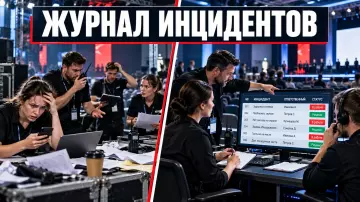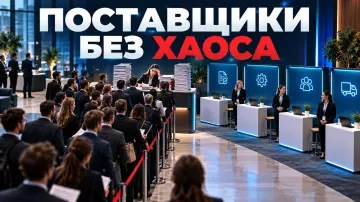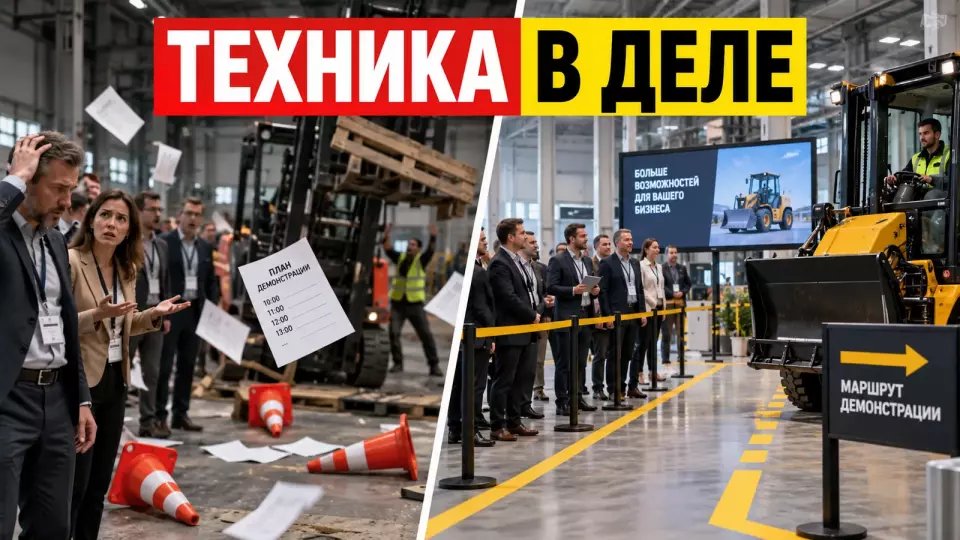
A practical plan for an industrial equipment demo day: audiences, route, equipment showcase, safety, roles and lead handling.
Industrial equipment is hard to sell with slides alone. Clients need to see the working cycle, ask an engineer questions and match the machine to their task. At the same time, the showcase takes place next to moving equipment, power sources, vehicles and the site's existing rules. A standard presentation won't work here.
At Aventura, we treat a demo day as a business client event with a controlled product showcase. First, we link the business objective, the guest list and the permissible equipment operating scenario. Then we build the route, the programme, team roles and the handover of leads to sales.
Leave a request — let's discuss your task
We'll clarify the event format and suggest the next step.
What Does an Industrial Equipment Demo Day Solve?
A demo day helps a B2B client see equipment in action, check its applicability to their task, and move to a substantive next step. For the organizer, this format combines a presentation, a technical demonstration, a consultation, and negotiations. The program should give the guest an observable result, access to an expert, and a clear way to continue the conversation after the event.
The main result of such an event does not appear on stage. It emerges when a guest connects the equipment's capabilities to their own process. One visitor evaluates performance. Another looks at maintenance. A third clarifies delivery, integration, or on-site testing terms.
That is why a demo day differs from an exhibition stand. At an exhibition, a visitor often sees many brands and gets a brief introduction to a product. At a dedicated client day, the manufacturer or dealer controls the entire logic of the contact. They choose operating modes, prepare operators, collect questions, and allocate time for conversation after the demonstration.
The format also differs from a plant opening. At an opening, the focus is often on the facility itself, the launch, or the protocol. At a demo day, the main focus becomes the application of the equipment. If the event takes place at a factory, proving ground, warehouse, or service base, the experience from the article on plant openings is useful for the route and access. The product demonstration is designed separately.
We start with one sentence: "After the event, the guest will be able to..." The continuation should describe an observable action. For example, compare two configurations, request a calculation, agree on an engineer visit, or select equipment for a pilot test. The phrase "increase loyalty" is too broad for a program.
A demo day can address several tasks, but they must have an order. Marketing is responsible for the relevant audience and the content of the invitation. Sales determines priority contacts and the next step. The product team chooses the talking points and demonstration limitations. Technical specialists confirm the working scenario. The organizer combines these decisions into an event.
How do you define the outcome and the next step?
Before the programme is developed, the team defines the action that will be a useful follow-up to the contact. The outcome may be a consultation or a quote. Other options are a site survey, a test and a commercial proposal. The chosen step is tied to a specific audience and an owner is assigned. It is decided in advance what information that person will receive after the meeting. That way the guest's interest is not lost between the event and sales.
The number of registered guests shows interest in the invitation. It does not explain the quality of the meeting. For a B2B demo it is more important to know who came, what task they discussed, what they saw and what they agreed with the company's representative.
We build a results map by audience. A company executive can assess the economics and stability of the supplier. A technical director looks at compatibility and limitations. An engineer studies operation, maintenance and infrastructure requirements. Procurement clarifies the scope of the offer and the selection procedure. One general presentation will not cover all these questions.
The working matrix looks like this:
The table summarises the key points of this section: Audience, What they should understand, Confirmation in the programme. Use it as a quick reference when preparing the event.
| Audience | What they should understand | Confirmation in the programme | Possible next step |
|---|---|---|---|
| Executive or owner | the role of the solution in the business process | brief context, working demo, expert answers | project meeting or preliminary estimate |
| Technical manager | applicability, limitations, integration | demonstration of a mode, technical consultation | site survey or test |
| Operations and service | operation and maintenance | conversation with an operator, available materials | consultation with the service department |
| Procurement | scope of supply and proposal framework | a dedicated Q&A point after the demo | request for a quote or documentation |
| Dealer or partner | how to present the solution to a client | product breakdown and demo logic | training, joint visit or sales plan |
The matrix helps remove unnecessary content. If a block does not support the guest's decision, it does not have to be included. A detailed company history can help build trust, but it should not crowd out the time for the working demo and consultations.
We assign an owner for each next step. The phrase "the sales department will get in touch" does not define a process. You need a specific function, a deadline under internal policy and the data the employee will receive. If a manager sees only a name and a phone number after the event, they will have to start the conversation from scratch.
We also define the boundary of promises. The operator demonstrates approved modes. The expert answers within their competence. Commercial terms are communicated by an authorised employee. A question without a confirmed answer is recorded and passed to the owner. An improvised promise on site can create more problems than an honest "we will check and get back to you".
Audiences, invitations and group composition
The guest list is built around product and sales objectives, and broad reach alone is not a goal. Audiences are segmented by role, interest in the models and the expected next step. The invitation explains the format and duration in advance, along with participation terms and site requirements. The content of the demonstration is also stated upfront so that visitors understand the programme before confirming their attendance.
The first list is usually compiled by sales, marketing and the dealer network. Contacts are then divided by role and interest. This breakdown influences the programme. A group of engineers needs more time with the equipment. For executives, a comparative framework and a meeting with the responsible persons may be more important. Partners need material they can use in their ongoing work.
In the invitation we state the business topic, address, arrival time and duration. For a restricted-access site, the guest receives document requirements and the deadline for submitting their details in advance.
For an open test ground, recommendations on clothing and weather conditions are needed. Noise, dust and mandatory protective equipment are also communicated before participation is confirmed.
The wording "test drive" requires particular caution. Not every guest can operate the equipment. Authorisation is determined by the site owner, the manufacturer and applicable rules. If visitors only observe the operator's work, we say so. If a hands-on trial is planned, its conditions, participants and supervision are agreed separately.
The registration form collects only the necessary data. This is usually name, company, position, contact details, product interest and any special needs of the participant. For a restricted-access site, additional information may be required. The set of fields and the legal grounds for processing are determined by the personal data controller together with their specialists.
We do not conflate confirmation of participation with site clearance. A person may be invited by the organiser but fail to pass the established access procedure. In communication, it is better to name both stages in advance. That way the coordinator does not have to explain this at the checkpoint before the programme begins.
For large lists, time slots or groups are useful. They reduce queuing and allow the demonstration to be repeated with consistent quality. We cover the registration scenario, backup guest search and recording of actual entry in detail in the article on event participant registration.
If guests arrive as a group, logistics and transfers are linked to access slots and the readiness of the demonstration area. The bus should not drop off the next group while the previous one is occupying a narrow entrance or the briefing area.
How to choose the equipment and demonstration format?
The program includes equipment and modes that the team can prepare and safely repeat at the chosen site. The demonstration must be clear to guests. Selection starts with the client's task, then the venue's constraints and operator requirements are checked. Stop conditions are confirmed separately. One meaningful work cycle is usually more useful than a long parade of features, since it leaves time for observation and consultation.
Selection starts with client tasks. We ask the product team to name typical application scenarios, limitations and the questions that most often arise before purchase. Then we match them against the venue's capabilities. A machine can operate in a workshop, at a test site, in a service center yard or in a specially prepared area. Each option has its own limits.
For each piece of equipment we compile a demonstration passport:
- The model and configuration the guest will see.
- The task or work cycle it demonstrates.
- The material, load or attachment used for the demonstration.
- The duration of preparation, operation and return to the initial state.
- Requirements for the operator and technical staff.
- Sources of power, fuel, air, water or communications.
- Hazard zones and stop conditions.
- The permitted audience location and viewing points.
- The parameters that can be stated publicly.
- A backup in case the main demonstration cannot be held.
The passport does not replace the manufacturer's instructions, risk assessment and decisions by the responsible specialists. It translates technical conditions into a clear event program. The organizer sees the duration, transitions, viewing and communication needs. Sales understands which message the demonstration supports.
There are several basic formats. A static inspection is suitable for the device, its configuration and service units. A live demonstration shows a work cycle under the operator's control. A comparative demonstration helps show the difference between configurations under comparable conditions. A recording or digital model replaces an operation that cannot be safely or reasonably reproduced in front of a group.
We are cautious about machine competitions for the sake of spectacle. A comparison is useful if the parameters and conditions are agreed in advance. Random material, different operator preparation or a changing site make the conclusion disputable. If the demonstration is not conducted as a test according to an approved methodology, it cannot be presented as universal proof of superiority.
For a technically complex project we conduct a site audit in advance. First the team checks the geometry, delivery routes, loads and power supply. Then it clarifies communications, installation windows and site constraints. This must be done before the scenario and invitation lock in promises that the site does not support.
If the task includes a product launch, a branded presentation and an official part, the service of organizing presentations and openings can serve as the basis. For a demo day we supplement it with demonstration passports, group logistics and technical consultation.
We publish breakdowns of business formats, venues and team work in the Aventura Telegram channel. Subscribe if you are preparing client events and want to compare working solutions.
The day's scenario and the B2B client's journey
The journey should take the guest from arrival to product inspection and then to a conversation about their challenge. Registration and the briefing open the programme. The introduction, demonstrations and consultations prepare the participant for negotiations. At every point the guest understands where to go and what will happen next. They know whom to ask a question and where to agree on the commercial follow-up to the meeting.
We design the day from the participant's perspective. What do they know before arriving? Where do they leave their car? Who meets them at the entrance? When does the briefing take place? From which point do they see the machine in operation? Whom do they ask a technical question? Where do they discuss the commercial follow-up? If the answers live in different documents, there will be gaps on site.
A basic journey might look like this:
- Arrival. The guest receives up-to-date access directions and reaches the agreed drop-off or parking point.
- Admission and registration. The team checks participation, and the facility applies its own entry rules.
- Orientation. The participant understands the plan for the day, the layout of the zones and the mandatory restrictions.
- Introductory block. The speaker explains the client's challenge, the product framework and the order of the demonstration.
- Showcase. The operator performs the approved cycle, while the commentator links the action to the audience's challenge.
- Questions. The experts answer at a separate safe point without delaying the next operation.
- Themed stations. The guest explores the service, components, digital features or application options.
- Negotiations. The sales representative captures the context and agrees on the next step.
- Exit and materials. The participant receives only up-to-date documents and a clear contact.
It is best to keep the introductory block close to the demonstration. A long conference programme reduces attention to the product. If management speeches are needed, we link them to what the guest will see a few minutes later. General words should not take up the machine's working window.
We treat transitions as part of the scenario. A group does not move instantly. People ask questions, take photos, collect their coats and wait for colleagues. At a production facility, movement may depend on the escort's permission. That is why timing is built after walking the route, not based on the distance on a plan.
If there are several demonstrations, groups can be split across stations. Each station should have the same cycle: gathering, a short introduction and the showcase. After that come questions and a signal to move on. Otherwise the first group gets a detailed story, while the last one sees a shortened improvisation because of the accumulated delay.
For priority clients we provide negotiation slots. They do not have to be long. Value comes from prepared context. The manager knows the guest's role, the model of interest, the question after the showcase and the acceptable follow-up. A conversation about whether they enjoyed the event does not replace that information.
We test the scenario in a full run-through. How to prepare the sequence of cues, content, microphones and team actions is described in our article on the technical rehearsal of an event. For a demo day, the usual run-through is supplemented by a dry or working cycle of the machine and confirmation of a safe return to its initial state.
How do you prepare a safe demonstration area?
Guests watch the show from a confirmed area whose boundaries have been defined by the relevant specialists of the venue and the equipment owner. The routes for machinery, operators, service vehicles and the audience are separated or connected through a pre-arranged controlled passage. The plan also records the viewing points, the stopping procedure, access for responsible staff and the team's actions if conditions change.
The organiser does not set the safe distance based on the appearance of the machine. It is determined by instructions, the conditions of the specific operation, the layout, the risk assessment and the decisions of competent persons. Our job is to translate these conditions into the route, markings, the work of coordinators and the scenario.
The British HSE service states that dangerous parts of equipment must be guarded, and control measures should be selected according to a hierarchy: from guards and protective devices to working systems and information. HSE recommends taking risks into account when preparing the machine, during normal operation, when clearing blockages, during emergency repairs and scheduled maintenance. Information and briefings complement physical protective measures. These materials do not replace Russian regulations. The practical conclusion is simple: the presenter's words do not protect against physical danger.
A working plan for the area usually contains:
- the position of the machine at each stage of the cycle;
- the boundary that guests must not cross;
- the location of the operator and the technical team;
- the emergency stop point and access to it;
- the direction of movement of raw materials, parts or attachments;
- viewing points, cameras and the commentator;
- the group's entry and exit;
- the service path for preparing the next cycle;
- the waiting area during a temporary stop;
- actions if the weather, surface or venue conditions change.
Boundaries are made visible and unambiguous. The type of barrier depends on the risk and the specialists' decision. It may be a permanent separation, a temporary barrier, a controlled passage or another system. Decorative tape is not suitable where a person could physically enter a danger zone.
Visibility also affects safety. A guest who cannot see anything will look for a better spot. They may step into the passage or move closer to the equipment. That is why we check sight lines in advance. Sometimes it is safer to use a camera and screen for a close-up than to bring the group closer.
Before the show, the participant receives a short briefing in clear language. The team explains where to stand and whether they may move around. It separately explains where to ask questions and what to do when the stop signal sounds. If personal protective equipment is required, the issuing procedure, sizes, compatibility and return are prepared before registration opens.
Photo and video are controlled separately. The camera operator does not automatically get the right to enter the service area. Their position is marked on the plan. Movement during the working cycle is either prohibited or carried out according to an approved scheme. For complex filming, an escort is assigned.
If the demonstration stops, the presenter does not fill the pause with guesswork. The group stays in the safe area and receives a neutral message. The decision to continue is made by the designated technical owner. If the installation cannot be returned to a confirmed state, the team switches to the backup scenario.
Who is responsible for the demo day?
Every solution needs a single owner, and every zone needs a coordinator. Marketing is responsible for the audience and communication, sales for following up on contact, and the product and technical teams for the content and the permitted demonstration mode. The venue confirms its own rules, and the organizer ties the functions together into a single plan without taking over from the specialist teams.
We separate content, commercial matters, technical matters and event management. The product manager knows the product but is not required to manage guest flow. The sales manager knows the client but does not decide whether to start a machine. The group coordinator leads people but does not change the route without the venue's permission.
The minimum role map includes:
The table summarizes the key points of this section: Role, What they are responsible for, What decision they make. Use it as a quick reference when preparing the event.
| Role | What they are responsible for | What decision they make |
|---|---|---|
| Client project lead | goal, budget, priorities and escalation | approves the scope of the event and major changes |
| Marketing | audience, invitations, materials and communication | confirms the content of contact before and after the event |
| Sales | priority guests and the next step | assigns owners for enquiries and records agreements |
| Product expert | key messages, configurations and limitations | confirms what may be shown and said |
| Technical lead | equipment readiness and the operating cycle | authorizes or stops the demonstration within their area of responsibility |
| Venue representative | access, routes and site rules | confirms the terms of use of the venue |
| Organizer | scenario, timing, contractors and coordination | manages execution of the approved plan |
| Group coordinator | gathering, movement and informing guests | initiates the transition after a confirmed signal |
| Medical and other specialist support | actions within the assigned function | operates according to the approved venue and project plan |
Before the event, the team draws up a contact list and an escalation chart. It does not say "call someone from the technical team". For the main situations, the person responsible for the decision and a backup contact are specified. This is especially important when the demonstration zone is far from the main command center.
For communication we use short call signs and common wording. In the article on the event command center and radio communication, we separately cover channels, the decision log and radio discipline. On a demo day, the technical launch, group readiness and venue permission must not be mixed into one long conversation.
If the project is complex, business event management helps bring the functions together into a single production plan. We connect the client scenario and the venue, coordinate contractors, equipment and the team. Decisions about operating equipment remain with the responsible specialist teams.
Demo Card and Operator Preparation
Each demo gets a short, repeatable script with start conditions, operator actions, commentator talking points and stop criteria. The card also records the initial state of the equipment, the observed result and the procedure for preparing for the next group. This document limits improvisation, keeps the team in sync and helps different groups see a comparable demonstration.
The operator and the speaker perform different functions. The operator monitors the equipment and the work cycle. The commentator explains what is happening to the audience. If one person tries to simultaneously control the machine, watch the guests and deliver a presentation, the risk of missing a signal or slipping into a long technical monologue increases.
The demo card fits on one or several working pages. We include in it:
- Model and configuration name.
- Purpose of the demonstration for a specific audience.
- Initial state of the equipment and the area.
- Conditions for starting.
- Sequence of operator actions.
- Commentator talking points for each stage of the cycle.
- Observed result without unconfirmed promises.
- Questions allowed during operation and the point for detailed discussion.
- Signals for normal completion and stopping.
- Procedure for preparing for the next group.
- Backup content if the live cycle is cancelled.
We build the talking points around the client's task. Instead of a list of specifications, the commentator explains what the machine is doing right now, under what initial conditions, and what to watch. Exact parameters are taken from approved documentation. If the result depends on the material, the operator, the environment or the configuration, this is stated.
Marketing wording must not expand the meaning of the technical documentation. Phrases like "suitable for any conditions" or "completely eliminates downtime" require proof and almost always need qualification. Cautious language does not make the demonstration weaker. It helps the technical audience trust the team.
The operator rehearses the full cycle with the materials and attachments that will be used at the event. The commentator attends the run-through and notes actual durations. The videographer checks the camera angles. The group coordinator sees when the transition opens and closes.
After each run-through, the team records deviations. If the cycle turned out longer, the script is changed. If noise drowns out the commentary, the speech is moved before or after the operation, or a suitable technical solution is used. If part of the action is not visible, a screen is added or the audience position is changed after approval.
On site, the card is kept by the zone manager. The operator keeps only the information that does not interfere with their main work. The team does not add a new mode at a guest's request without testing. Such a request can be recorded and considered as a separate test after the event.
How do you align registration, confidentiality and filming?
Access, data processing and filming rules are agreed before guests are invited. The procedure for disclosing information is defined separately. The client, together with its lawyers and security specialists, approves the form fields, the legal bases for processing and access levels. Permitted shots are also fixed in advance. The event team translates the decisions into clear statuses and routes so that disputed issues are not resolved at the entrance.
At an industrial site, the guest list may be linked to the access control system. Participants learn in advance what data is needed, who receives it and by when. The organiser passes on information only through the approved process. Extra copies of lists and forwarding them to random chats create unnecessary risk.
Russian personal data law sets requirements for the processing of personal data. The client defines the practical registration scheme together with its data operator and lawyers. On the event side, we help describe the form fields, statuses, team access and the period for which the working list may be used. This article does not replace legal assessment.
We view confidentiality more broadly than a ban on photos. Screens, drawings, markings and clients may end up in the frame. We separately check serial numbers, documents and neighbouring areas. In conversation, a specialist may mention a restricted parameter. That is why the product and security teams classify information in advance as open, available to certain groups, or closed.
The World Intellectual Property Organization considers access restrictions and confidentiality agreements to be possible reasonable measures for protecting trade secrets. The specific regime and documents depend on the company and applicable law. For an event, this means that a single "no filming" badge is not enough. Agreed zones, briefings, escorts and a procedure for handling materials are needed.
We prepare the filming map before installation. On it we mark:
- zones where filming is unrestricted;
- points where only a wide shot is allowed;
- restricted directions and objects;
- positions for the official team;
- the procedure for approving interviews;
- the place where material is stored and initially reviewed, if the client requires this;
- the owner of the decision on a disputed shot.
A separate route is useful for media and bloggers. The approach to accreditation, preparing speakers and permitted shots is described in the article on a press tour to a production facility. At a client demo day, the media group must not get in the way of technical specialists and negotiations.
Professional event photography and videography requires a brief. We define in advance the mandatory shots, restrictions, interviews, delivery format and caption checks. Content produced after the event should be useful for sales and product, but must not disclose what cannot be published.
Technical production of the event
The technical solution is subject to the working demonstration and the conditions of the venue. Power supply, sound, screens, communications and installation are calculated based on the actual configuration of the equipment, people's routes and the duration of the program. Critical functions receive a verified backup, and connections and placement of equipment are confirmed by authorized specialists before the start of the run-through with the guest scenario.
First, we separate the production systems of the product from the event infrastructure. The machine may have its own power, fuel, hydraulics or pneumatics. We check its network connections separately. The event requires sound, screens and registration, as well as lighting, headquarters communications and power for service areas. The intersection of systems is confirmed by technical specialists.
It is not allowed to connect stage equipment to an available outlet just because it is nearby. The team compiles a list of consumers, obtains the venue's conditions and distributes loads according to the project. The connection is performed by authorized specialists. Cables are laid so that they do not create an obstacle for guests and service operations.
Sound solves two tasks. The first is speech before and after the working cycle. The second is a clear signal to the team and the audience. If the equipment creates a high noise level, increasing the volume does not always help. Sometimes it is better to give a comment before the start, and after stopping, analyze what was seen step by step.
A screen is needed when the guest cannot see a detail, interface or measurement result. The close-up camera must be in an agreed position. The operator does not move near the operating machine for the sake of a beautiful shot. The content on the screen is checked for readability and the absence of closed information.
If an LED screen is used, the team conducts a separate technical acceptance. In the material about LED screen acceptance, we have collected checks of power, signal, content, backups and control. At an open test site, weather, structure and actual visibility conditions are additionally taken into account.
Radio communication is checked at all working points. Metal structures, distance between zones and noise can worsen intelligibility. For critical signals, short formulations and a backup method of communication are defined. A phone chat is useful for documents, but is not always suitable for immediately stopping the scenario.
The installation plan includes the arrival of equipment, unloading, assembly, setup, trial cycle, cleaning of the route and acceptance of the zone. The time for these operations cannot be hidden inside the general word "installation". Some actions are performed only when the site is free or with the participation of a venue representative.
Broadcasting is not needed for every demo day. It expands the audience, but adds cameras, network, moderation of remote questions and rules for showing closed details. We include an online format only if it supports a specific business task. Recording key demonstrations is sometimes more useful than a complex live broadcast.
What goes into the budget and Plan B?
The budget is calculated after the show scenario, venue and group composition have been chosen. The calculation covers preparation and delivery of equipment, the venue and technical production. Route safety, staff and logistics are accounted for separately. Materials and contingency solutions are treated as their own blocks. Plan B is built around specific failures, so that for each switchover condition a responsible person and a replacement are assigned.
There is no universal price for a demonstration day. One project runs on the manufacturer's existing base. Another requires a test site, delivery of heavy equipment, temporary infrastructure and several runs of the programme. Comparing them by the number of guests is incorrect.
We divide the budget into blocks:
The table summarises the key points of this section: Block, What it may include, What affects the calculation most. Use it as a quick reference when preparing your event.
| Block | What it may include | What affects the calculation most |
|---|---|---|
| Venue and site | rental, security services, cleaning, temporary zones | type of site, access and duration of use |
| Product equipment | delivery, preparation, operator, materials, servicing | weight, configuration, operating cycle and number of runs |
| Event equipment | sound, screens, cameras, communications, power supply | distances, outdoor or indoor, volume of materials |
| Guest services | registration, wayfinding, cloakroom, catering | number of groups, duration and site requirements |
| Team | production, coordinators, technical management | number of zones and parallel processes |
| Content | presentations, graphics, video, printed materials | number of models, languages and approval versions |
| Logistics | transport for guests and equipment, passes | distance, entry windows and route restrictions |
| Contingency | backup content, shelter, additional time | weather, criticality of the live show and reliability of infrastructure |
We build the timeline backwards from the event date. The early decisions are the site, equipment, audiences and demonstration format. Then we lock in the route, technical plan and invitations. Closer to the event we freeze the list of shows, content, guest statuses and the team's working documents.
Exact timelines depend on the project. For a restricted site, data transfer may take longer than printing wayfinding. For heavy equipment, the delivery window will be critical. For international participants, translation and documents will be added. That is why we do not use a single timeline for all projects.
Plan B is prepared for individual failures. Rain is not the same as a machine breakdown. A transport delay is not the same as a power failure. For each critical element we specify the switchover condition, the decision owner and the replacement.
A live show contingency may include a run in a different configuration, pre-recorded video, a digital model or a component walkthrough in a static zone. The contingency must not pass off a recording as live work. The host honestly explains the change to the programme and preserves the useful meaning of the block.
Metrics and Handover of Enquiries After the Event
After the demo day, sales receive context on every significant contact, while the marketing and product teams get a summary of questions and interest in the models. The report records the guest's objective, the equipment discussed, the agreement reached, the next step and the person responsible. Attendance and photographs complement this picture, but do not replace the data needed to continue the conversation.
Before the event we agree on the fields of the working report. The manager or coordinator records the company, the guest's role and the equipment of interest. They then add the objective, the question, the agreement and the person responsible for the next step. If the company uses a customer relationship management system, the data handover format is defined in advance.
During the event, a salesperson must not be turned into a survey-taker. They hold the conversation, and brief notes are made immediately afterwards or with the help of an assigned assistant. For priority guests, a card with prepared context is useful. It must not contain unnecessary personal information.
It is convenient to divide the metrics into four levels:
- Invitation reach. Who received the invitation and who confirmed attendance.
- Actual attendance. Who came, which zones they visited and in what composition.
- Substantive interest. Which models, modes and questions attracted attention.
- Commercial follow-up. Which next step was agreed and who is responsible for it.
The number of questions alone does not prove success. A recurring question may indicate strong interest or a gap in the explanation. The product team reviews the topics of the questions together with the context. If several guests misunderstood one point, the next demo day should explain it differently.
After the event, the participant receives the promised materials and a contact. There is no need to send them the entire archive of presentations. It is better to assemble a package based on their interest: an approved description of the model, answers to the recorded questions, a specialist's contact and the agreed next step.
The team holds an internal debrief. We compare the plan with the actual results, group delays, stoppages and guests' questions. We assess the workload on the experts and the quality of the data handover separately. We turn the findings into specific changes: adjust the invitation, rearrange a station or shorten the introductory block. If necessary, we change the demonstration card or add a specialist.
Frequently Asked Questions
The format of a demo day depends on the equipment, the site and the makeup of the guests, but the preparation sequence stays the same. First, the team confirms what may be shown, the venue rules and the guest route. Then it builds the programme, assigns roles, prepares a backup and defines the commercial follow-up. The answers below help you quickly check the basic decisions before designing the event in detail.
How many pieces of equipment should be included in the programme?
As many as the team can properly prepare, demonstrate and discuss within the available time. A large number of models means more transitions and less depth in the conversation. We start with the client's priority tasks, not with the full catalogue.
Can a demo day be held at the client's site?
This option can be considered after a site survey and agreement on the terms. Delivery, placement, power sources, an operator, working material, hazardous areas and the parties' authority all need to be confirmed. A routine manager visit is no substitute for this.
Do we need an MC?
You need someone who manages attention and transitions. This can be a professional MC, a moderator or a trained company representative. They do not replace the technical specialist and do not comment on parameters that are not in the approved materials.
What should we do if the live demonstration is cancelled?
Switch to the backup prepared in advance. This can be a recording of a working cycle, a breakdown of a component, a digital model or a consultation with an engineer. The decision to restart is made by the technical owner, not by the MC or a guest.
How do we combine the demonstration and negotiations?
First give the guest the general context and an observable demonstration. Then move the conversation to a separate area where noise and the next group will not interfere. The manager receives an interest card and closes the meeting with a specific next step.
When should the event organiser be brought in?
It is useful to bring the organiser in before the final scenario and venue are chosen. That way the programme, the guest route, the technical production and the budget develop together. Bringing them in later leaves fewer options for resolving conflicts.
Leave a request - let's discuss your task
We'll clarify the event format and suggest the next step.
Sources
- HSE: Provision and Use of Work Equipment Regulations 1998 - an overview of requirements for the provision and use of work equipment
- HSE: Introduction to machinery safety - an introductory guide to hazards and protective measures
- HSE: Are you exhibiting or demonstrating machinery? - safety guidance for exhibitions and machinery demonstrations
- Order of the Ministry of Labour of Russia No. 814n dated 18.11.2020 - occupational safety rules for the operation of industrial transport
- Federal Law No. 152-FZ of 27.07.2006 "On Personal Data"
- WIPO: How to Protect Trade Secrets - an overview of reasonable measures to protect confidential business information
- W3C WAI: Making Events Accessible - guidance for in-person, remote and hybrid events
Contents
Was this article helpful?